
AI Directory : AI Chatbot, AI Notes Assistant, AI Speech Recognition, AI Video Recording, Recording, Speech-to-Text, Transcriber, Transcription
What is Otter.ai?
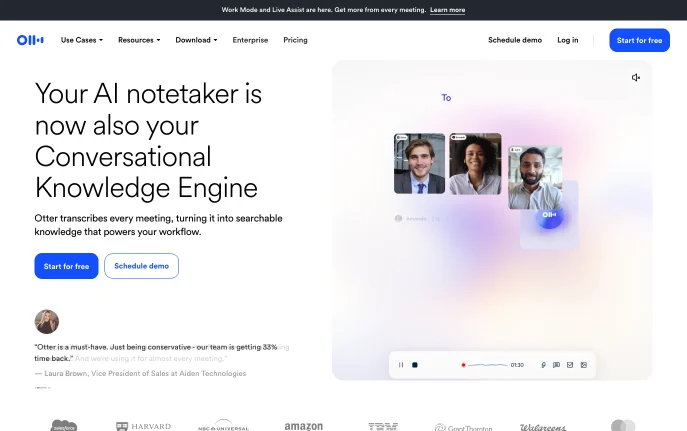
Otter.ai is an AI meeting assistant that transcribes calls live, writes summaries with decisions and action items, and turns past meetings into searchable team knowledge. It joins Zoom, Microsoft Teams and Google Meet as a notetaker, or records directly on desktop and mobile. It is used by sales teams, educators, journalists and anyone who wants a written record of every meeting without taking notes by hand.
How to Use Otter.ai
Sign up free at otter.ai and connect your Google or Microsoft calendar. Otter's meeting agent can then join scheduled Zoom, Teams and Google Meet calls automatically. If you prefer no bot in the call, record from the Mac or Windows desktop app, the Chrome extension or the mobile app.
During the meeting you see the words as they are spoken, with speaker labels. Afterwards Otter sends a summary with action items, and you can open Otter AI Chat to ask questions across meetings or draft a follow-up email. Channels group meetings by team, project or topic so colleagues can find the recordings.
Key Features
- Live transcription Real-time transcripts in multiple languages with speaker recognition.
- Summaries and action items Each meeting gets a summary with decisions, and next steps are captured and assigned.
- Otter AI Chat Searches across your meetings and connected apps to answer questions and write follow-ups.
- Bot-free desktop recording Record calls from Mac or Windows without a bot joining.
- MCP server and integrations ChatGPT, Claude and other AI chat tools can read meeting knowledge through Otter's MCP server, and notes sync to Slack, Salesforce and Google Drive.
Why Choose Otter.ai?
Otter combines a meeting bot, bot-free desktop recording and mobile recording in one account, so you can match the capture method to each meeting. Its free plan includes AI Chat and the MCP server, which lets other AI tools use your meeting history. Sales teams get CRM sync for deal notes, and Enterprise adds SSO, SCIM and an optional HIPAA add-on.
Use Cases and Applications
Sales reps can push call notes and next steps into Salesforce or HubSpot. Students and teachers can record lectures and turn them into searchable notes and summaries. Media teams can transcribe interviews and pull key quotes for a draft, and managers can review a project channel instead of sitting in every meeting.
Frequently Asked Questions
Is Otter.ai free?
Yes. The Basic plan is free with 300 transcription minutes a month, up to 30 minutes per conversation, 3 lifetime file imports and 20 AI Chat queries a month.
How much does Otter Pro cost?
Pro lists at $16.99 per user per month billed monthly, or $8.33 per month billed annually, with 1,200 minutes a month and up to 90 minutes per conversation. Business is $19.99 per user per month billed annually. The pricing page often shows promotional discounts, so check the amount at checkout.
Can Otter record without joining as a bot?
Yes. The Mac and Windows desktop app and the Chrome extension can record without a bot in the call.
Which meeting platforms does Otter support?
Its meeting agent joins Zoom, Microsoft Teams and Google Meet, and the mobile app can capture conversations on the go.