
AI Directory : AI Repurpose Assistant, AI Short Clips Generator, AI Video Editor, AI YouTube Assistant
What is AI Clipping?
AI clipping tools take a long video, such as a podcast, webinar, interview or stream recording, and cut it into vertical short clips for TikTok, Reels and YouTube Shorts. They find the moments worth posting, reframe the speaker into a vertical frame, burn in captions and, in some tools, score each clip for viral potential. This page compares the clipping tools people search for most by what they actually give you for free and what the first paid plan costs, using each tool's own pricing page as of November 28, 2026.
How to Use AI Clipping Tools
Most tools follow the same flow. Paste a video link or upload a file, wait while the AI transcribes and picks highlights, then review the suggested clips, edit captions, and export or post directly to your social accounts. Opus Clip, Klap, Ssemble, HiClip and OpenShorts accept YouTube links; Submagic works from uploads.
Check two things before you upload a long recording. First, the free allowance is usually counted in credits or minutes of source video, so a two-hour stream can use it up in one go. Second, free exports may be watermarked or limited to a lower resolution, which matters if the clips will run on a brand account.
Key Features
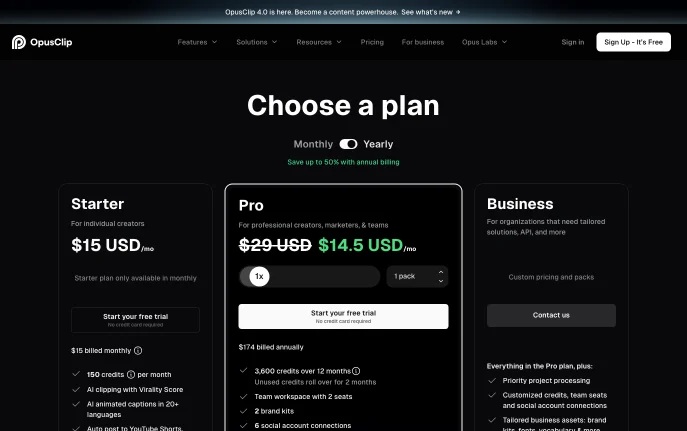
- Opus Clip Free-forever plan with 60 credits a month and clips up to 1080p; Starter is $15 a month and adds a virality score and social posting.
- Vizard Free plan with 60 credits a month, exports in 720p and a 3-day storage limit; paid plans export in 4K.
- Klap Free trial on 1 video, then Basic at $29 a month or $14.50 a month billed yearly ($174); every clip gets a virality score.
- Submagic Starter is $12 a month billed yearly ($144) with 45 credits and 5 long videos clipped a month.
- Ssemble Clips links from YouTube, Vimeo, Kick or Twitch; PRO is $6 a month billed yearly ($72).
- OpenShorts MIT-licensed and free to self-host with Docker; the hosted version clips 20 minutes a month free with a watermark, and paid plans start at $12 a month.
Why Choose One AI Clipping Tool Over Another?
If you only clip a few videos a month, Opus Clip and Vizard have the most usable free plans, with Opus giving 1080p exports and Vizard capping free exports at 720p. Streamers clipping Twitch or Kick VODs should look at Ssemble and OpenShorts, which name those sources directly. OpenShorts is the only option here you can run on your own server, but it needs a Google Gemini API key for its AI features. Klap and Opus Clip both give each clip a virality score, which helps when you are choosing between many suggestions.
Use Cases and Applications
Podcasters turn each episode into a week of Shorts, coaches cut webinars into lesson clips, streamers post highlights from hours-long VODs, and agencies batch-produce captioned clips for several client accounts. Some creators also use these tools for clipping campaigns run on platforms such as Whop; the tools themselves do not guarantee views or payouts.
Tools on tyy.ai that support AI Clipping
Read the full reviews of Opus Clip, Vizard.ai, Klap, Submagic, Ssemble YouTube Shorts Maker and HiClip on tyy.ai.
Frequently Asked Questions
Which AI clipping tool is free?
Opus Clip and Vizard each have a free plan with 60 credits a month, and OpenShorts is free if you self-host it. Klap offers a free trial on 1 video. Submagic and Ssemble do not list an ongoing free plan.
Can AI clip Twitch streams?
Yes. Ssemble accepts Twitch and Kick links and OpenShorts clips long Twitch and Kick VODs in parts. Opus Clip lists Twitch import on its Pro plan.
Do free AI clips have a watermark?
Often. OpenShorts' hosted free tier is watermarked, and Opus Clip's free animated caption templates carry a watermark. Paid Klap exports carry no Klap branding.