
KI-Verzeichnis : AI Models, AI Photo & Image Generator, Open Source AI Models, Text to Image
What is P-H3-Image?
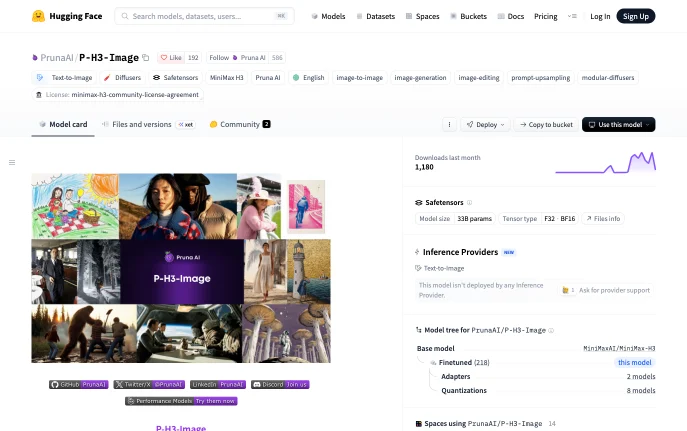
P-H3-Image is an image generation and editing model from Pruna AI, built from MiniMax's H3 video model and published with open weights on Hugging Face. It turns text into 8-megapixel images in 8 steps and can edit a picture using up to 8 input images. Pruna lists its strengths as photorealism, film and editorial looks, and graphic styles with short quoted text. It is aimed at developers and studios who run image models on their own GPUs or inside ComfyUI.
How to Use P-H3-Image
Open the PrunaAI/P-H3-Image model card on Hugging Face. The main repository holds a diffusers pipeline: load it, pass a prompt with an 8 MP size such as the default 2912 × 2912, and generate. For an edit, pass one image or a list of up to 8; Picture 1 is the image being edited and the others are references the request can name as Picture 2, Picture 3 and so on.
If you work in ComfyUI or have a smaller GPU, use the separate PrunaAI/P-H3-Image-Comfy repository, which provides int8 and 4-bit files that run in 21 GB of VRAM. To try it without installing anything, the model card links a demo Space on Hugging Face.
Key Features
- 8-step sampling Generates in 8 steps without classifier-free guidance or a negative prompt.
- 8 MP output Text-to-image is tuned for 8 MP; edits run at 4 or 8 MP.
- Multi-image editing Combines up to 8 pictures and a one-line request into one scene.
- Built-in prompt upsampler A Qwen3.5-9B based rewriter, on by default, expands short requests into the detailed prompts the model is tuned for.
- Quantized ComfyUI files int8 and 4-bit versions bring memory use down to 21 GB of VRAM.
Why Choose P-H3-Image?
Pruna did not train a new image model from scratch: it adapted what MiniMax's H3 video model learned and repackaged it as a still-image generator and editor. The full pipeline is heavy, needing about 101 GB of GPU memory at 8 MP with the upsampler and 83 GB without, or one 80 GB GPU with offloading, so the quantized ComfyUI files are the practical route for most local setups. The model card also notes that hands, small background figures and lower resolutions produce more artifacts.
Use Cases and Applications
Good fits include editorial and product photography mockups, film-style stills, posters with short quoted text, and composites built from several reference photos, for example placing a product, a model and a location into one shot. Studios already using ComfyUI can add it as another node-based model next to their existing pipelines.
Frequently Asked Questions
Is P-H3-Image free?
The weights are free to download from Hugging Face, but use is governed by the MiniMax H3 Community License. Among other terms, it excludes the European Union, the United Kingdom, the Republic of Korea and the United States unless you hold a separate license from MiniMax, so check the license before any project in those regions.
What GPU do I need?
The full pipeline needs about 101 GB of memory at 8 MP, or an 80 GB GPU such as an H100 with offloading. The int8 and 4-bit ComfyUI files run in 21 GB of VRAM.
Can I turn off the prompt rewriting?
Yes. The prompt upsampler is on by default but can be removed from the pipeline so prompts are rendered exactly as written.