
AI Directory : AI Advertising Assistant, AI Business Ideas Generator, AI Response Generator, AI Task Management, AI Tools Directory, AI Workflow Management, Large Language Models (LLMs)
What is VenturusAI?
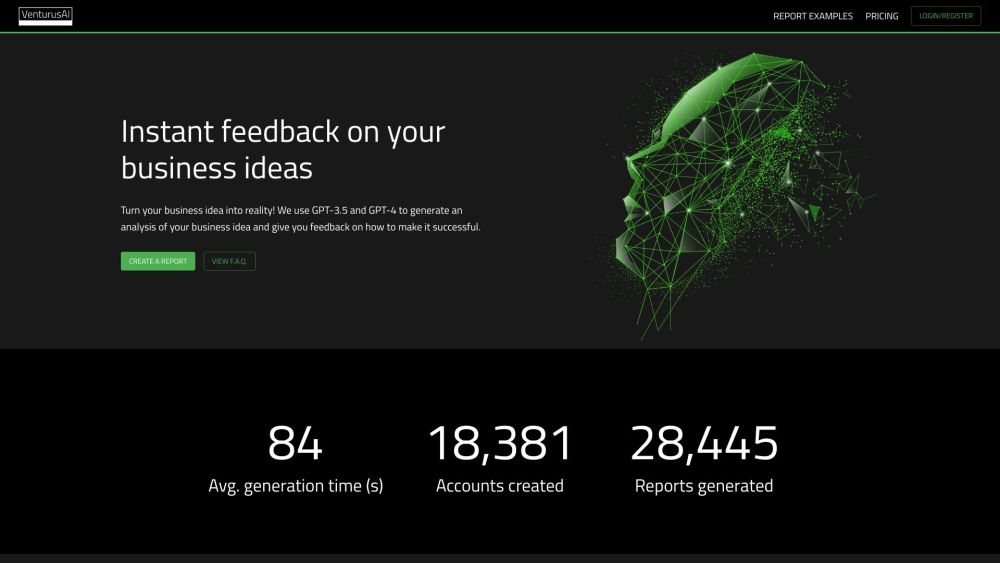
Turn your business idea into reality! We use GPT-3.5 and GPT-4 to generate an analysis of your business idea and give you feedback on how to make it successful.
How to use VenturusAI?
To generate a report, you need to create an account and log in. After logging in, go to the 'New Report' page and fill in the prompt to start generating a report. To view previously generated reports, go to the 'My Reports' page. To share a report, make it public and copy the URL to share. To subscribe to a paid plan, register for an account and navigate to the pricing page. To purchase an Advanced Report, click on your profile image, go to the 'Settings' section, and choose the number of Advanced Reports you want to credit to your account. To unsubscribe from a paid plan, go to the 'Settings' section, click on 'Manage subscription', and cancel your subscription. To delete your account, email [email& Here is the VenturusAI support email for customer service: [email protected] . More Contact, visit the contact us page(https://venturusai.com/help) VenturusAI Company name: VenturusAI, Inc . VenturusAI Login Link: https://venturusai.com/login VenturusAI Sign up Link: https://api.venturusai.com/users/sign_in VenturusAI Pricing Link: https://venturusai.com/plans VenturusAI Youtube Link: https://www.youtube.com/watch?v=wqGbbHmN_iM VenturusAI Linkedin Link: https://linkedin.com/company/venturusai VenturusAI Twitter Link: https://twitter.com/venturusai Turn your business idea into reality! We use GPT-3.5 and GPT-4 to generate an analysis of your business idea and give you feedback on how to make it successful. To generate a report, you need to create an account and log in. After logging in, go to the 'New Report' page and fill in the prompt to start generating a report. To view previously generated reports, go to the 'My Reports' page. To share a report, make it public and copy the URL to share. To subscribe to a paid plan, register for an account and navigate to the pricing page. To purchase an Advanced Report, click on your profile image, go to the 'Settings' section, and choose the number of Advanced Reports you want to credit to your account. To unsubscribe from a paid plan, go to the 'Settings' section, click on 'Manage subscription', and cancel your subscription. To delete your account, email [email protected]. To raise an issue or request a feature, use the contact form or reach out to us on Twitter. To generate a report, you need to create an account and log in. After logging in, go to the 'New Report' page and fill in the prompt to start generating a report. To view previously generated reports, go to the 'My Reports' page. To share a report, make it public and copy the URL to share. To subscribe to a paid plan, register for an account and navigate to the pricing page. To purchase an Advanced Report with or without a subscription, click on your profile image, go to the 'Settings' section, and choose the number of Advanced Reports you want to credit to your account. To unsubscribe from a paid plan, go to the 'Settings' section, click on 'Manage subscription', and cancel your subscription. To delete your account, email [email protected]. You can raise an issue or request a feature by using the contact form or reaching out to us on Twitter.Business idea validation
Detailed business analysis
Target audience identification
Customized business strategies
Marketing and branding guidance
Innovative ideas and opportunities
User-friendly interface
VenturusAI's Use Cases
Business owners
Entrepreneurs
Startups
Product managers
Marketing professionals
VenturusAI Support Email & Customer service contact & Refund contact etc.
VenturusAI Company
VenturusAI Login
VenturusAI Sign up
VenturusAI Pricing
VenturusAI Youtube
VenturusAI Linkedin
VenturusAI Twitter
FAQ from VenturusAI
What is VenturusAI?
How to use VenturusAI?
How do I generate a report?
Where can I view previously generated reports?
How do I share my reports?
How do I subscribe to a paid plan?
How can I purchase an Advanced Report, regardless of my subscription status?
How can I unsubscribe from a paid plan?
How do I delete my account?
How do I raise an issue or a feature request?