
AI ディレクトリ : AI Assistant, AI Copilot, AI Meeting Assistant, AI Monitor, AI Note Taker, AI Productivity Tools, AI Report Generator
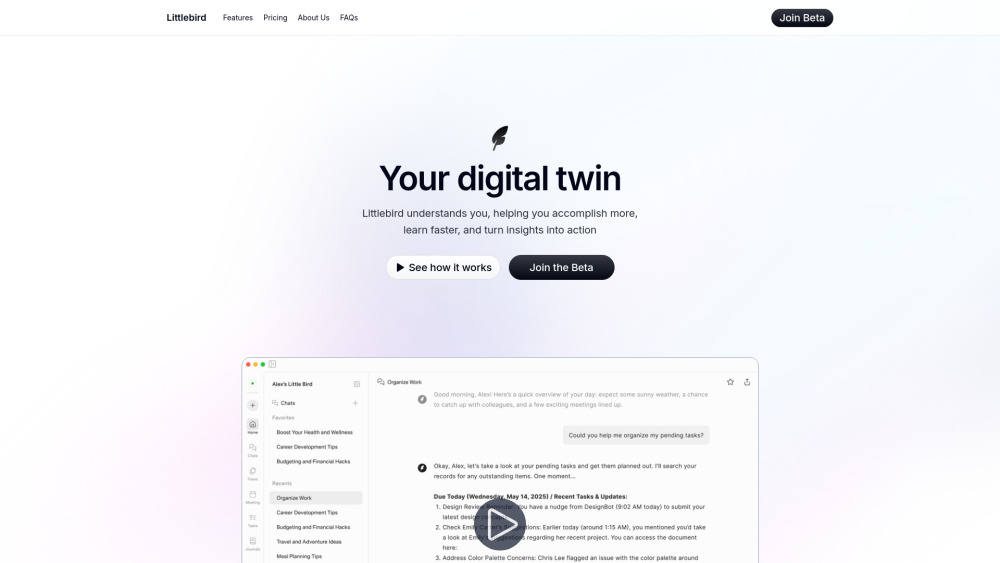
What is Littlebird?
Littlebird is an always-on, OS-level AI assistant. It weaves together your activity across every application and uses it to deliver intelligent feedback—from locating information and summarizing documents to automating workflows and surfacing personalized insights—all while giving you full control over your data.
How to use Littlebird?
Install Littlebird and complete a quick onboarding. Once running, Littlebird will continue working in the background. It uses the context on your screen to learn and understand your workflow. From there, you can chat with Littlebird, read your Daily Journal, organize your task lists, and more. Littlebird will quickly become your favorite AI assistant.
Littlebird's Core Features
Chat with the Littlebird AI Assistant
Auto-generated daily journals give insight on the day's activities
Suggested tasks uses your workflow to flag priority todos
Custom routines enables you to create the specific reports you need to see
Transcriptions brings context collection to your meetings
Littlebird's Use Cases
Instant Context Recall in High‑stakes Moments
Effortless Meeting Preparation & Follow‑Up
Delightful Reflective Journaling & Wellness Insight
Conversational Task Coaching
FAQ from Littlebird
What is Littlebird, and how does it work?
How does Littlebird gather context on me?
Can I manually adjust or override Littlebird’s actions?
Can I integrate Littlebird with my existing apps and tools?
Will Littlebird capture sensitive info about me?
Is my data secure with Littlebird?
What platforms or devices is Littlebird available on?
Littlebird Support Email & Customer service contact & Refund contact etc.
More Contact, visit the contact us page()
Littlebird Company
Littlebird Company name: .
Littlebird Company address: .
More about Littlebird, Please visit the about us page().
Littlebird Login
Littlebird Sign up
FAQ from Littlebird
What is Littlebird?
Littlebird is an always-on, OS-level AI assistant. It weaves together your activity across every application and uses it to deliver intelligent feedback—from locating information and summarizing documents to automating workflows and surfacing personalized insights—all while giving you full control over your data.
How to use Littlebird?
Install Littlebird and complete a quick onboarding. Once running, Littlebird will continue working in the background. It uses the context on your screen to learn and understand your workflow. From there, you can chat with Littlebird, read your Daily Journal, organize your task lists, and more. Littlebird will quickly become your favorite AI assistant.
What is Littlebird, and how does it work?
Littlebird is an always-on, context-aware, AI assistant that weaves together your activity across every application to deliver intelligent feedback—from locating information and summarizing documents, to automating workflows and surfacing personalized insights. All while giving you full control over your data.
How does Littlebird gather context on me?
Littlebird only sees what’s actively visible on your screen—it doesn’t access any minimized or background applications (such as an inbox that isn’t open). It never tracks private browser sessions (incognito mode), audio, video, or capture sensitive info like passwords. If you can’t see it, Littlebird can’t either. It does not record your screen or take screenshots. You can easily pause or disable context collection at any time.
Can I manually adjust or override Littlebird’s actions?
Absolutely. You can always intervene and adjust any tasks, reminders, or actions that Littlebird handles, giving you full control. But it’s so good you probably won’t want to do it.
Can I integrate Littlebird with my existing apps and tools?
Not at the moment. But you won't have to. If you are actively interacting with a particular app or tool, Littlebird will get that context on its own.
Will Littlebird capture sensitive info about me?
Littlebird allows you to fully customize which apps it collects context from. By default, it never tracks private browser sessions (incognito mode), audio, video, or capture sensitive info like passwords. Additionally, you can always completely turn off context collection from the app manually if you are working on something sensitive.
Is my data secure with Littlebird?
Yes, Littlebird prioritizes privacy and security. Your data is encrypted and stored securely, with strict privacy policies to ensure it’s only used to help you. Additionally, you can delete your entire or specific time period data anytime yourself.
What platforms or devices is Littlebird available on?
As of now, Littlebird is only available for Mac but we are working on launching it for other platforms soon