
AI ディレクトリ : AI Background Remover, AI Colorize, AI Image Generator, AI Photo Editor, AI Photo Restoration, AI Style Transfer, Image to Image, Object Remover AI
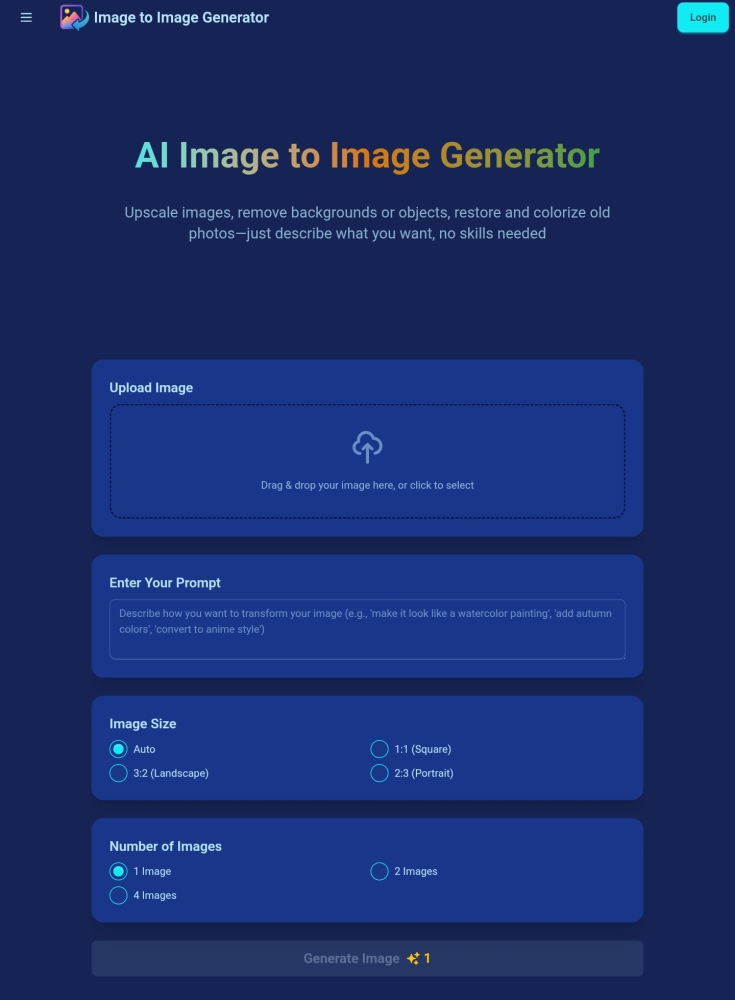
What is AI Image to Image Generator?
Image to Image Generator is an AI tool designed to effortlessly edit and transform photos based on text prompts. It allows users to upscale images, remove backgrounds or objects, restore and colorize old photos, and completely reimagine their photos using artificial intelligence, all without requiring specific skills.
How to use AI Image to Image Generator?
To use the Image to Image Generator, first upload your desired image from your device. Next, enter a detailed text prompt describing how you want to modify the image. Finally, click 'Generate' and the AI will create your transformed image in seconds, ready for download.
AI Image to Image Generator's Core Features
AI-Powered Editing based on custom text prompts
High Quality Output with professional results
Fast Processing for quick image transformations
Multiple Formats Support (JPG, PNG, WebP)
User-Friendly Interface
Commercial Use of generated images
AI Image to Image Generator's Use Cases
Style Transfer (e.g., changing to a 3D style)
Object Removal (e.g., removing unwanted pedestrians)
Background Removal
Old Photo Restoration and Colorization
Changing elements by description (e.g., opening a TV and playing a football match)
FAQ from AI Image to Image Generator
What is an image to image generator?
What image formats are supported?
How long does image generation take?
Can I use the generated images commercially?
How do I write effective prompts?
Is my uploaded data secure?
How long do my credits last?
Can I get a refund for unused credits?
What happens when I run out of credits?
Can I get a refund if I'm not satisfied with the results?
How do I manage or cancel my subscription?
How do you handle NSFW or adult content?
AI Image to Image Generator Support Email & Customer service contact & Refund contact etc.
Here is the AI Image to Image Generator support email for customer service: [email protected] . More Contact, visit the contact us page(https://imgtoimggenerator.com/contact)
AI Image to Image Generator Company
AI Image to Image Generator Company name: Image to Image Generator .
AI Image to Image Generator Company address: .
More about AI Image to Image Generator, Please visit the about us page().
AI Image to Image Generator Login
AI Image to Image Generator Login Link: https://imgtoimggenerator.com/login
AI Image to Image Generator Sign up
AI Image to Image Generator Pricing
AI Image to Image Generator Pricing Link: https://imgtoimggenerator.com/pricing
FAQ from AI Image to Image Generator
What is AI Image to Image Generator?
Image to Image Generator is an AI tool designed to effortlessly edit and transform photos based on text prompts. It allows users to upscale images, remove backgrounds or objects, restore and colorize old photos, and completely reimagine their photos using artificial intelligence, all without requiring specific skills.
How to use AI Image to Image Generator?
To use the Image to Image Generator, first upload your desired image from your device. Next, enter a detailed text prompt describing how you want to modify the image. Finally, click 'Generate' and the AI will create your transformed image in seconds, ready for download.
What is an image to image generator?
An image to image generator is an AI tool that transforms existing images based on text prompts, allowing you to modify, enhance, or completely reimagine your photos using artificial intelligence.
What image formats are supported?
Our image to image generator supports JPG, PNG, and WebP formats. You can upload images up to 10MB in size for optimal processing.
How long does image generation take?
Most image transformations are completed within 30-60 seconds, depending on the complexity of your prompt and current server load.
Can I use the generated images commercially?
Yes, all images created with our AI image to image generator can be used for commercial purposes. You retain full rights to your generated content.
How do I write effective prompts?
For best results, be specific and descriptive in your prompts. Include details about style, colors, mood, and any specific elements you want in the transformed image.
Is my uploaded data secure?
Yes, we prioritize your privacy. Uploaded images are processed securely and deleted from our servers after processing is complete.
How long do my credits last?
Subscription credits reset every month on your billing date.
Can I get a refund for unused credits?
For subscriptions, you can cancel anytime, but we don't provide refunds for past usage.
What happens when I run out of credits?
If you have a subscription, your credit quota will automatically reset at the beginning of each billing cycle. If you need more credits before the reset, you can contact us to purchase credit packs.
Can I get a refund if I'm not satisfied with the results?
We don't provide refunds for our services. However, we're always happy to help you with any issues you encounter. Please contact our support team for assistance.
How do I manage or cancel my subscription?
For App subscriptions, you can manage your subscription in Apple's settings. For Web subscriptions, you can manage your subscription in your Profile.
How do you handle NSFW or adult content?
Creation of NSFW or adult content in any form is strictly prohibited across all plans. We reserve the right to remove such content and take appropriate action when discovered.