
AI Directory : AI Builder, AI Content Generator, AI Product Description Generator, General Writing, Large Language Models (LLMs), Translate, Writing Assistants
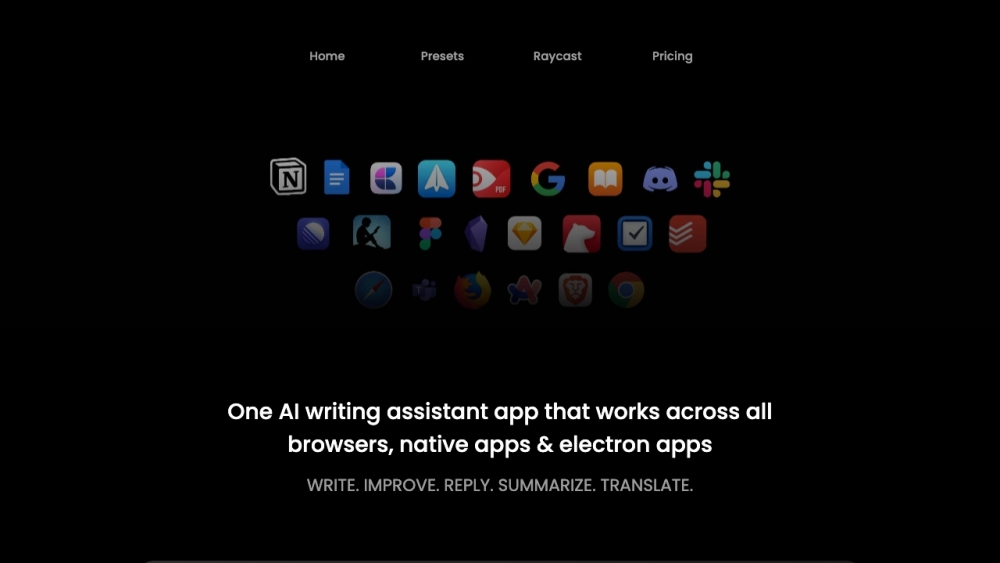
What is Writers Brew?
Writers Brew is an AI writing assistant app for macOS that seamlessly works across all browsers, native apps, and electron apps. It helps users write better and faster by providing various writing tools, generating text, improving grammar and fluency, summarizing content, and translating text.
How to use Writers Brew?
To use Writers Brew, simply download and install the app on your macOS. After activating the app with your email, license key, and OpenAI key, you can access it in three different ways: as a full app, a menu bar app, or a dropdown app. The app can be used in text editors, browsers, and other applications. You can generate text, edit existing content, reply to emails, extract text from images, and more using the AI-powered features of Writers Brew.
Writers Brew's Core Features
Seamlessly works across all browsers, native apps, and electron apps
Provides various writing tools to assist with brainstorming and writing
Generates text to enhance existing content or create drafts
Offers inbuilt OCR to extract text from images
Allows users to create and save their own writing prompts and presets
Can be accessed as a full app, a menu bar app, or a dropdown app
Writers Brew's Use Cases
Writing articles, essays, social media posts, and other text
Improving the quality and impact of existing content
Crafting well-crafted email replies
Summarizing articles or paragraphs
Translating text between languages
Explaining complex ideas in a simple and clear manner
Writers Brew Pricing
Writers Brew Pricing Link: https://writersbrew.app/#pricing
Writers Brew Youtube
Writers Brew Youtube Link: https://www.youtube.com/user/company
Writers Brew Twitter
Writers Brew Twitter Link: https://twitter.com/writersbrew_
FAQ from Writers Brew
What is Writers Brew?
Writers Brew is an AI writing assistant app for macOS that seamlessly works across all browsers, native apps, and electron apps. It helps users write better and faster by providing various writing tools, generating text, improving grammar and fluency, summarizing content, and translating text.
How to use Writers Brew?
To use Writers Brew, simply download and install the app on your macOS. After activating the app with your email, license key, and OpenAI key, you can access it in three different ways: as a full app, a menu bar app, or a dropdown app. The app can be used in text editors, browsers, and other applications. You can generate text, edit existing content, reply to emails, extract text from images, and more using the AI-powered features of Writers Brew.
Can Writers Brew be used in different applications and browsers?
Yes, Writers Brew works seamlessly across all browsers, native apps, and electron apps.
Are there any pre-made writing prompts or presets available?
Yes, Writers Brew provides access to 60+ writing tools and offers 50+ community presets to help users get started.
Can I create my own writing prompts or presets?
Yes, Writers Brew allows you to build your own presets to unleash your creativity.
Does Writers Brew offer OCR capabilities?
Yes, Writers Brew has inbuilt OCR to extract text from images.
Is Writers Brew compatible with Raycast?
Yes, Writers Brew can be integrated with Raycast to enhance its functionality.