
AI Directory : AI Interview Assistant, AI Meeting Assistant, Large Language Models (LLMs), Undetectable AI
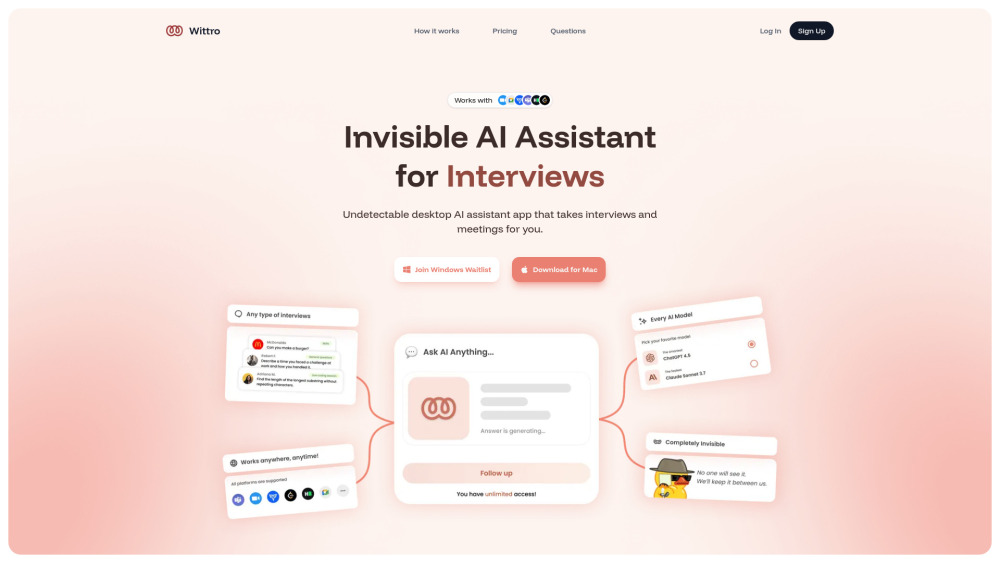
What is Wittro?
Wittro is a completely undetectable AI assistant designed to enhance interviews, meetings, exams, and conversations. It functions as a desktop application that can take over or assist in these scenarios, providing real-time answers and support without being detected.
How to use Wittro?
To use Wittro, first drag and drop the application to your applications folder. Then, you can either let Wittro see your screen to provide answers based on the content, or simply ask it a question directly. Wittro will then provide a full, easy-to-understand answer covering all aspects of your query.
Wittro's Core Features
Completely undetectable AI assistant
Supports interviews, exams, meetings, and conversations
Desktop application for Mac (Windows version coming soon)
Ability to see screen content for context-aware answers
Direct question-answering capability
Customizable model personality, tone, and more
Access to 100+ popular AI models (e.g., ChatGPT, Claude, Gemini)
Audio support for answering based on spoken conversations
Wittro's Use Cases
Taking job interviews
Assisting in online exams
Helping in professional meetings
Supporting general conversations
FAQ from Wittro
Can I use Wittro for free?
Does it work on all platforms?
How is it undetectable?
What makes Wittro different from other solutions?
What about Zoom's desktop app?
Wittro is damaged and can't be opened?
How can I contact support?
Wittro Support Email & Customer service contact & Refund contact etc.
More Contact, visit the contact us page(https://www.wittro.com/help)
Wittro Company
Wittro Company name: Wittro .
Wittro Login
Wittro Login Link: https://www.wittro.com/auth?flow=signin
Wittro Sign up
Wittro Sign up Link: https://www.wittro.com/auth?flow=signup
Wittro Tiktok
Wittro Tiktok Link: https://www.tiktok.com/@trywittro
Wittro Twitter
Wittro Twitter Link: https://x.com/trywittro
FAQ from Wittro
What is Wittro?
Wittro is a completely undetectable AI assistant designed to enhance interviews, meetings, exams, and conversations. It functions as a desktop application that can take over or assist in these scenarios, providing real-time answers and support without being detected.
How to use Wittro?
To use Wittro, first drag and drop the application to your applications folder. Then, you can either let Wittro see your screen to provide answers based on the content, or simply ask it a question directly. Wittro will then provide a full, easy-to-understand answer covering all aspects of your query.
Can I use Wittro for free?
Yes, Wittro offers a Free plan that includes 100 assists per month, screenshots, customizable features, access to 100+ popular models, and audio support.
Does it work on all platforms?
Wittro is available for Mac, and a Windows version is currently on a waitlist, indicating it will be available for Windows soon.
How is it undetectable?
The website states Wittro is a completely undetectable AI assistant, but it does not detail the specific technical methods used to achieve this undetectability.
What makes Wittro different from other solutions?
Wittro distinguishes itself as a completely undetectable AI assistant that can take interviews and meetings for you, offering customizable models, access to a wide range of popular AI models, and audio support.
What about Zoom's desktop app?
The provided content asks this question but does not provide an answer regarding Wittro's compatibility or interaction with Zoom's desktop app.
Wittro is damaged and can't be opened?
The provided content asks this question but does not provide a solution or explanation for this issue.
How can I contact support?
You can contact Wittro's support team 24/7 via the 'Contact Support' option provided on the website.