
AI Directory : AI Video Generator, Image to Video, Text to Video
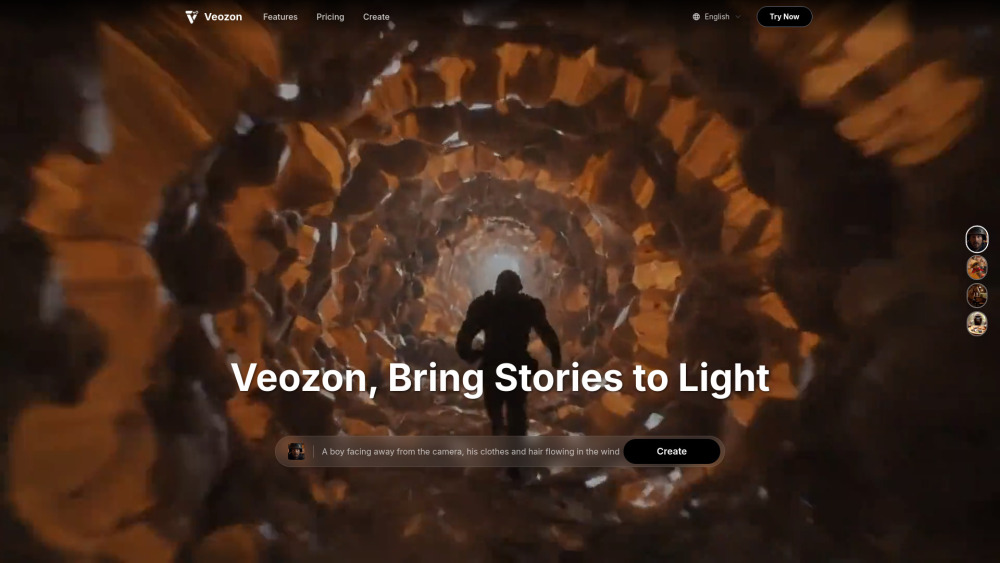
What is Veozon AI Video Generator?
Veozon is a powerful AI video generation tool that leverages Google's advanced Veo3 AI model to create stunning, high-quality 4K videos. It transforms text prompts or images into vivid video content with integrated audio, offering precise camera control, consistent style, and synchronized sound effects. Veozon aims to revolutionize video creation by providing professional filmmaking tools and features for content creators and businesses.
How to use Veozon AI Video Generator?
To use Veozon, users can input text prompts or upload images to generate AI videos. The platform allows for precise control over camera movements, character consistency, and style matching. It also natively generates immersive soundscapes and dialogue. The process is designed to be simple, requiring no technical skills, with an easy upload and generation workflow.
Veozon AI Video Generator's Core Features
Text to Video generation
Image to Video generation
Native Audio Generation
Precise Camera Control
Character Consistency
Style Matching Generation
First & Last Frame Transition
4K High-Quality Output
Enhanced Prompt Adherence
Veozon AI Video Generator's Use Cases
Film production
Advertising campaigns
Game development
Social media content creation (e.g., YouTube Shorts)
Educational materials
Commercial production
Special effects shots
Professional filmmaking
Product promotional videos
FAQ from Veozon AI Video Generator
What is Veo 3 and how does this AI video generator work?
How does Veo 3 compare to other AI video generators like Sora?
What video formats and resolutions does Veozon's AI video generator support?
How long does it take to generate AI videos with Veo 3?
What are the main use cases for Veo 3 AI video generator?
Is AI-generated content from Veo 3 safe and copyright compliant?
How can I access Veo 3 AI video generator through Veozon?
What are the current limitations of Veo 3 AI video generator?
Can I cancel my subscription at any time?
How are credits calculated within the app?
Can I use generated videos for commercial purposes?
What is your refund policy?
Do unused credits roll over to the next month or billing period?
Can I change my plan later?
How do I get technical support?
What if I run out of credits mid-month?
Veozon AI Video Generator Support Email & Customer service contact & Refund contact etc.
Here is the Veozon AI Video Generator support email for customer service: [email protected] . More Contact, visit the contact us page(mailto:[email protected])
Veozon AI Video Generator Company
Veozon AI Video Generator Company name: Veozon .
Veozon AI Video Generator Company address: .
More about Veozon AI Video Generator, Please visit the about us page(https://veozon.com).
Veozon AI Video Generator Login
Veozon AI Video Generator Sign up
Veozon AI Video Generator Pricing
Veozon AI Video Generator Pricing Link: https://veozon.com/pricing
Veozon AI Video Generator Twitter
Veozon AI Video Generator Twitter Link: https://x.com/shipanyai
Veozon AI Video Generator Github
Veozon AI Video Generator Github Link: https://github.com/shipanyai
FAQ from Veozon AI Video Generator
What is Veozon AI Video Generator?
Veozon is a powerful AI video generation tool that leverages Google's advanced Veo3 AI model to create stunning, high-quality 4K videos. It transforms text prompts or images into vivid video content with integrated audio, offering precise camera control, consistent style, and synchronized sound effects. Veozon aims to revolutionize video creation by providing professional filmmaking tools and features for content creators and businesses.
How to use Veozon AI Video Generator?
To use Veozon, users can input text prompts or upload images to generate AI videos. The platform allows for precise control over camera movements, character consistency, and style matching. It also natively generates immersive soundscapes and dialogue. The process is designed to be simple, requiring no technical skills, with an easy upload and generation workflow.
What is Veo 3 and how does this AI video generator work?
Veo 3 is Google DeepMind's next-generation AI video generator that creates high-quality 4K videos from text, image, or video prompts. Veozon provides access to this advanced AI video generation technology, enabling native audiovisual integration with synchronized dialogue, sound effects, and ambient audio for professional video creation.
How does Veo 3 compare to other AI video generators like Sora?
Veo 3 outperforms competitors with 4K resolution output (vs Sora's 1080p), native audio generation capabilities, and longer video duration support. Unlike other AI video generators that require post-production audio editing, Veo 3 creates integrated audiovisual content with lip-sync technology and realistic physics simulation.
What video formats and resolutions does Veozon's AI video generator support?
Our Veo 3-powered platform supports 4K ultra-high definition (4096×2160 pixels) video generation with native audio integration. You can create videos from text prompts, images, or reference videos with professional camera control, character consistency, and cinematic scene transitions.
How long does it take to generate AI videos with Veo 3?
Video generation time varies by complexity and length. Standard 8-second videos at 720p typically process within minutes, while 4K longer-form content may take additional time. Veozon's optimized infrastructure ensures efficient processing for all AI video generation requests.
What are the main use cases for Veo 3 AI video generator?
Veo 3 excels in film production, advertising campaigns, game development, social media content creation, and educational materials. Content creators use our AI video generator for YouTube Shorts, commercial production, special effects shots, and professional filmmaking at a fraction of traditional production costs.
Is AI-generated content from Veo 3 safe and copyright compliant?
Yes, all Veo 3-generated videos include invisible SynthID watermarks for AI content identification. Our training data undergoes rigorous copyright compliance and safety filtering. Veozon ensures all generated content passes safety checks before delivery, maintaining ethical AI video generation standards.
How can I access Veo 3 AI video generator through Veozon?
Veozon provides streamlined access to Veo 3 technology without requiring Google's expensive Gemini Ultra subscription ($249.99/month). Our platform offers flexible pricing plans and user-friendly interface, making advanced AI video generation accessible to content creators, businesses, and filmmakers of all sizes.
What are the current limitations of Veo 3 AI video generator?
While Veo 3 represents cutting-edge AI video technology, current limitations include: default 8-second video length at 720p (4K and longer videos are gradually rolling out), occasional lip-sync challenges in dialogue-heavy scenes, and processing time that varies with video complexity. Veozon continuously optimizes these aspects as Google releases updates.
Can I cancel my subscription at any time?
Yes, you can cancel your subscription at any time. Your access will continue until the end of your current billing period.
How are credits calculated within the app?
Credits are used to generate video content. Each video generation task consumes a certain amount of credits, depending on factors like video length, resolution, and complexity.
Can I use generated videos for commercial purposes?
Professional and Enterprise users can use generated videos for commercial purposes. Plus users are limited to personal use only. Please check our terms of service for detailed information.
What is your refund policy?
We offer a 7-day money-back guarantee. If you're not satisfied with our service, you can request a full refund within 7 days of purchase.
Do unused credits roll over to the next month or billing period?
For monthly and yearly subscriptions, unused credits do not roll over to the next billing period. One-time credit packages never expire.
Can I change my plan later?
Yes, you can upgrade or downgrade your subscription plan at any time. Changes will take effect in the next billing cycle, or you can choose to upgrade immediately with prorated billing.
How do I get technical support?
Professional and Enterprise users enjoy priority technical support. You can contact our technical team via email, live chat, or by submitting a support ticket.
What if I run out of credits mid-month?
You can purchase credit packages to supplement your credits, or upgrade to a higher subscription plan. Credit packages never expire and can be purchased and used at any time.