
AI Directory : AI Animation Generator, AI Music Generator, AI Sound Effect Generator, AI Video Generator, AI Voice Generator, Image to Video, Text to Video
What is Veo3?
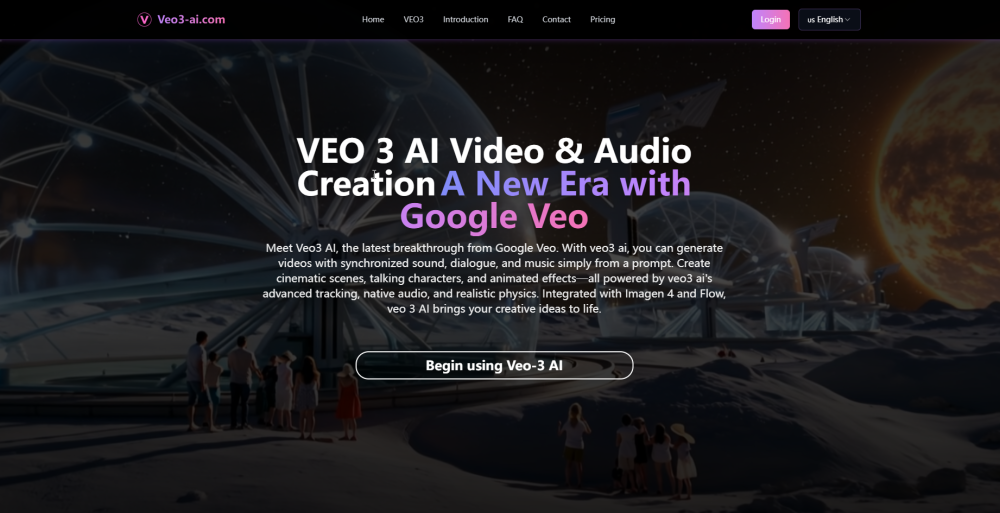
VEO3 AI, developed by Google Veo, is an advanced generative video and audio model. It allows users to create videos with synchronized sound, dialogue, and music simply from a text prompt. It supports generating cinematic scenes, talking characters, and animated effects, leveraging advanced tracking, native audio, and realistic physics. VEO3 AI integrates with Google's Imagen 4 for image generation and Flow for movie creation, providing a seamless workflow for transforming ideas into high-quality video and audio content. It also offers image-to-video conversion and AI-powered image enhancement.
How to use Veo3?
Users can generate videos by providing text prompts, which VEO3 AI transforms into visuals with matching audio, dialogue, and effects. Alternatively, users can upload an image, and VEO3 AI will animate it and add sound effects and dialogue to create a dynamic video. The platform is optimized for speed and detail, delivering results via Google Veo's cloud infrastructure.
Veo3's Core Features
Text-to-Video & Audio generation from prompts
Image-to-Video conversion with animation and sound
Synchronized sound, dialogue, and music generation
Accurate lip-sync for talking characters
Advanced tracking and realistic physics for scenes
Automatic sound design (background audio, dialogue, effects)
Integration with Google Imagen 4 and Flow
AI-powered image enhancement and preparation tools
Batch processing for large-scale projects
Veo3's Use Cases
Create cinematic scenes and talking characters for storytelling
Animate static images with realistic soundtracks and dialogue
Produce marketing videos with custom audio tracks and animations
Prototype film scenes and test audio/animation for filmmakers
Develop engaging educational lessons with sound effects and animations
Generate product videos with custom audio and visuals
Integrate AI video generation into applications and platforms
FAQ from Veo3
What is Veo3 AI?
How is Veo3 AI different from previous versions?
Who can access Veo3 AI and Google Veo?
Can I use Veo3 AI for commercial projects?
How does Veo3 AI handle sound and lip-syncing?
What are Imagen 4 and Flow, and how do they work with Veo3 AI?
Veo3 Support Email & Customer service contact & Refund contact etc.
Here is the Veo3 support email for customer service: . More Contact, visit the contact us page(https://veo3-ai.com/contact)
Veo3 Company
Veo3 Company name: Google Veo .
Veo3 Company address: .
More about Veo3, Please visit the about us page().
Veo3 Login
Veo3 Login Link: https://veo3-ai.com/login
Veo3 Sign up
Veo3 Pricing
Veo3 Pricing Link: https://veo3-ai.com/pricing
FAQ from Veo3
What is Veo3?
VEO3 AI, developed by Google Veo, is an advanced generative video and audio model. It allows users to create videos with synchronized sound, dialogue, and music simply from a text prompt. It supports generating cinematic scenes, talking characters, and animated effects, leveraging advanced tracking, native audio, and realistic physics. VEO3 AI integrates with Google's Imagen 4 for image generation and Flow for movie creation, providing a seamless workflow for transforming ideas into high-quality video and audio content. It also offers image-to-video conversion and AI-powered image enhancement.
How to use Veo3?
Users can generate videos by providing text prompts, which VEO3 AI transforms into visuals with matching audio, dialogue, and effects. Alternatively, users can upload an image, and VEO3 AI will animate it and add sound effects and dialogue to create a dynamic video. The platform is optimized for speed and detail, delivering results via Google Veo's cloud infrastructure.
What is Veo3 AI?
Veo3 AI is Google's advanced generative video and audio model. With Veo3 AI, you can create videos with synchronized sound and dialogue from a prompt.
How is Veo3 AI different from previous versions?
Veo3 AI, also known as Veo 3, introduces advanced sound generation, lip-syncing, and fast tracking. Google Veo's model integrates with Imagen 4 and Flow for cinematic video creation.
Who can access Veo3 AI and Google Veo?
Veo3 AI is available to Gemini Ultra subscribers in the US and enterprise users via Vertex AI. Google Veo plans wider access soon.
Can I use Veo3 AI for commercial projects?
Yes, Veo3 AI and Veo 3 are designed for professional use. Google Veo supports everything from marketing videos to feature films.
How does Veo3 AI handle sound and lip-syncing?
Veo3 AI uses deep learning to generate visuals and audio, ensuring speech matches movement and sounds fit the environment with Google Veo's innovation.
What are Imagen 4 and Flow, and how do they work with Veo3 AI?
Imagen 4 is Google's image generation model, while Flow is a new AI-powered movie tool. Both integrate with Veo3 AI and Veo 3 for seamless video creation.