
AI Directory : AI Video Generator, Image to Video, Text to Video
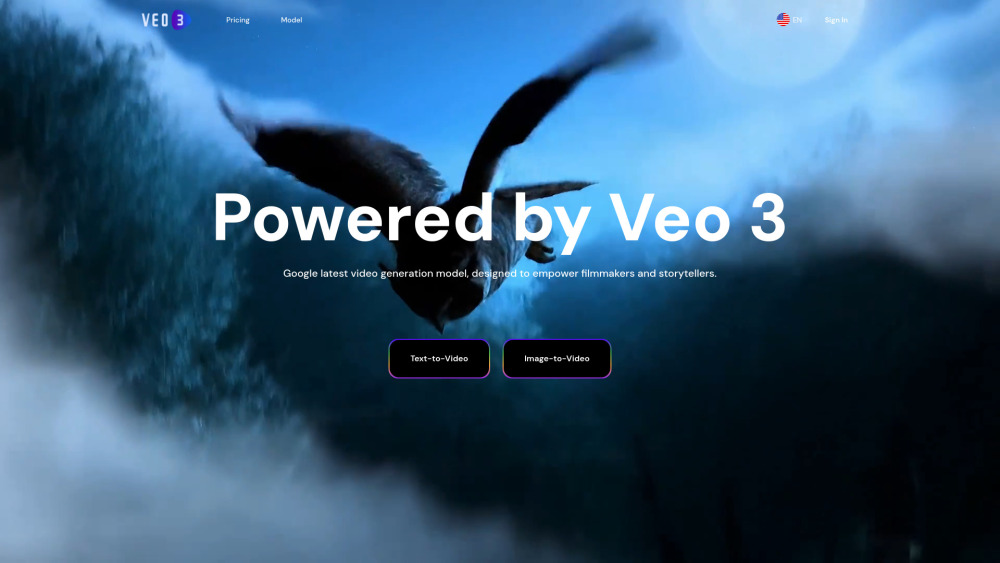
What is Veo 3?
Veo 3 is an advanced AI video generation platform powered by Google Veo 3 AI. It enables users to transform text and images into cinematic, Hollywood-quality videos in seconds. Designed to empower filmmakers and storytellers, Veo 3 generates high-quality 4K resolution videos from text, image, or video prompts. A key innovation is its native audiovisual integration, automatically generating sound effects, ambient sounds, and synchronized dialogue, marking a new era of audiovisual fusion in AI video generation.
How to use Veo 3?
Users can generate videos by providing text prompts or uploading images. The process is simple: upload your content and generate, requiring no technical skills. The platform supports various input formats such as text and images. Users can try the service for free to get started. For advanced features and higher access, it is currently limited to 'Gemini Ultra subscription users' in the U.S. and enterprise-level customers on the Vertex AI platform, accessed through Google's AI film production tool 'Flow'.
Veo 3's Core Features
Text-to-Video generation with enhanced semantic understanding
Image-to-Video generation with enhanced semantic understanding
4K ultra-clear image quality (4096×2160 pixels)
Realistic physics simulation (lighting, fluid dynamics)
Native audio generation (dialogue, sound effects, ambient sounds)
Lip-sync technology for enhanced immersion
Accurate prompt following and creative control (reference video-guided generation, camera control, object addition/removal)
Multimodal input compatibility (text, images, audio)
Simple upload and generate process
High Quality Output (professional-grade video generation)
Fast Processing (get video in minutes)
Veo 3's Use Cases
Quickly generate high-resolution special effects shots or commercials for film and advertising at reduced costs.
Create in-game animations or promotional materials for game development, supporting complex scenes and character motion consistency.
Produce sound-enhanced short videos for social media platforms like YouTube Shorts to boost content appeal.
FAQ from Veo 3
What is Veo 3?
What are the core technical advantages of Veo 3?
How to access and use Veo 3?
How does Veo 3 compare to competitors (e.g., Sora)?
What scenarios is Veo 3 suitable for?
How does Veo 3 ensure content safety?
What are the current technical limitations of Veo 3?
What are Veo 3's future development directions?
How to cancel a subscription?
Veo 3 Support Email & Customer service contact & Refund contact etc.
Here is the Veo 3 support email for customer service: . More Contact, visit the contact us page(https://www.veo3.io/Support)
Veo 3 Company
Veo 3 Company name: Google DeepMind .
Veo 3 Company address: .
More about Veo 3, Please visit the about us page().
Veo 3 Login
Veo 3 Login Link: https://www.veo3.io/SignIn
Veo 3 Sign up
Veo 3 Pricing
Veo 3 Pricing Link: https://www.veo3.io/Pricing
FAQ from Veo 3
What is Veo 3?
Veo 3 is an advanced AI video generation platform powered by Google Veo 3 AI. It enables users to transform text and images into cinematic, Hollywood-quality videos in seconds. Designed to empower filmmakers and storytellers, Veo 3 generates high-quality 4K resolution videos from text, image, or video prompts. A key innovation is its native audiovisual integration, automatically generating sound effects, ambient sounds, and synchronized dialogue, marking a new era of audiovisual fusion in AI video generation.
How to use Veo 3?
Users can generate videos by providing text prompts or uploading images. The process is simple: upload your content and generate, requiring no technical skills. The platform supports various input formats such as text and images. Users can try the service for free to get started. For advanced features and higher access, it is currently limited to 'Gemini Ultra subscription users' in the U.S. and enterprise-level customers on the Vertex AI platform, accessed through Google's AI film production tool 'Flow'.
What are the core technical advantages of Veo 3?
Key advantages include 4K ultra-clear image quality and physics simulation, native audio generation with lip-sync, accurate prompt following and creative control (reference video-guided generation, camera control, object addition/removal), and multimodal input compatibility.
How to access and use Veo 3?
Currently limited to 'Gemini Ultra subscription users' in the U.S. ($249.99/month) and enterprise-level customers on the Vertex AI platform. It's accessed through Google's AI film production tool 'Flow', supporting collaborative creation with models like Gemini and Whisk.
How does Veo 3 compare to competitors (e.g., Sora)?
Veo 3 supports 4K output (Sora 1080P) and theoretically several minutes of video (Sora 20 seconds). It natively integrates sound and video, unlike competitors often requiring post-production audio. It also offers more refined professional-level controls like camera instructions and physics simulation.
What scenarios is Veo 3 suitable for?
It's suitable for film and advertising (high-resolution special effects, commercials), game development (in-game animations, promotional materials), and social media (sound-enhanced short videos).
How does Veo 3 ensure content safety?
All generated videos include invisible SynthID watermarks to identify AI-generated content. Training data undergoes copyright compliance and safety filtering, and output content must pass safety checks before release.
What are the current technical limitations of Veo 3?
Limitations include audio sync challenges for intense dialogue, a high access threshold (only high-paying subscribers), and video length limitations (default 8 seconds at 720P, with 4K and long video features gradually rolling out).
What are Veo 3's future development directions?
Future plans include performance optimization (reduce inference costs, compatible with next-gen TPU), function expansion (longer video generation, enhanced multimodal flexibility), and ecosystem integration (deep integration into Google products like YouTube and Chrome).
How to cancel a subscription?
You can view and manage your current subscription in your Profile/Dashboard. Once canceled, you won't be charged in the next billing cycle.