
AI Directory : AI Image Enhancer, AI Image Sharpening, AI Image Upscaler, AI Unblur Image
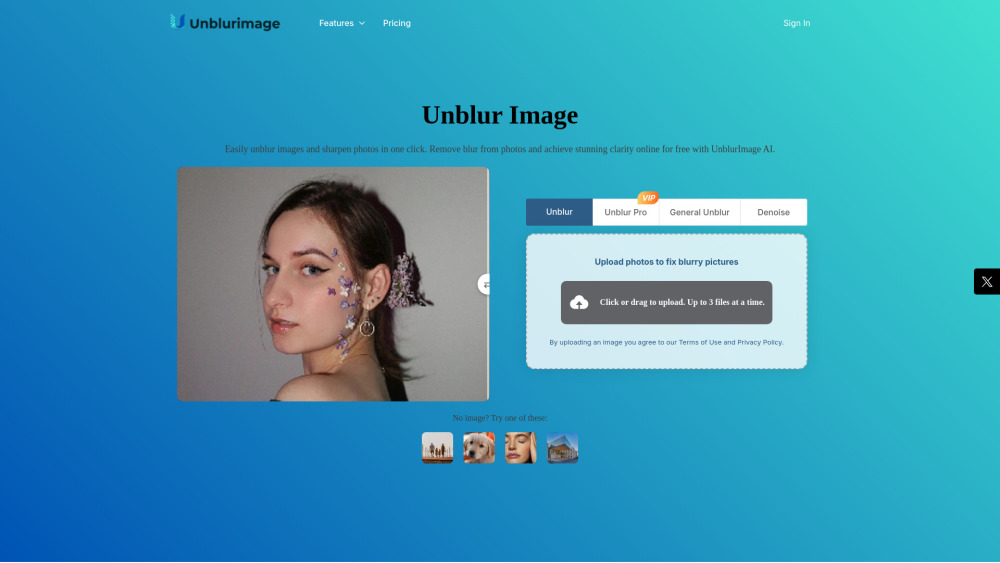
What is Unblurimage AI?
UnblurImage AI is an online platform that uses advanced AI technology to easily unblur, sharpen, and enhance the quality of images and photos. It removes blur from photos, improves clarity, upscales images to higher resolutions (up to 4x and 4K), enhances details like lines, colors, and textures, and effectively reduces image noise. The service is designed to be user-friendly, offering one-click enhancements and supporting various image formats.
How to use Unblurimage AI?
To use UnblurImage AI, first, upload your image (PNG, JPG, HEIC, etc.) from any device. Next, choose your desired enhancement options for unblurring and sharpening to tailor the clarity. Finally, once processed, you can instantly download your unblurred, high-quality image. No sign-up is required for basic use.
Unblurimage AI's Core Features
AI-Powered Image Unblurring and Sharpening
Image Upscaling to 4x and 4K Resolution
Image Quality Enhancement (details, colors, textures)
Noise Reduction and Clarity Enhancement
High-Resolution and Multi-Format Support (up to 4000x4000 pixels)
Batch Processing for Blur Removal
Instant One-Click Quality Enhancement
Unblurimage AI's Use Cases
E-commerce Product and Marketing (for clear product photos)
Image Printing and Enlargements (for sharp printed visuals)
Design and Visual Projects (for sharp details in graphic designs)
Social Media (for high-quality posts that capture attention)
FAQ from Unblurimage AI
Is UnblurImage AI really free?
Can UnblurImage AI handle high-resolution images?
Does it support batch removal of image blur?
Will your program damage the image quality?
Can it remove blur from videos?
What are Credits and how do they work?
Unblurimage AI Support Email & Customer service contact & Refund contact etc.
Here is the Unblurimage AI support email for customer service: [email protected] . More Contact, visit the contact us page(https://unblurimage.ai/contact/)
Unblurimage AI Company
Unblurimage AI Company name: UnblurImage AI .
Unblurimage AI Company address: 8, Watten Estate, 41 Watten View, Singapore 287203.
More about Unblurimage AI, Please visit the about us page(https://unblurimage.ai/).
Unblurimage AI Login
Unblurimage AI Sign up
Unblurimage AI Pricing
Unblurimage AI Pricing Link: https://unblurimage.ai/pricing/
Unblurimage AI Twitter
Unblurimage AI Twitter Link: https://x.com/unblurimagai
Unblurimage AI Instagram
Unblurimage AI Instagram Link: https://x.com/unblurimagai
FAQ from Unblurimage AI
What is Unblurimage AI?
UnblurImage AI is an online platform that uses advanced AI technology to easily unblur, sharpen, and enhance the quality of images and photos. It removes blur from photos, improves clarity, upscales images to higher resolutions (up to 4x and 4K), enhances details like lines, colors, and textures, and effectively reduces image noise. The service is designed to be user-friendly, offering one-click enhancements and supporting various image formats.
How to use Unblurimage AI?
To use UnblurImage AI, first, upload your image (PNG, JPG, HEIC, etc.) from any device. Next, choose your desired enhancement options for unblurring and sharpening to tailor the clarity. Finally, once processed, you can instantly download your unblurred, high-quality image. No sign-up is required for basic use.
Is UnblurImage AI really free?
You can experience our image clarity enhancement feature for free, which fixes image blur and improves image quality, without needing to log in. We provide a certain number of free uses daily.
Can UnblurImage AI handle high-resolution images?
We do not limit the size of the images you upload, but the maximum resolution of the processed images is 4000×4000 pixels.
Does it support batch removal of image blur?
Yes, we support removing image blur. Users who are not logged in can upload up to 3 images at a time, while logged-in users can upload up to 5 images at a time.
Will your program damage the image quality?
No, UnblurImage.AI will not damage the image quality at all. While removing image blur, the AI will intelligently upscale the image resolution and enhance the image quality.
Can it remove blur from videos?
Yes, you can use our 'Video Enhancer' to remove blur from video footage and restore clarity.
What are Credits and how do they work?
Credits are the consumption units used for any conversion performed on our platform after your daily free quota is used. Image Enhancement: 1 credit per image; Unblur Pro: 3 credits per image; Restore Pro: 3 credits per image; Video Enhancement: 1 credit per second of video.