
AI Directory : AI Builder, AI Code Generator, AI Design Generator, AI UX Design
What is Stitch?
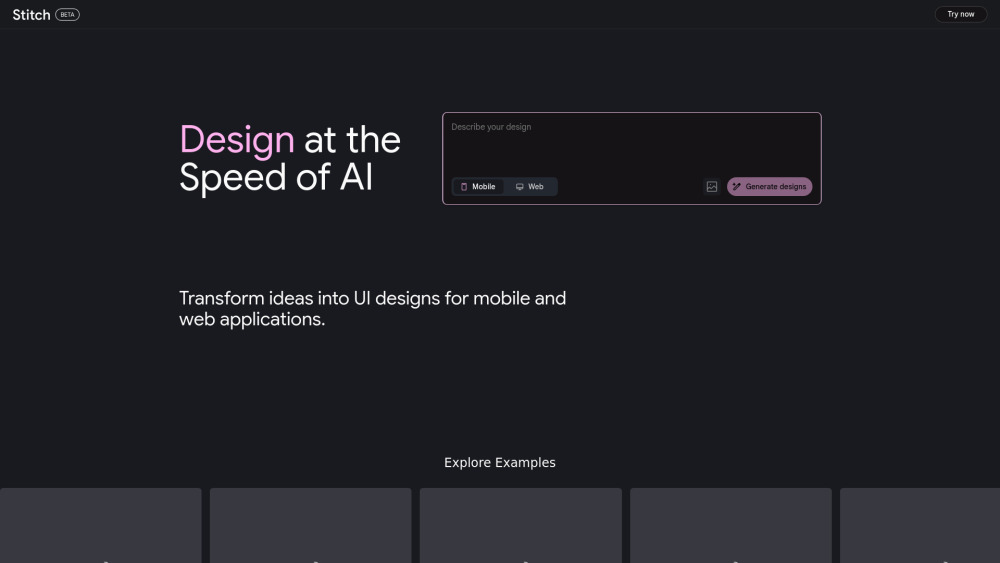
Stitch is an AI-powered tool designed to help application builders generate high-quality user interfaces for mobile and web applications. It facilitates fast and easy design ideation and allows users to easily export designs to Figma or directly access the frontend code. Stitch leverages some of the latest AI models from Google DeepMind.
How to use Stitch?
To use Stitch, users can transform their ideas into UI designs for mobile and web applications by writing a few words or attaching an image. The platform allows for easy adjustments and iteration to refine designs, and users can then export static HTML code or Figma files.
Stitch's Core Features
AI-powered UI generation for mobile and web applications
Transform ideas into UI designs using text or images
Easy iteration and design adjustments
Export static HTML code and Figma files
Users retain ownership of their generated designs
Leverages Google DeepMind's Gemini AI models
Stitch's Use Cases
Board game club planner
Employee Feedback Dashboard
Personal photo library
Homemade Pizza Cooking Elite Class
Indoor Plant Care Dashboard
Alps skiing guide
Ceramic & Pottery Marketplace
FAQ from Stitch
What is Stitch?
Is Stitch free of charge?
What happens if I exceed my monthly limits?
Where is Stitch available?
Can I use designs generated from Stitch for commercial purposes?
Can I import data from Galileo AI?
I want to get in touch with the Stitch team, how can I reach out?
Stitch Support Email & Customer service contact & Refund contact etc.
More Contact, visit the contact us page()
Stitch Company
Stitch Company name: Stitch .
Stitch Company address: .
More about Stitch, Please visit the about us page().
Stitch Login
Stitch Sign up
FAQ from Stitch
What is Stitch?
Stitch is an AI-powered tool designed to help application builders generate high-quality user interfaces for mobile and web applications. It facilitates fast and easy design ideation and allows users to easily export designs to Figma or directly access the frontend code. Stitch leverages some of the latest AI models from Google DeepMind.
How to use Stitch?
To use Stitch, users can transform their ideas into UI designs for mobile and web applications by writing a few words or attaching an image. The platform allows for easy adjustments and iteration to refine designs, and users can then export static HTML code or Figma files.
Is Stitch free of charge?
Stitch is available for free of charge with certain usage limits. Each user receives a monthly allowance of 350 generations using Flash mode and 50 generations using Experimental mode. Please note that these limits are subject to change.
What happens if I exceed my monthly limits?
Your account will be temporarily unable to generate until your monthly limits reset for the new month. For further inquiries, you can reach out to them on X at @stitchbygoogle.
Where is Stitch available?
The site is currently available in English only to 18+ users in 212 countries. They are working to bring their tools to as many people as possible.
Can I use designs generated from Stitch for commercial purposes?
Google does not claim ownership over original designs or code that you generate with Stitch, as detailed in the Google Terms of Service: "Some of our services allow you to generate original content. Google won’t claim ownership over that content." You are responsible for fully reviewing and complying with the terms.
Can I import data from Galileo AI?
Yes, if you are a former Galileo AI user, you can upload your conversation history via the settings page. This will allow you to access and view your past conversations with Galileo. Please note that you will not be able to continue these imported conversations within Stitch.
I want to get in touch with the Stitch team, how can I reach out?
For any inquiry, you can contact them on X at @stitchbygoogle.