
AI Directory : AI Copilot, AI Productivity Tools, AI Scheduling, AI Workflow
What is SkyPlanner APS?
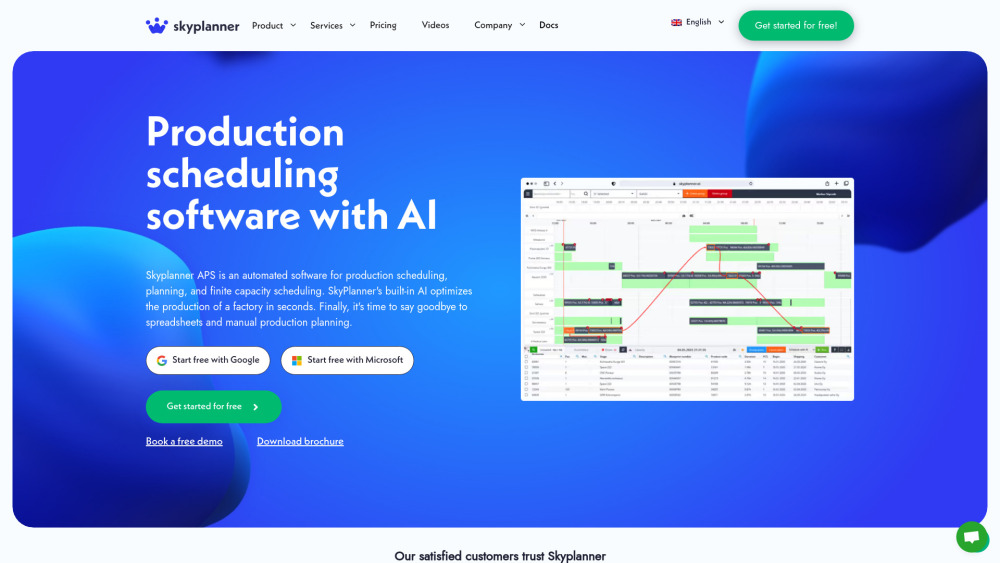
SkyPlanner APS is an automated software for production scheduling, planning, and finite capacity scheduling. It leverages built-in artificial intelligence (AI), named Arcturus, to optimize factory production in seconds. The software aims to replace manual production planning and spreadsheets by connecting production data from ERP or MES systems with priorities set by planners, reacting to continuous changes in production to maintain optimal levels.
How to use SkyPlanner APS?
Users integrate SkyPlanner APS with their existing ERP or MES systems. They define goals and priorities through a modern user interface. The built-in Arcturus AI then automatically calculates and optimizes production plans in real-time, reacting to changes. Users can visually track production on a Gantt timeline, manage shifts, handle multi-facility production chains, and log time for tasks.
SkyPlanner APS's Core Features
AI-powered production scheduling and optimization
Finite capacity scheduling
Real-time production monitoring with Gantt timeline
Dynamic shift planning and resource management
Multi-facility production chain management
Seamless integration with ERP and MES systems
Real-time time logging
Customization possibilities
SkyPlanner APS's Use Cases
Optimizing production plans after changes like machine malfunctions, lead time shifts, or material availability issues.
Ensuring manufacturing facilities operate at their fullest capacity.
Coping with production stalls, sick leaves, overtime, and shift changes.
Prioritizing tasks and reacting to orders predicted to be delayed.
Seamlessly coordinating operations with sub-contractors.
Reducing human error in production planning and increasing delivery reliability.
Transitioning from manual production planning and spreadsheets to automated systems.
FAQ from SkyPlanner APS
Can I change or cancel my subscription at any time?
Do I need to enter my credit card details to sign up?
Can I try SkyPlanner before purchasing?
Is it possible to get additional custom features for SkyPlanner?
What limitations are there in the Trial version?
Can SkyPlanner be translated into my language?
What does the Enterprise package include?
Is an on-premises version of SkyPlanner available?
SkyPlanner APS Support Email & Customer service contact & Refund contact etc.
Here is the SkyPlanner APS support email for customer service: [email protected] . More Contact, visit the contact us page(https://skyplanner.ai/contact-sales/)
SkyPlanner APS Company
SkyPlanner APS Company name: Skycode Oy .
SkyPlanner APS Company address: Rantakatu 2 G (11th floor), 65100 Vaasa, Finland.
More about SkyPlanner APS, Please visit the about us page(https://skyplanner.ai/about-us/).
SkyPlanner APS Sign up
SkyPlanner APS Sign up Link: https://skyplanner.ai/trial/
SkyPlanner APS Facebook
SkyPlanner APS Facebook Link: https://www.facebook.com/SkyPlanner-APS-Production-planning-scheduling-with-AI-105327365542079/
SkyPlanner APS Linkedin
SkyPlanner APS Linkedin Link: https://www.linkedin.com/company/skyplanner-aps/
FAQ from SkyPlanner APS
What is SkyPlanner APS?
SkyPlanner APS is an automated software for production scheduling, planning, and finite capacity scheduling. It leverages built-in artificial intelligence (AI), named Arcturus, to optimize factory production in seconds. The software aims to replace manual production planning and spreadsheets by connecting production data from ERP or MES systems with priorities set by planners, reacting to continuous changes in production to maintain optimal levels.
How to use SkyPlanner APS?
Users integrate SkyPlanner APS with their existing ERP or MES systems. They define goals and priorities through a modern user interface. The built-in Arcturus AI then automatically calculates and optimizes production plans in real-time, reacting to changes. Users can visually track production on a Gantt timeline, manage shifts, handle multi-facility production chains, and log time for tasks.
Can I change or cancel my subscription at any time?
If you are on a monthly billing plan, you can decrease or increase the number of workstations at any time. You can also cancel your subscription at any time.
Do I need to enter my credit card details to sign up?
No, credit card details are not required when you register. When the free trial period ends and you decide to continue using SkyPlanner, you will be asked to choose a paid plan and enter your billing information.
Can I try SkyPlanner before purchasing?
Yes, a 14-day free trial period is offered during which you can test all of SkyPlanner’s features without requiring credit card details.
Is it possible to get additional custom features for SkyPlanner?
Yes, additional features are available for an extra charge. Please get in touch with their sales team for more information.
What limitations are there in the Trial version?
During the 2-week Trial version, you can add up to a maximum of 20 workstations.
Can SkyPlanner be translated into my language?
SkyPlanner can be translated into all languages as it is designed to be easily translatable. You can contact them to discuss this further.
What does the Enterprise package include?
The Enterprise package is similar to the Basic package but is equipped with additional services and customizations according to the customer’s preferences. It's designed to be modular and adaptable to user-specific needs, with customization available for an additional fee.
Is an on-premises version of SkyPlanner available?
No, it’s not available on-premises.