
AI Directory : AI Tools, Beauty Tools, Free Software, Image Processing, Online Tools, Photo Editing, Text&Writing
What is Hair Removal Photo Editor
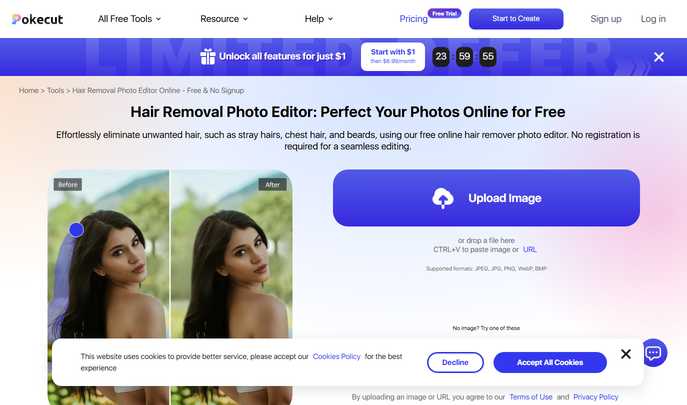
Hair Removal Photo Editor by Pokecut is the ultimate AI-powered online tool for effortlessly removing unwanted hair from photos. Whether it's stray hairs, chest hair, beards, or flyaways, our free hair remover photo editor delivers professional results without requiring registration. Transform your photos with precision using advanced AI technology that maintains image quality while eliminating unwanted hair elements.
How to Use Hair Removal Photo Editor
- Upload Your Photo - Click the upload button to select your image with unwanted hair. Supports JPEG, JPG, PNG, WebP, and BMP formats. You can also drag and drop files or paste images directly using Ctrl+V.
- Remove Hair with AI Precision - Use the hair removal tool to paint over the hair you want to remove. Adjust brush size for precise application (size 10 recommended). The AI technology accurately identifies and removes hair while preserving surrounding details.
- Download Perfect Results - Review the hair removal effect and click download to get your edited image in JPG or PNG format. Use 'edit more' for additional features like background replacement and photo enhancement.
Key Features of Hair Removal Photo Editor
- AI-Powered Hair Removal: Advanced artificial intelligence technology identifies and removes various types of hair including facial hair, body hair, and flyaways with pixel-perfect precision while maintaining natural photo quality.
- Multiple Hair Types Support: Effectively removes chest hair, beards, stray hairs, peach fuzz, and stubble from photos. The magic eraser tool handles all hair removal needs with professional-grade results.
- Free Online Access: Completely free hair removal photo editor with no signup required. Access all features directly in your browser on both mobile and desktop devices without downloads or installations.
- Professional Photo Enhancement: Beyond hair removal, access over 10,000 templates, thousands of stickers, artistic fonts, background replacement, AI enlargement, and photo quality enhancement tools for comprehensive editing.
- High-Quality Output: Maintains original photo quality while removing unwanted hair. Export final images in JPG or PNG formats with optimal clarity and professional appearance.
FAQ about Hair Removal Photo Editor
- Can this tool remove all types of hair from photos?
Yes, our AI technology can identify and remove various types of hair including body hair, facial hair, head hair, chest hair, beards, and flyaways with precision while preserving photo quality. - How long does hair removal processing take?
Processing time depends on photo complexity but typically takes just a few seconds. The AI-powered system works quickly to deliver professional results without compromising quality. - What image formats are supported for hair removal?
The hair removal photo editor supports JPEG, JPG, PNG, WebP, and BMP formats. You can upload images directly, drag and drop files, or paste images using Ctrl+V for convenience. - Is the hair removal photo editor completely free?
Yes, our hair removal features are free to use with 5 credits provided daily to each user. No registration or signup required to access the basic hair removal functionality. - Can I edit the results if I'm not satisfied?
Absolutely! If you're not satisfied with initial results, use the 'edit more' option to make further adjustments, access additional tools, or refine the hair removal until you achieve perfect results. - How does the AI maintain photo quality during hair removal?
Our advanced AI technology analyzes surrounding pixels and textures to seamlessly blend the edited areas with the original photo, ensuring natural-looking results without quality degradation or visible editing marks.
Transform your photos with professional hair removal using Pokecut's free online editor. Remove unwanted hair, enhance image quality, and achieve flawless results without registration. Perfect for social media, professional headshots, and personal photo enhancement.
Website: https://www.pokecut.com/tools/hair-removal-photo-editor