
AI Directory : AI Expand Image, AI Image Enhancer, AI Image Generator, AI Image Upscaler, Image to Image, Text to Image
What is Pixfy AI?
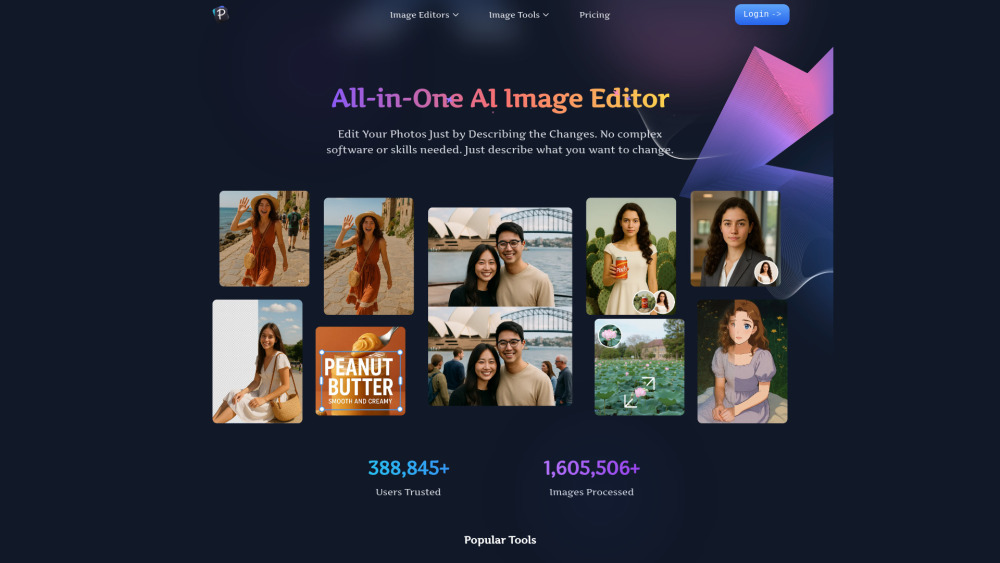
Pixfy AI is a comprehensive platform designed to solve all your image editing needs with the power of artificial intelligence. Whether you need to rescue a blurry photo, enlarge an old picture without losing quality, or create hilarious and realistic face swaps, our tools provide one-click solutions. Our AI analyzes your images to automatically sharpen details, reduce noise, increase resolution up to 4x, and seamlessly blend features. No complex software or technical skills are required—just upload your image and let Pixfy AI do the work.
How to use Pixfy AI?
Using Pixfy AI is incredibly simple: Select a Tool: Choose the function you need, like the AI Image Enhancer or AI Face Swap. Upload Your Photo(s): Follow the simple on-screen instructions to upload your images. Download Your Result: Let the AI work its magic in seconds, then download your new, high-quality image.
Pixfy AI's Core Features
AI Image Enhancement: Automatically unblur, sharpen, and remove digital noise from any photo.
High-Resolution Upscaling: Enlarge images by up to 4x their original resolution without sacrificing quality.
Realistic AI Face Swap: Seamlessly swap faces between two photos with accurate lighting and skin tone matching.
One-Click Automation: Achieve professional results with a single click—no manual editing needed.
Fast and Secure Processing: Get your results in seconds. Your uploaded images are never stored.
Pixfy AI's Use Cases
Photographers: Upscale and enhance low-resolution shots to create stunning, print-ready images.
Social Media Creators: Generate viral memes, high-quality posts, and unique profile pictures.
E-commerce Sellers: Improve product photos with sharp details to attract more customers and drive sales.
Family Historians & Archivists: Restore old, blurry, or faded family photos to preserve precious memories.
Everyday Users: Fix everyday snapshots, create funny gifts, or experiment with creative photo edits for fun.
FAQ from Pixfy AI
What is Pixfy AI?
Is Pixfy AI free to use?
Are my images safe and private?
Pixfy AI Support Email & Customer service contact & Refund contact etc.
More Contact, visit the contact us page()
Pixfy AI Company
Pixfy AI Company name: .
Pixfy AI Company address: .
More about Pixfy AI, Please visit the about us page().
Pixfy AI Login
Pixfy AI Sign up
FAQ from Pixfy AI
What is Pixfy AI?
Pixfy AI is a comprehensive platform designed to solve all your image editing needs with the power of artificial intelligence. Whether you need to rescue a blurry photo, enlarge an old picture without losing quality, or create hilarious and realistic face swaps, our tools provide one-click solutions. Our AI analyzes your images to automatically sharpen details, reduce noise, increase resolution up to 4x, and seamlessly blend features. No complex software or technical skills are required—just upload your image and let Pixfy AI do the work.
How to use Pixfy AI?
Using Pixfy AI is incredibly simple:nSelect a Tool: Choose the function you need, like the AI Image Enhancer or AI Face Swap.nUpload Your Photo(s): Follow the simple on-screen instructions to upload your images.nDownload Your Result: Let the AI work its magic in seconds, then download your new, high-quality image.
Is Pixfy AI free to use?
Yes, we offer a free plan with credits that allows you to use all our tools. You can enhance, upscale, and swap faces in your photos completely free of charge.
Are my images safe and private?
Absolutely. We prioritize your privacy. The images you upload for processing are automatically deleted from our servers and are never stored or used for any other purpose.