
AI Directory : AI Builder, AI Code Assistant, AI Copilot, AI Developer Tools, No-Code&Low-Code
What is Phion?
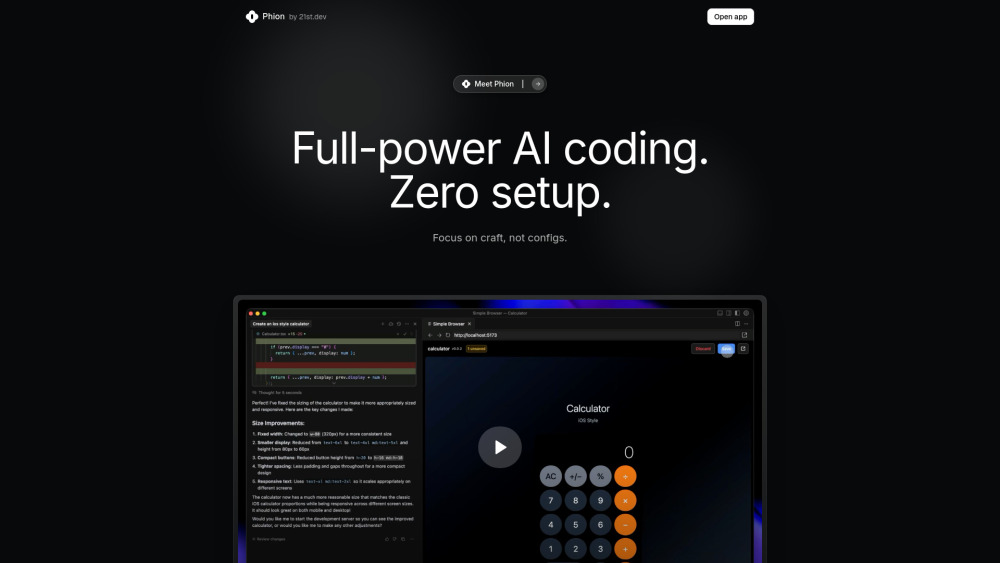
Phion is a full-power AI coding platform designed to simplify the development process by handling versioning, publishing, architecture rules, and other configurations. It integrates with Cursor, allowing users to focus on creating code rather than setting up environments. It offers zero setup, one-click environment, smart save and deploy, and an AI error assistant.
How to use Phion?
To use Phion, users open their project in Cursor and can start building immediately. The platform automatically starts the project and opens a preview. Every save automatically deploys the project to a live website. Additionally, an AI Error Assistant is available, allowing users to fix bugs by clicking a 'Fix bugs' button, eliminating the need to check console logs.
Phion's Core Features
Full-power AI coding
Zero setup (no npm, git commands)
One-Click Environment (auto-starts project, opens preview)
Smart Save & Deploy (instant live deployment on save)
AI Error Assistant (fixes errors with a button)
Handles versioning, publishing, and architecture rules
Phion's Use Cases
Crafting code in Cursor without configuration overhead
Building and deploying web projects instantly
Automatically fixing code errors with AI assistance
Rapid prototyping and development of applications
FAQ from Phion
Do I need a GitHub account?
Where is my project hosted?
Can I use my existing project with Phion?
What framework does the template use?
How is this different from Lovable.dev?
What editors can I use?
How much does it cost?
What happens to my code?
Phion Company
Phion Company name: Phion .
FAQ from Phion
What is Phion?
Phion is a full-power AI coding platform designed to simplify the development process by handling versioning, publishing, architecture rules, and other configurations. It integrates with Cursor, allowing users to focus on creating code rather than setting up environments. It offers zero setup, one-click environment, smart save and deploy, and an AI error assistant.
How to use Phion?
To use Phion, users open their project in Cursor and can start building immediately. The platform automatically starts the project and opens a preview. Every save automatically deploys the project to a live website. Additionally, an AI Error Assistant is available, allowing users to fix bugs by clicking a 'Fix bugs' button, eliminating the need to check console logs.
Do I need a GitHub account?
The answer is not provided in the given content.
Where is my project hosted?
The answer is not provided in the given content.
Can I use my existing project with Phion?
The answer is not provided in the given content.
What framework does the template use?
The answer is not provided in the given content.
How is this different from Lovable.dev?
The answer is not provided in the given content.
What editors can I use?
The answer is not provided in the given content.
How much does it cost?
The answer is not provided in the given content.
What happens to my code?
The answer is not provided in the given content.