
AI Directory : AI Article Summarizer, AI Assistant, AI Caption Generator, AI Checker, AI Checker Essay, AI Copywriting, AI Creative Writing, AI Email Writer, AI Essay Writer, AI Grammar Checker, AI Outline Generator, AI Papers, AI Paragraph Generator, AI Paraphraser, AI PDF, AI PDF Summarizer, AI Plagiarism Checker, AI Productivity Tools, AI Proofreading, AI Report Writing, AI Research Papers, AI Research Tool, AI Review Generator, AI Rewriter, AI Sentence Generator, AI Spell Check, AI Subtitle Generator, AI Summarizer, AI Text Generator, AI Thesis Generator, AI Title Generator, AI Writing, AI Writing Assistants, Headlines AI, Prompt Engineering
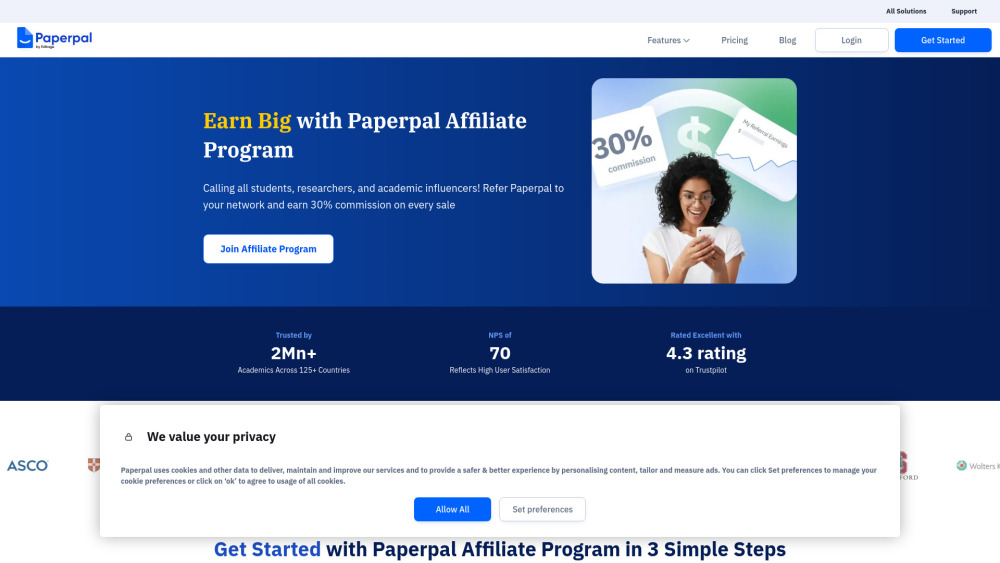
What is Paperpal?
Paperpal is an AI-powered academic writing assistant built for researchers and students, designed to support every stage of writing. It offers advanced language checks, intelligent paraphrasing, plagiarism detection, AI writing suggestions, accurate citation generation & more—all in one place. Available as a web app and integrated with Google Docs, Overleaf and MS Word, Paperpal helps users write faster, publish confidently, and maintain academic integrity.
How to use Paperpal?
Users can simply type or paste text into the Paperpal editor, or use the browser extension for Google Docs and MS Word to receive real-time suggestions as they write. Along the way, they’ll get contextual text suggestions, translation support for 30+ languages, paraphrasing, and word reduction. Users can also find references from 250M+ research articles, extract key data or summarize PDFs, and cite accurately in over 10,000 styles—all in one place.
Paperpal's Core Features
Plagiarism Check
Paraphrasing Tool
Citation Generator
language and grammar check
Summarizer
Google Docs Extension
AI-powered writing assistance
Contextual text suggestions
Chat with PDF
AI Review
Journal Submission Check
Paperpal's Use Cases
In-depth language & grammar check
Paraphrase text to improve fluency and clarity
Generating accurate citations in 10,000+ styles
Check for plagiarism to ensure originality and uphold academic integrity
Overcome writer’s block with outline generator
Context-appropriate translation across 30+ languages
Proofread and edit essays, research papers, and dissertations
Extract data or summarize PDFs
Find references from 250M+ research articles
FAQ from Paperpal
Can I use Paperpal for Free?
Will my Paperpal edited document be flagged as plagiarised?
Will my Paperpal edited document be flagged by AI detectors?
Is my data used for training Paperpal’s AI?
How secure is my manuscript and does Paperpal use my data?
Paperpal Support Email & Customer service contact & Refund contact etc.
Here is the Paperpal support email for customer service: [email protected] . More Contact, visit the contact us page([email protected])
Paperpal Company
Paperpal Company name: Paperpal .
Paperpal Company address: Cactus Communications Services Pte. Ltd. 20 McCallum Street, #19-01, Tokio Marine Centre, Singapore -069046.
More about Paperpal, Please visit the about us page(https://paperpal.com/).
Paperpal Login
Paperpal Login Link: https://paperpal.com/
Paperpal Sign up
Paperpal Sign up Link: https://paperpal.com/
Paperpal Youtube
Paperpal Youtube Link: https://www.youtube.com/@Paperpal_cactusglobal
Paperpal Tiktok
Paperpal Tiktok Link: https://www.tiktok.com/@teampaperpal
Paperpal Linkedin
Paperpal Linkedin Link: https://www.linkedin.com/showcase/paperpalofficial/
Paperpal Twitter
Paperpal Twitter Link: https://x.com/teampaperpal
Paperpal Instagram
Paperpal Instagram Link: https://www.instagram.com/paperpal_cactus/
FAQ from Paperpal
What is Paperpal?
Paperpal is an AI-powered academic writing assistant built for researchers and students, designed to support every stage of writing. It offers advanced language checks, intelligent paraphrasing, plagiarism detection, AI writing suggestions, accurate citation generation & more—all in one place. Available as a web app and integrated with Google Docs, Overleaf and MS Word, Paperpal helps users write faster, publish confidently, and maintain academic integrity.
How to use Paperpal?
Users can simply type or paste text into the Paperpal editor, or use the browser extension for Google Docs and MS Word to receive real-time suggestions as they write. Along the way, they’ll get contextual text suggestions, translation support for 30+ languages, paraphrasing, and word reduction. Users can also find references from 250M+ research articles, extract key data or summarize PDFs, and cite accurately in over 10,000 styles—all in one place.
Can I use Paperpal for Free?
Paperpal’s free version offers powerful real-time academic writing support, including 200 language corrections per month, unlimited citation generation, and plagiarism checks for up to 7,000 words. You also get access to AI features like Rewrite, Research & Cite, Translate, and writing templates up to 5 times a day. Plus, you can upload PDFs, ask unlimited questions, and receive a submission readiness report with 30+ checks. It’s a great starting point for students and researchers needing high-quality writing help every month.
Will my Paperpal edited document be flagged as plagiarised?
At a document level, unless the original manuscript has been copied, it is very rare that it will be flagged by the plagiarism checker tools. Also, at a sentence level, there is a low possibility that text generated by Paperpal will get flagged by a plagiarism checker. However, as the rewrites suggested by Paperpal follow standard academic sentence construction, there is a chance that a tools like Turnitin might pick individual sentences as resembling published literature.
Will my Paperpal edited document be flagged by AI detectors?
Being flagged by AI detectors isn't necessarily a bad thing. Many authors use AI tools to improve writing and productivity. AI detectors promote accountability to ensure content is reliable. Understand the AI scoring, and then use Paperpal's output as a base to refine the text and express ideas in your style. Secondly, note that AI detectors are in the early stages of development. For example, one AI detector falsely claimed the US Constitution was written by AI. Therefore, these detectors can be used as a reference, but should not be relied on for an accurate assessment.
Is my data used for training Paperpal’s AI?
No, your data is never used to train our AI models. Additionally, you have full control over the data you process using Paperpal. Your data used for Paperpal Generative AI features and language checks, do not leave the Paperpal servers.
How secure is my manuscript and does Paperpal use my data?
Rest assured, Paperpal prioritizes the security and privacy of your manuscript and data. Your data never leaves our servers and we have strict measures to restrict third-party access which means your work is always safeguarded against unauthorized use or disclosure. Moreover, you have complete control over the data processed using our AI academic writing tool, putting you in charge of your academic work. Finally, we will never use your data to train Paperpal's AI models, ensuring the utmost confidentiality.