
AI Directory : AI Agent, AI Assistant, AI Document Extraction, AI Productivity Tools, AI Task Management, AI Workflow
What is Masonry AI?
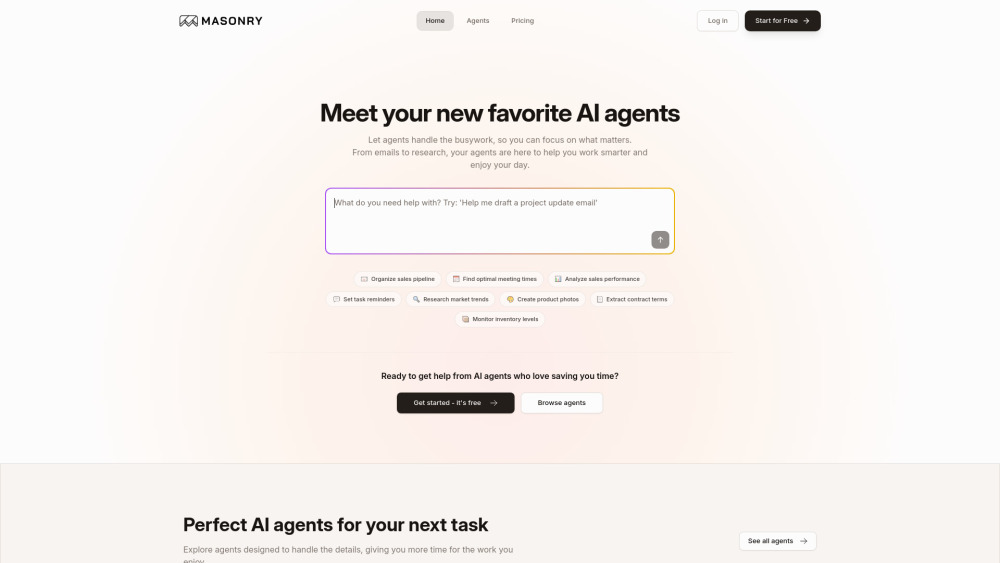
Masonry is an AI-powered platform designed to help users automate workflows, assign tasks, and boost business productivity by collaborating with multiple AI agents. It aims to turn words into workflows, providing seamless AI-powered automation for various business needs.
How to use Masonry AI?
Users can interact with various AI agents within Masonry to automate tasks and workflows. This involves using natural language requests to manage operations like organizing sales pipelines, scheduling meetings, analyzing data, creating images, processing documents, and integrating with popular tools such as Gmail, Google Calendar, Google Sheets, Slack, and Stripe. Users can also request custom AI agents tailored to their specific workflow needs.
Masonry AI's Core Features
AI-powered workflow automation
Collaboration with multiple AI agents
Task assignment and management
Integration with third-party applications (Gmail, Google Calendar, Google Sheets, Slack, Stripe)
Document processing and analysis
Image creation and enhancement
Web search and research capabilities
Custom AI agent development
Masonry AI's Use Cases
Organize sales pipeline
Find optimal meeting times
Analyze sales performance
Set task reminders
Research market trends
Create product photos
Extract contract terms
Monitor inventory levels
Manage Gmail related tasks
Setup and modify Google Calendar meetings
Handle Google Sheets actionable items
Perform common Slack operations (send messages, manage channels)
Get Stripe customers data, create payment links, update subscriptions
FAQ from Masonry AI
What is Masonry?
What types of AI agents are available on Masonry?
Can I get custom AI agents for my specific needs?
How does Masonry's pricing work?
How are credits used on Masonry?
Masonry AI Support Email & Customer service contact & Refund contact etc.
Here is the Masonry AI support email for customer service: [email protected] . More Contact, visit the contact us page(mailto:[email protected])
Masonry AI Company
Masonry AI Company name: Masonry AI Inc. .
Masonry AI Company address: .
More about Masonry AI, Please visit the about us page().
Masonry AI Login
Masonry AI Login Link: https://masonry.so/auth/login
Masonry AI Sign up
Masonry AI Sign up Link: https://masonry.so/auth/signup
Masonry AI Pricing
Masonry AI Pricing Link: https://masonry.so/#pricing
Masonry AI Linkedin
Masonry AI Linkedin Link: https://www.linkedin.com/company/MasonryHQ
Masonry AI Twitter
Masonry AI Twitter Link: https://twitter.com/MasonryHQ
FAQ from Masonry AI
What is Masonry AI?
Masonry is an AI-powered platform designed to help users automate workflows, assign tasks, and boost business productivity by collaborating with multiple AI agents. It aims to turn words into workflows, providing seamless AI-powered automation for various business needs.
How to use Masonry AI?
Users can interact with various AI agents within Masonry to automate tasks and workflows. This involves using natural language requests to manage operations like organizing sales pipelines, scheduling meetings, analyzing data, creating images, processing documents, and integrating with popular tools such as Gmail, Google Calendar, Google Sheets, Slack, and Stripe. Users can also request custom AI agents tailored to their specific workflow needs.
What is Masonry?
Masonry is an AI-powered platform that allows users to collaborate with multiple AI agents to automate workflows, assign tasks, and boost business productivity with seamless AI-powered automation.
What types of AI agents are available on Masonry?
Masonry offers a variety of agents including Document agent, Gmail, Google Calendar, Google Sheets, Image agent, Masonry (general assistant), Slack, Stripe, and Web search agent. They also offer custom solutions.
Can I get custom AI agents for my specific needs?
Yes, Masonry offers Custom Solutions where their team can build AI agents tailored to your exact workflow, including complex integrations and specialized tasks.
How does Masonry's pricing work?
Masonry offers a 'Pro' plan at $20/month for individuals and small teams, which includes 2000 credits per month. For organizations with advanced needs, there's an 'Enterprise' plan with custom pricing. All users start with 500 free credits without needing a credit card.
How are credits used on Masonry?
Credits are used for every message or file processed by the AI agents on Masonry.