
AI Directory : AI Animated Video, AI Animation Generator, AI Social Media Post Generator, AI Video Generator, Image to Video
What is Magic Animator?
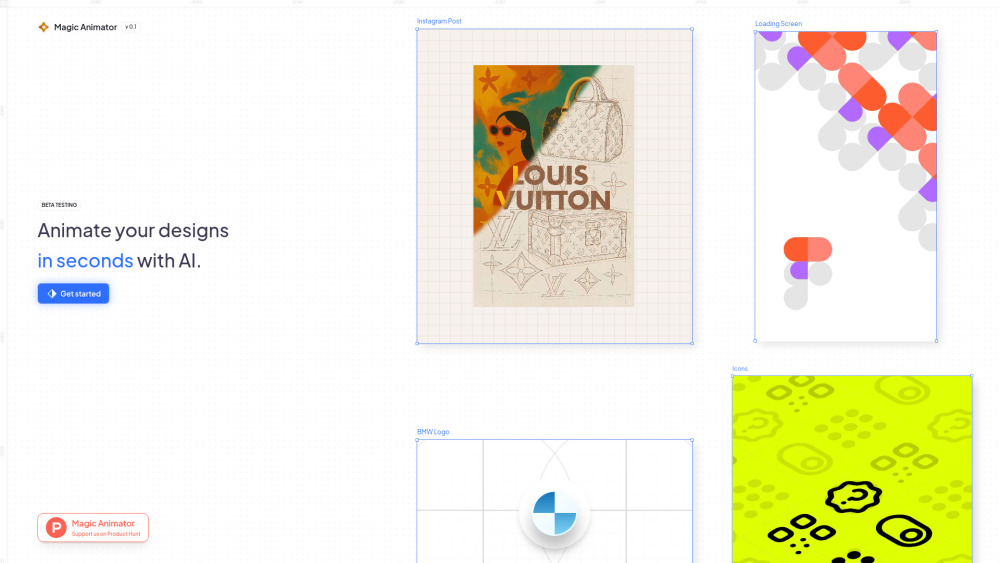
Magic Animator is an AI-powered animation generator designed to help creatives effortlessly bring vector images and designs to life. It allows users to import various file types, including SVGs and Lotties (from Figma), animate them using a simple yet powerful editor and timeline, and export them as Lottie, GIF, or MP4 for various platforms. The platform leverages AI to speed up the animation workflow and supports team collaboration, making it easy to turn visuals into motion from popular design tools like Figma, Canva, or Adobe Express.
How to use Magic Animator?
Users can animate designs in Magic Animator with a single click, leveraging pre-generated animations or using the AI Animation Assistant to chat and generate custom animations. The platform allows for editing animation keyframes for further refinement. Once animated, users can export the final animation as MP4, GIF, or Lottie. Designs can be created in preferred tools like Figma, Canva, or Adobe Express and then brought into Magic Animator for quick animation.
Magic Animator's Core Features
AI-powered animation generation
Simple and powerful editor with timeline
Import SVGs and Lotties (from Figma)
Export as Lottie, GIF, or MP4
Team collaboration
One-click animation
Animation Assistant (chat to generate custom animations)
Keyframe editing
Magic Animator's Use Cases
Animating logos for brand recognition
Creating eye-catching social media posts, stories, and reels
Bringing websites and app user interfaces to life
Animating icons and micro-interactions for improved user experience
Developing high-volume ad campaigns
FAQ from Magic Animator
What file formats can I import into Magic Animator?
What are the export options for my animations?
How does Magic Animator speed up the animation process?
Can I use Magic Animator with my existing design tools?
Can I generate custom animations with AI?
Magic Animator Company
Magic Animator Company name: Lottielab .
FAQ from Magic Animator
What is Magic Animator?
Magic Animator is an AI-powered animation generator designed to help creatives effortlessly bring vector images and designs to life. It allows users to import various file types, including SVGs and Lotties (from Figma), animate them using a simple yet powerful editor and timeline, and export them as Lottie, GIF, or MP4 for various platforms. The platform leverages AI to speed up the animation workflow and supports team collaboration, making it easy to turn visuals into motion from popular design tools like Figma, Canva, or Adobe Express.
How to use Magic Animator?
Users can animate designs in Magic Animator with a single click, leveraging pre-generated animations or using the AI Animation Assistant to chat and generate custom animations. The platform allows for editing animation keyframes for further refinement. Once animated, users can export the final animation as MP4, GIF, or Lottie. Designs can be created in preferred tools like Figma, Canva, or Adobe Express and then brought into Magic Animator for quick animation.
What file formats can I import into Magic Animator?
You can import SVGs and Lotties, including those from Figma, or create from scratch.
What are the export options for my animations?
You can export your animations as Lottie, GIF, or MP4 files to any platform.
How does Magic Animator speed up the animation process?
Magic Animator uses AI to speed up your animation workflow and offers one-click animation generation.
Can I use Magic Animator with my existing design tools?
Yes, Magic Animator makes it effortless to turn visuals into motion whether you're designing in Figma, Canva, or Adobe Express.
Can I generate custom animations with AI?
Yes, you can use the Animation Assistant to chat and generate custom animations.