
AI ディレクトリ : AI Audio Editing, AI Audio Splitter, AI Stems Splitter, AI Vocal Remover
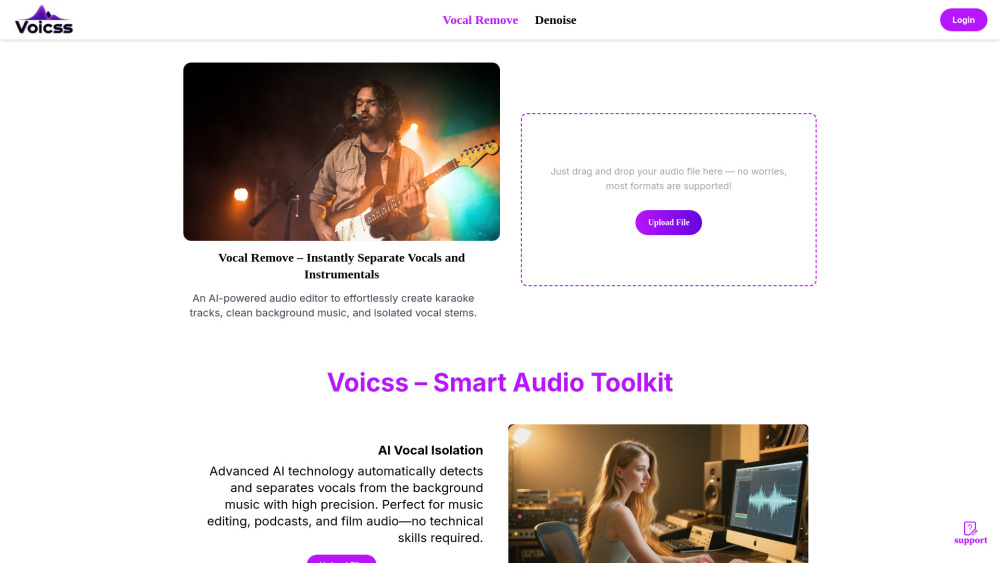
What is voicss?
Voicss is an AI-powered online tool designed to instantly remove vocals from songs, create karaoke tracks, and separate vocals and instruments. It functions as an AI audio editor to effortlessly create karaoke tracks, clean background music, and isolate vocal stems. It uses advanced AI technology to automatically detect and separate vocals from background music with high precision.
How to use voicss?
To use Voicss, simply drag and drop your audio file onto the website. The AI technology will automatically detect and separate vocals from the background music, providing high-quality results instantly in your browser.
voicss's Core Features
AI Vocal Isolation
Remove Vocal Track
Online Karaoke Maker
Isolate Vocals for Remix
voicss's Use Cases
Create karaoke tracks
Clean background music
Isolate vocal stems
Music editing
Podcasts
Film audio
Singing practice
Live performances
Producing instrumental-only music
Remixing, sampling, or vocal analysis
FAQ from voicss
What is Voicss?
What audio formats does Voicss support?
Is Voicss free to use?
Do I need to download any software to use Voicss?
voicss Support Email & Customer service contact & Refund contact etc.
More Contact, visit the contact us page(https://www.voicss.com/Contact)
voicss Company
voicss Company name: Voicss .
voicss Company address: .
More about voicss, Please visit the about us page().
voicss Login
voicss Login Link: https://www.voicss.com/Login
voicss Sign up
FAQ from voicss
What is voicss?
Voicss is an AI-powered online tool designed to instantly remove vocals from songs, create karaoke tracks, and separate vocals and instruments. It functions as an AI audio editor to effortlessly create karaoke tracks, clean background music, and isolate vocal stems. It uses advanced AI technology to automatically detect and separate vocals from background music with high precision.
How to use voicss?
To use Voicss, simply drag and drop your audio file onto the website. The AI technology will automatically detect and separate vocals from the background music, providing high-quality results instantly in your browser.
What is Voicss?
Voicss is a free, AI-powered online vocal remover and karaoke maker that instantly separates vocals from music.
What audio formats does Voicss support?
Voicss supports all popular formats including MP3, WAV, M4A, and FLAC.
Is Voicss free to use?
Yes, it's free to try, and no sign-up is required for your first audio split.
Do I need to download any software to use Voicss?
No, Voicss is 100% online and requires no downloads. You can process audio instantly in your browser.