
AI ディレクトリ : AI Assistant, AI Knowledge Base, AI Note Taker, AI Productivity Tools, Whiteboard AI
What is scraps?
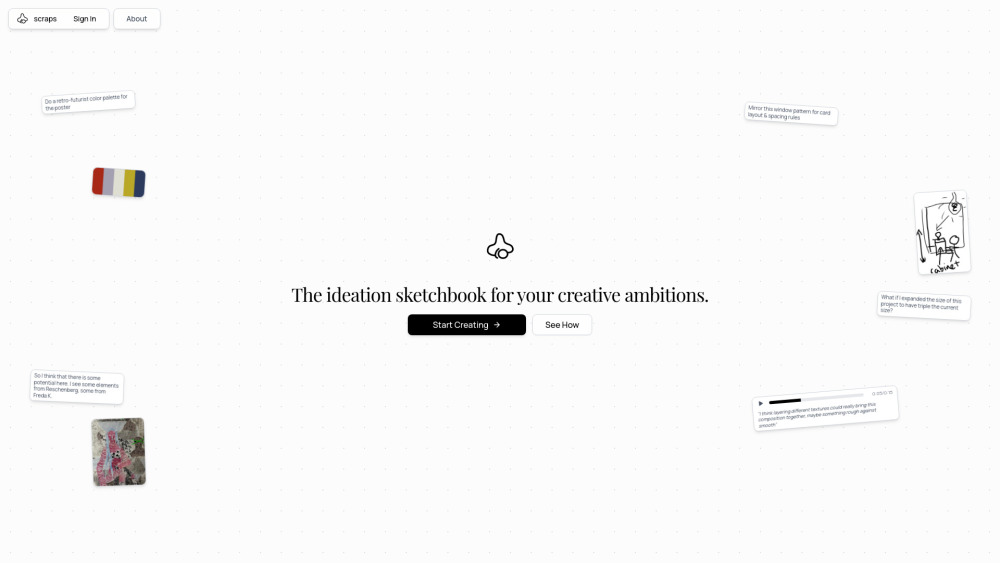
scraps is an AI-native sketchbook for ideation and creative thinking workflows. It analyzes everything users add, including photos, texts, audios, and sketches, to help them think faster and find connections between their ideas. Functioning as a smart canvas, digital sketchbook, journal, and brainstorming partner, scraps evolves into a personal knowledge base as more content is captured. Its AI acts as a creative partner, revealing unexpected connections and assisting users in developing their thoughts, accelerating the ideation process without replacing human thinking.
How to use scraps?
Users can ideate by adding various inputs such as photos, texts, audios, and sketches to the smart canvas. The AI then assists by finding connections between ideas (Spark Shuffle), blending ideas into new concepts (Spark Mixing), allowing users to discuss and develop ideas (Chat with AI), rediscovering relevant past ideas (Find Similar), and providing contextually-aware suggestions when stuck (Nudge Cards). It is also available as a mobile app for capturing inspiration on the go.
scraps's Core Features
AI-native ideation sketchbook
Smart canvas that understands creative process
Supports diverse inputs: photos, texts, audios, sketches
AI-powered idea generation (Spark Shuffle, Spark Mixing, Chat with AI, Find Similar, Nudge Cards)
Transforms into a personal knowledge base
Mobile app for on-the-go capture
scraps's Use Cases
Ideating with various media like photos, texts, audios, and sketches.
Finding connections between ideas and surfacing relevant information.
Brainstorming campaigns from concept to execution.
Capturing fleeting inspiration wherever it strikes.
Developing and discussing ideas with AI assistance.
FAQ from scraps
What is scraps?
What types of content can I add to scraps?
How does AI assist in scraps?
Is there a mobile version of scraps?
Who is scraps best suited for?
scraps Company
scraps Company name: scraps .
More about scraps, Please visit the about us page(https://www.joinscraps.com/manifesto).
scraps Login
scraps Login Link: https://www.joinscraps.com/login
FAQ from scraps
What is scraps?
scraps is an AI-native sketchbook for ideation and creative thinking workflows. It analyzes everything users add, including photos, texts, audios, and sketches, to help them think faster and find connections between their ideas. Functioning as a smart canvas, digital sketchbook, journal, and brainstorming partner, scraps evolves into a personal knowledge base as more content is captured. Its AI acts as a creative partner, revealing unexpected connections and assisting users in developing their thoughts, accelerating the ideation process without replacing human thinking.
How to use scraps?
Users can ideate by adding various inputs such as photos, texts, audios, and sketches to the smart canvas. The AI then assists by finding connections between ideas (Spark Shuffle), blending ideas into new concepts (Spark Mixing), allowing users to discuss and develop ideas (Chat with AI), rediscovering relevant past ideas (Find Similar), and providing contextually-aware suggestions when stuck (Nudge Cards). It is also available as a mobile app for capturing inspiration on the go.
What types of content can I add to scraps?
You can ideate with photos, texts, audios, and sketches, embracing raw input for genuine insight.
How does AI assist in scraps?
The AI in scraps helps by finding unexpected connections (Spark Shuffle), blending ideas (Spark Mixing), allowing you to discuss and develop ideas (Chat with AI), rediscovering relevant past ideas (Find Similar), and providing contextually-aware suggestions when you're stuck (Nudge Cards).
Is there a mobile version of scraps?
Yes, scraps has a mobile app designed for capturing inspiration on the go, including instant text jots, voice notes, quick photo captures, and hand-drawn sketches.
Who is scraps best suited for?
scraps is built for creative thinkers, including Artists, Designers, Startup Founders, Marketers, and other professionals looking to accelerate their ideation process.