
AI ディレクトリ : AI Meeting Assistant, AI Note Taker, AI Notes Generator, AI Summarizer, AI Transcription
What is Notigo?
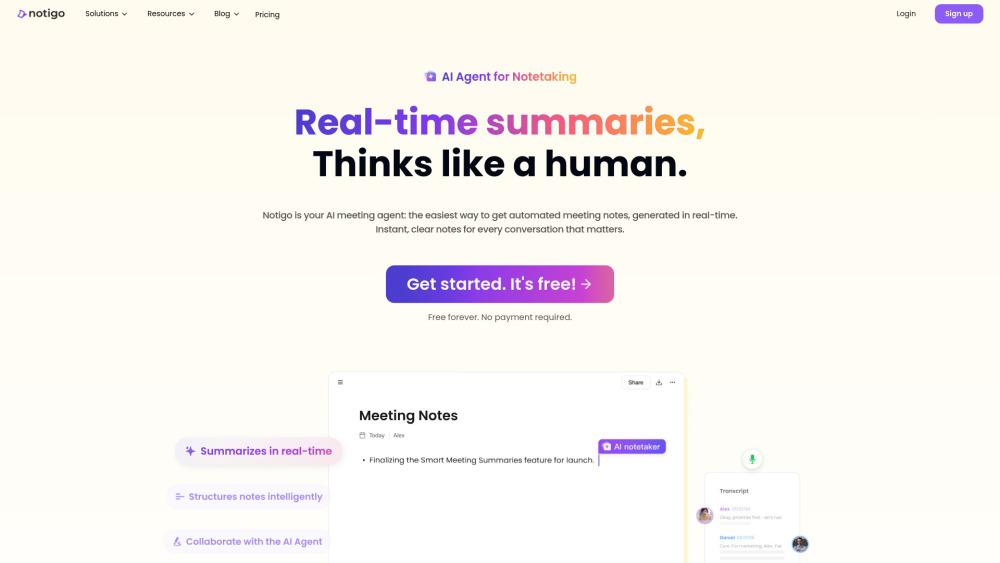
Notigo is an AI-powered meeting teammate and note-taking tool that captures, thinks, and structures meeting notes in real-time as the conversation unfolds. It provides AI real-time meeting summaries, identifies key points, action items, and decisions, and generates instant, clear, and shareable notes. Notigo also offers real-time AI meeting transcription with noise reduction, bilingual real-time translation, and an intuitive interface for easy use.
How to use Notigo?
To use Notigo, simply join the conversation, and Notigo listens in with real-time AI meeting transcription. It then understands what matters by extracting key points, action items, and decisions, automatically building a meeting summary. Finally, it generates structured, instant, clear, and shareable AI meeting notes. Users can also manually edit or add content to notes.
Notigo's Core Features
Real-time AI meeting summaries
Automated action items and decisions identification
Real-time AI meeting transcription with noise reduction
Bilingual real-time translation (52 languages)
Structured and organized notes
Collaborative editing of notes
Export meeting notes (PDF, Word, TXT)
AI agenda builder
Notigo's Use Cases
Consultants can use automated meeting notes to instantly recap key takeaways, next steps, and follow-ups.
Assistants can use Notigo to prep smarter with an AI agenda builder and track actions and outcomes in real time.
PMs/Designers can capture every discussion, sketch out meeting agendas, and track updates using meeting minutes AI.
Learners can get organized, searchable summaries from any class or group call, allowing them to focus during the meeting.
Businesses can use it for remote teams, project management, sales & clients, hiring & interviews, and media & marketing.
FAQ from Notigo
What is Notigo?
Who should use Notigo?
What scenarios are not suitable for Notigo?
Does Notigo support enterprise services?
How accurate are Notigo's transcription and AI notes?
How does Notigo generate meeting notes?
What languages does Notigo support?
Why is using headphones discouraged?
Can I edit the generated meeting notes?
Can I export meeting notes?
How can I contact the support team?
Notigo Support Email & Customer service contact & Refund contact etc.
Here is the Notigo support email for customer service: [email protected] . More Contact, visit the contact us page(https://notigo.ai/about-us#contact-us)
Notigo Company
Notigo Company name: Notigo .
More about Notigo, Please visit the about us page(https://notigo.ai/about-us).
Notigo Login
Notigo Login Link: https://notigo.ai/auth/sign-in
Notigo Sign up
Notigo Sign up Link: https://notigo.ai/auth/sign-up
Notigo Youtube
Notigo Youtube Link: https://www.youtube.com/channel/UCJVSLWU_KyRtG8vsIRvuWRQ
FAQ from Notigo
What is Notigo?
Notigo is an AI-powered meeting teammate and note-taking tool that captures, thinks, and structures meeting notes in real-time as the conversation unfolds. It provides AI real-time meeting summaries, identifies key points, action items, and decisions, and generates instant, clear, and shareable notes. Notigo also offers real-time AI meeting transcription with noise reduction, bilingual real-time translation, and an intuitive interface for easy use.
How to use Notigo?
To use Notigo, simply join the conversation, and Notigo listens in with real-time AI meeting transcription. It then understands what matters by extracting key points, action items, and decisions, automatically building a meeting summary. Finally, it generates structured, instant, clear, and shareable AI meeting notes. Users can also manually edit or add content to notes.
Who should use Notigo?
Notigo is ideal for professionals who frequently host or attend meetings and require effective note management, including business managers, project managers, marketers, consultants, product managers, designers, lawyers, journalists, and educators.
What scenarios are not suitable for Notigo?
Notigo may not perform optimally with excessive background noise, poor audio quality, incomplete voice recordings, or highly specialized/technical jargon requiring niche expertise.
Does Notigo support enterprise services?
Currently, Notigo is only available as a web-based desktop application, with plans to release mobile, tablet, and desktop app versions soon. Users with specific device requirements can contact them.
How accurate are Notigo's transcription and AI notes?
Transcription accuracy is approximately 92%, especially strong with English. AI note accuracy depends on transcription quality, industry-specific terminology, and dialogue quality. Accuracy can be improved by manual editing or future features like custom vocabulary.
How does Notigo generate meeting notes?
When a new note is started during a meeting, Notigo's AI assistant transcribes conversations in real-time, summarizes key points into notes, and categorizes them into todos, decisions, and key points. Users can also manually edit or add content.
What languages does Notigo support?
Notigo supports 52 languages, including English, Chinese, Spanish, and French.
Why is using headphones discouraged?
When using headphones, audio is confined to the headphones and cannot be captured by the microphone. Notigo recommends using speakers to ensure all meeting audio is recorded.
Can I edit the generated meeting notes?
Yes, all Notigo documents support real-time collaborative editing, allowing users to treat the AI notetaker as an AI colleague assisting with live note-taking.
Can I export meeting notes?
Yes, notes can be exported as PDF, Word, or TXT files.
How can I contact the support team?
Users can submit questions through the Notigo Help Center or email them at [email protected].