
AI ディレクトリ : AI Art Generator, AI Image Generator, AI Photo Editor, Text to Image
What is KontextFlux.app?
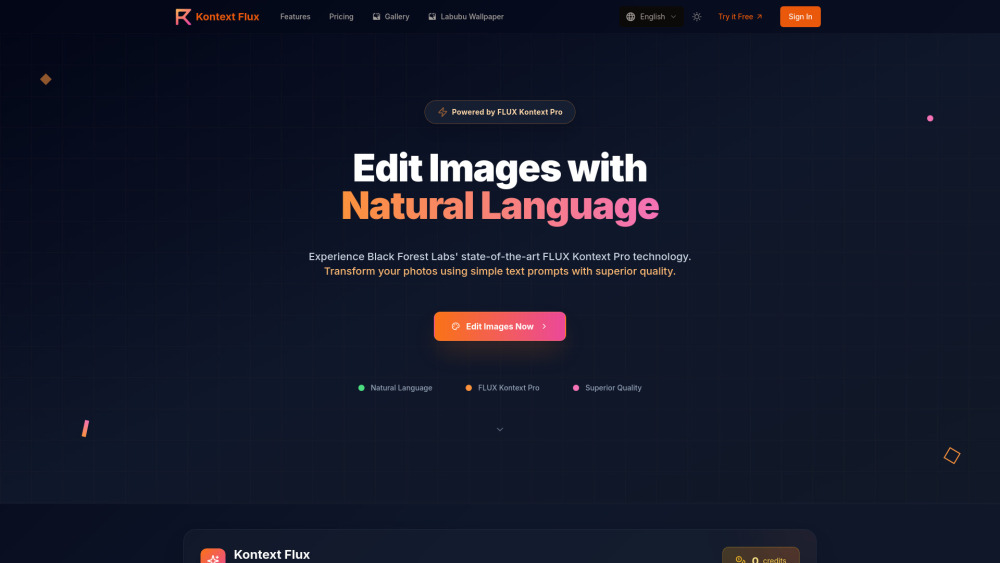
Kontext Flux is an AI-powered image generation and editing platform that utilizes Black Forest Labs' state-of-the-art FLUX Kontext Pro AI model. It allows users to generate stunning images from text prompts and, more prominently, to edit existing images using natural language commands. The platform offers superior quality, prompt following, and consistent results for various image transformations, including style transfer, object/clothing changes, text editing, and background swapping. It aims to provide professional-grade image editing capabilities without requiring complex tools or technical skills.
How to use KontextFlux.app?
To edit images with Kontext Flux, first, upload your desired image (JPG, PNG, WebP, max 10MB). Second, describe the desired changes using natural language prompts, being specific with colors, styles, and details. Third, FLUX Kontext Pro analyzes the image and prompt, applying precise edits while maintaining image quality. Finally, download your professionally edited, high-resolution image.
KontextFlux.app's Core Features
Text-based image editing with natural language
AI-powered image generation from text prompts
Style Transfer Excellence (e.g., watercolor, oil painting)
Object & Clothing Changes (e.g., hairstyles, accessories, colors)
Text Editing & Replacement in images
Background Swapping
Professional Quality Output (high-resolution, commercial-grade)
Character Consistency across multiple edits
Lightning-Fast Processing
KontextFlux.app's Use Cases
Transforming photos into different artistic styles (e.g., Ghibli, Anime, Fantasy).
Modifying elements within an image, such as changing a person's hairstyle or adding accessories.
Replacing text on signs, posters, or labels in an image.
Changing the background of a product photo or portrait.
Creating consistent portrait series or professional headshots with variations.
Generating marketing materials with updated text or visuals.
Producing visuals for social media content quickly and professionally.
FAQ from KontextFlux.app
What is FLUX Kontext Pro and how does it work?
What types of image edits can I make with Kontext Flux?
How do I write effective prompts for the best results?
How fast is the image editing process?
Can I use Kontext Flux on mobile devices?
Can I use the edited images commercially?
KontextFlux.app Support Email & Customer service contact & Refund contact etc.
Here is the KontextFlux.app support email for customer service: [email protected] . More Contact, visit the contact us page(https://www.kontextflux.app/contact)
KontextFlux.app Company
KontextFlux.app Company name: Black Forest Labs .
KontextFlux.app Company address: .
More about KontextFlux.app, Please visit the about us page().
KontextFlux.app Login
KontextFlux.app Login Link: https://www.kontextflux.app/pricing
KontextFlux.app Sign up
KontextFlux.app Pricing
KontextFlux.app Pricing Link: https://www.kontextflux.app/pricing
FAQ from KontextFlux.app
What is KontextFlux.app?
Kontext Flux is an AI-powered image generation and editing platform that utilizes Black Forest Labs' state-of-the-art FLUX Kontext Pro AI model. It allows users to generate stunning images from text prompts and, more prominently, to edit existing images using natural language commands. The platform offers superior quality, prompt following, and consistent results for various image transformations, including style transfer, object/clothing changes, text editing, and background swapping. It aims to provide professional-grade image editing capabilities without requiring complex tools or technical skills.
How to use KontextFlux.app?
To edit images with Kontext Flux, first, upload your desired image (JPG, PNG, WebP, max 10MB). Second, describe the desired changes using natural language prompts, being specific with colors, styles, and details. Third, FLUX Kontext Pro analyzes the image and prompt, applying precise edits while maintaining image quality. Finally, download your professionally edited, high-resolution image.
What is FLUX Kontext Pro and how does it work?
FLUX Kontext Pro is Black Forest Labs' state-of-the-art text-based image editing model. It allows you to edit images using natural language prompts, delivering superior results compared to other models like OpenAI's GPT-4o. Simply upload an image, describe your desired changes in plain English, and get professional-quality edits in seconds.
What types of image edits can I make with Kontext Flux?
Kontext Flux excels at style transfer (converting to artistic styles), object and clothing changes, text editing and replacement, background swapping, and maintaining character consistency across multiple edits. You can modify hairstyles, add accessories, change colors, replace backgrounds, and transform photos into any artistic style using simple text commands.
How do I write effective prompts for the best results?
Be specific with your descriptions - use clear, detailed language with exact colors and styles. Specify what should stay the same by saying 'while keeping the same facial features' or 'maintain the original composition'. For text editing, use quotation marks like 'replace old text with new text'. Reference specific artistic movements for style transfer, and break complex edits into smaller steps.
How fast is the image editing process?
Most image edits complete within 5-10 seconds using our optimized FLUX Kontext Pro processing. The exact time depends on the complexity of your edit and current server load, but our advanced AI technology ensures you get professional-quality results without lengthy wait times.
Can I use Kontext Flux on mobile devices?
Yes! Kontext Flux works seamlessly across all devices including smartphones, tablets, and computers. Our responsive design ensures a smooth editing experience whether you're working on the go or at your desk, with full FLUX Kontext Pro processing power available everywhere.
Can I use the edited images commercially?
With our Professional and Enterprise plans, you receive full commercial usage rights for all images edited with FLUX Kontext Pro. The Starter plan is for personal use only. You can use outputs in apps, marketing materials, business content, or any commercial application. Please check our Terms of Service for detailed licensing information.