
AI ディレクトリ : AI Marketing, AI Monitor, AI Search Engine, AI SEO Tools
What is Google Trends Monitor?
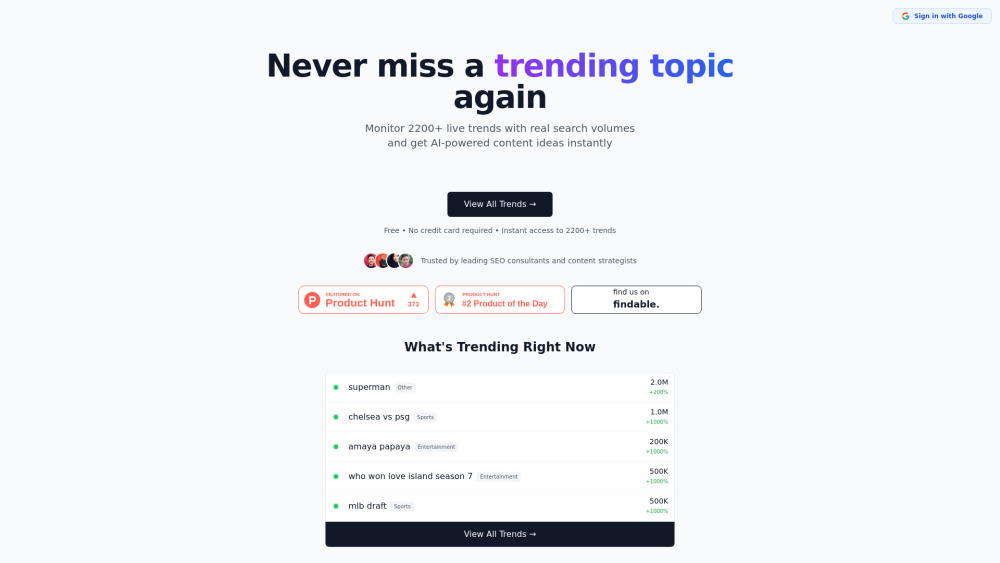
Google Trends Monitor is a real-time AI search trends tool that allows users to monitor over 2200 live trends with real search volumes and instantly get AI-powered content ideas. It helps content creators and SEO professionals identify trending topics, understand what people are searching for, and create relevant content.
How to use Google Trends Monitor?
To use Google Trends Monitor, first, browse the live trends which are updated hourly from Google Trends. Next, explore the details of any trend by clicking on it to see related keywords and growth data. Finally, use the AI feature to generate unique angles and content ideas based on the chosen trend.
Google Trends Monitor's Core Features
Monitor 2200+ live trends
Real search volumes (exact numbers)
AI-powered content ideas/angles
Hourly updates from Google Trends
Filter trends by category
Related keywords and growth data for each trend
Google Trends Monitor's Use Cases
Identify trending topics before they peak for timely content creation.
Generate content ideas based on real search demand.
Optimize SEO strategies by targeting high-volume trending keywords.
Avoid creating content that nobody searches for.
Focus on trends relevant to a specific niche using category filters.
FAQ from Google Trends Monitor
Is Google Trends Monitor free to use?
How often are the trends updated?
Does it provide exact search volumes?
Can I filter trends by category?
Google Trends Monitor Company
Google Trends Monitor Company name: Google Trends Monitor .
Google Trends Monitor Login
Google Trends Monitor Login Link: https://llmseotrends.com/trends
FAQ from Google Trends Monitor
What is Google Trends Monitor?
Google Trends Monitor is a real-time AI search trends tool that allows users to monitor over 2200 live trends with real search volumes and instantly get AI-powered content ideas. It helps content creators and SEO professionals identify trending topics, understand what people are searching for, and create relevant content.
How to use Google Trends Monitor?
To use Google Trends Monitor, first, browse the live trends which are updated hourly from Google Trends. Next, explore the details of any trend by clicking on it to see related keywords and growth data. Finally, use the AI feature to generate unique angles and content ideas based on the chosen trend.
Is Google Trends Monitor free to use?
Yes, it is free, requires no credit card, and offers instant access.
How often are the trends updated?
The live trends are updated hourly from Google Trends.
Does it provide exact search volumes?
Yes, it provides real search volumes, which are exact numbers, not vague 'interest' scores.
Can I filter trends by category?
Yes, you can filter by category to focus on trends in your specific niche.