
AI Directory : AI Video Enhancer, AI Video Generator, Image to Video, Text to Video, Video to Video
What is Image-to-Video Maker?
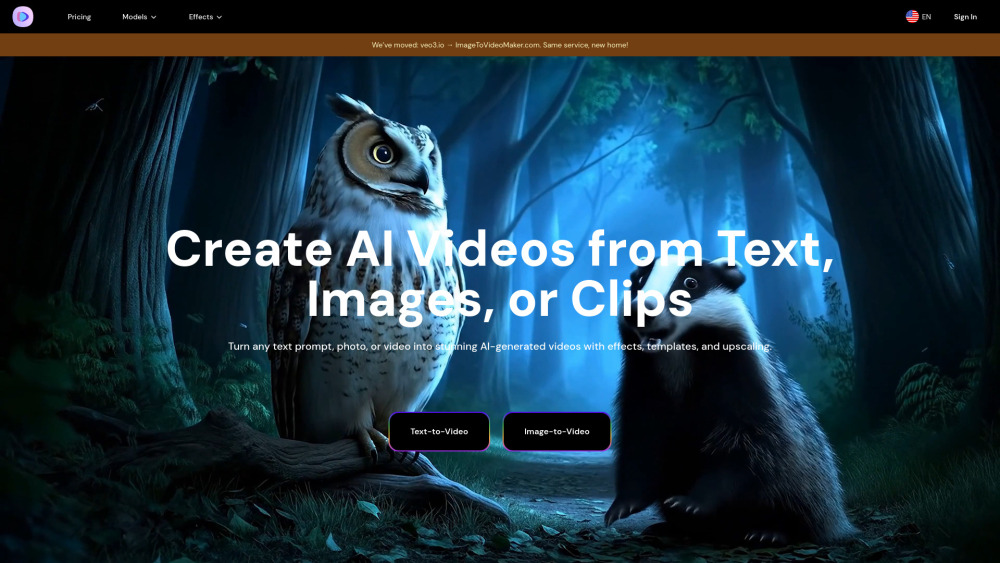
Image-to-Video Maker is an all-in-one AI video platform designed to simplify creative workflows. It allows users to generate AI videos from text, images, or video clips, add effects, templates, and upscale to 4K. The platform provides unlimited access to top-tier AI models like Veo 3, Kling 2.1, Hailuo 02, and Seedance, eliminating the need for multiple AI tools. It aims to provide professional-grade video generation with smooth transitions, finished in minutes, not hours, and requires no technical skills.
How to use Image-to-Video Maker?
To use Image-to-Video Maker, users need to subscribe to the service. After subscribing, they can select the desired AI model within the text-to-video or image-to-video feature to start generating content. Users can describe their idea in plain language for text-to-video, or animate photos for image-to-video, and the AI will draft a 4K video with dialogue, effects, and ambient sound.
Image-to-Video Maker's Core Features
Generate AI videos from text, images, or video clips
Access to premium AI models (Veo 3, Kling 2.1, Hailuo 02, Seedance)
4K AI video upscaling
AI video effects and templates
Prompt generator for optimized video results
No learning curve, simple upload and generate process
Fast video generation (finished in minutes)
AI Kiss, Hug, Heart Gesture, and Old Photo Animation Makers
Image-to-Video Maker's Use Cases
Film and advertising: Quickly generate high-resolution special effects shots or commercials at low cost.
Game development: Create in-game animations or promotional materials, supporting complex scenes and character motion consistency.
Social media: Produce sound-enhanced short videos for platforms like YouTube Shorts to boost content appeal.
Creating marketing content
Generating engaging social media content quickly
Personal use for animating photos (e.g., kissing, hugging, heart gestures, old photos)
FAQ from Image-to-Video Maker
What is Image-to-Video Maker?
What are the core technical advantages of Image-to-Video Maker?
How to access and use Image-to-Video Maker Video Generators?
What scenarios is Image-to-Video Maker suitable for?
How does Image-to-Video Maker ensure content safety?
What are the current technical limitations of Image-to-Video Maker?
What are Image-to-Video Maker's future development directions?
How to cancel a subscription?
How do I get my receipt?
Why Upgrade to Premium?
What is the Refund Policy?
Image-to-Video Maker Support Email & Customer service contact & Refund contact etc.
Here is the Image-to-Video Maker support email for customer service: [email protected] . More Contact, visit the contact us page(https://imagetovideomaker.com/contact)
Image-to-Video Maker Company
Image-to-Video Maker Company name: Image-to-Video Maker .
Image-to-Video Maker Company address: .
More about Image-to-Video Maker, Please visit the about us page().
Image-to-Video Maker Login
Image-to-Video Maker Login Link: https://imagetovideomaker.com/sign-in
Image-to-Video Maker Sign up
Image-to-Video Maker Pricing
Image-to-Video Maker Pricing Link: https://imagetovideomaker.com/pricing
FAQ from Image-to-Video Maker
What is Image-to-Video Maker?
Image-to-Video Maker is an all-in-one AI video platform designed to simplify creative workflows. It allows users to generate AI videos from text, images, or video clips, add effects, templates, and upscale to 4K. The platform provides unlimited access to top-tier AI models like Veo 3, Kling 2.1, Hailuo 02, and Seedance, eliminating the need for multiple AI tools. It aims to provide professional-grade video generation with smooth transitions, finished in minutes, not hours, and requires no technical skills.
How to use Image-to-Video Maker?
To use Image-to-Video Maker, users need to subscribe to the service. After subscribing, they can select the desired AI model within the text-to-video or image-to-video feature to start generating content. Users can describe their idea in plain language for text-to-video, or animate photos for image-to-video, and the AI will draft a 4K video with dialogue, effects, and ambient sound.
What are the core technical advantages of Image-to-Video Maker?
Its core advantages include access to premium video AI models in one platform, instant generation of pro-level video scripts, one-click AI video effects, and flexible subscription plans for every budget.
How to access and use Image-to-Video Maker Video Generators?
You can subscribe to the service, then select the model you want in the text-to-video and image-to-video feature to start using it.
What scenarios is Image-to-Video Maker suitable for?
It is suitable for film and advertising (generating special effects/commercials), game development (in-game animations/promotional materials), and social media (producing sound-enhanced short videos).
How does Image-to-Video Maker ensure content safety?
It ensures content safety through digital watermarking (invisible SynthID watermarks) and review mechanisms where training data undergoes copyright compliance and safety filtering, and output content must pass safety checks.
What are the current technical limitations of Image-to-Video Maker?
Current limitations include audio sync challenges for short audio clips (e.g., intense dialogue) and a high access threshold, making it difficult for regular creators to access as it's only available to high-paying subscribers.
What are Image-to-Video Maker's future development directions?
Future directions include performance optimization (reducing inference costs, compatible with next-gen TPU hardware), function expansion (longer video generation, enhanced multimodal creative flexibility), and ecosystem integration (deep integration into Google products like YouTube and Chrome).
How to cancel a subscription?
You can view and manage your current subscription in your Profile/Dashboard. Once canceled, you won't be charged in the next billing cycle.
How do I get my receipt?
Go to the top-right corner of the homepage, click 'Profile', navigate to your Dashboard, find your subscription/purchased pack, and click 'Download Receipts' to obtain your copies.
Why Upgrade to Premium?
Upgrading to Premium offers more credits, high-resolution downloads, priority generation queue, commercial rights, and early access to new features (with Pro Plan).
What is the Refund Policy?
Image-to-Video Maker membership services are virtual products and do not support refunds once activated.