
AI Directory : AI Background Remover, AI Image Generator, AI Image Upscaler, AI Photo Editor, AI Photo Restoration, Image to Image
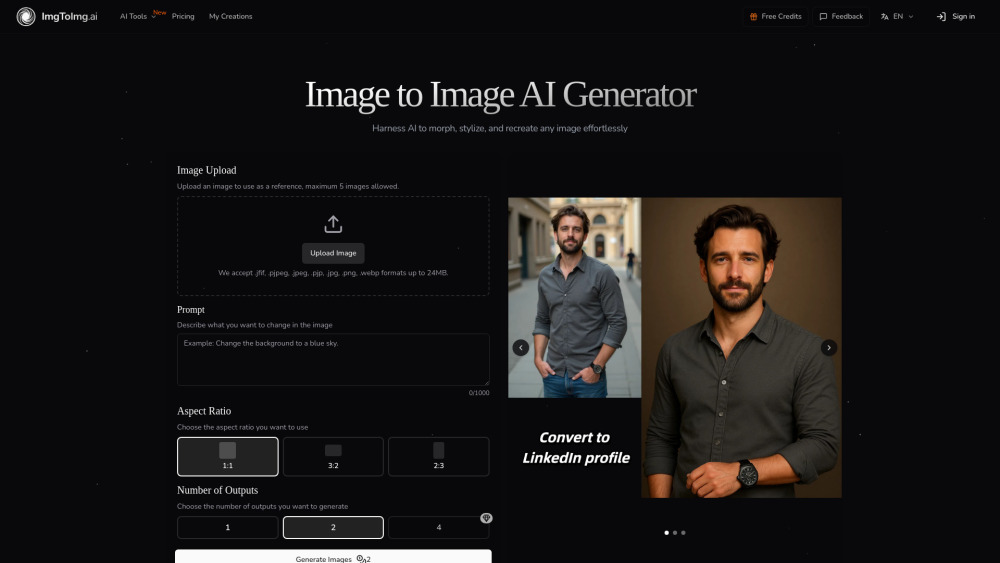
What is Image To Image AI?
Image to Image AI is a free online photo editor and a powerful transformation tool that uses advanced artificial intelligence to convert existing images into new variations. Unlike text-to-image generators, it preserves the original image's structure and composition while applying changes described by text prompts, offering exceptional control and balance between transformation and preservation. It utilizes state-of-the-art neural networks to intelligently apply transformations while maintaining the integrity of key elements.
How to use Image To Image AI?
To use Image to Image AI, first upload your photo from your device. Next, write a prompt describing the desired changes, specifying style, colors, modifications, or artistic effects. Then, adjust settings such as aspect ratio, number of outputs, and transformation strength. Finally, click 'Generate' to transform your image and download the high-quality results.
Image To Image AI's Core Features
Transforms existing images into new variations using AI
Preserves the original image's structure and composition
Allows editing, reshaping, and restyling images with text prompts
Offers fast and efficient processing for generating multiple variations
Supports versatile style applications (e.g., oil paintings, cyberpunk, color changes)
Generates professional-quality, high-resolution images
Provides control over transformation strength and output count
Image To Image AI's Use Cases
Designers visualizing concepts
Marketers creating multiple variations of campaign assets
Creative enthusiasts experimenting with artistic styles
Generating visuals for marketing materials, product visualizations, website content, or social media campaigns
Transforming and enhancing photos for various purposes
FAQ from Image To Image AI
How does Image to Image differ from Text to Image generation?
Can I use the transformed images commercially?
What happens when I run out of credits?
Is there a limit to how many images I can transform?
What image formats and sizes are supported?
Image To Image AI Support Email & Customer service contact & Refund contact etc.
More Contact, visit the contact us page()
Image To Image AI Company
Image To Image AI Company name: .
Image To Image AI Company address: .
More about Image To Image AI, Please visit the about us page().
Image To Image AI Login
Image To Image AI Sign up
Image To Image AI Pricing
Image To Image AI Pricing Link: https://imgtoimg.ai/pricing
FAQ from Image To Image AI
What is Image To Image AI?
Image to Image AI is a free online photo editor and a powerful transformation tool that uses advanced artificial intelligence to convert existing images into new variations. Unlike text-to-image generators, it preserves the original image's structure and composition while applying changes described by text prompts, offering exceptional control and balance between transformation and preservation. It utilizes state-of-the-art neural networks to intelligently apply transformations while maintaining the integrity of key elements.
How to use Image To Image AI?
To use Image to Image AI, first upload your photo from your device. Next, write a prompt describing the desired changes, specifying style, colors, modifications, or artistic effects. Then, adjust settings such as aspect ratio, number of outputs, and transformation strength. Finally, click 'Generate' to transform your image and download the high-quality results.
How does Image to Image differ from Text to Image generation?
Image to Image uses your existing image as a starting point, maintaining its core structure while applying transformations. Text to Image creates completely new images from text descriptions with no visual reference point.
Can I use the transformed images commercially?
Yes, paid subscription plans include commercial licensing rights, allowing you to use transformed images for business purposes. The Free plan does not include commercial usage rights.
What happens when I run out of credits?
If you have a subscription, your credit quota will automatically reset at the start of each billing cycle. You can purchase additional credit packs if you need more credits before the reset.
Is there a limit to how many images I can transform?
Free users receive a monthly allocation of transformations. Paid subscription plans offer higher monthly limits with options to purchase additional credits as needed.
What image formats and sizes are supported?
We accept JPEG, PNG, GIF, and WEBP formats up to 24MB and 4096 x 4096 pixels.