
AI Directory : AI Email Assistant, AI Email Writer, AI Productivity Tools, AI Text-to-Speech, AI Voice Assistants
What is Harmony AI Email Assistant?
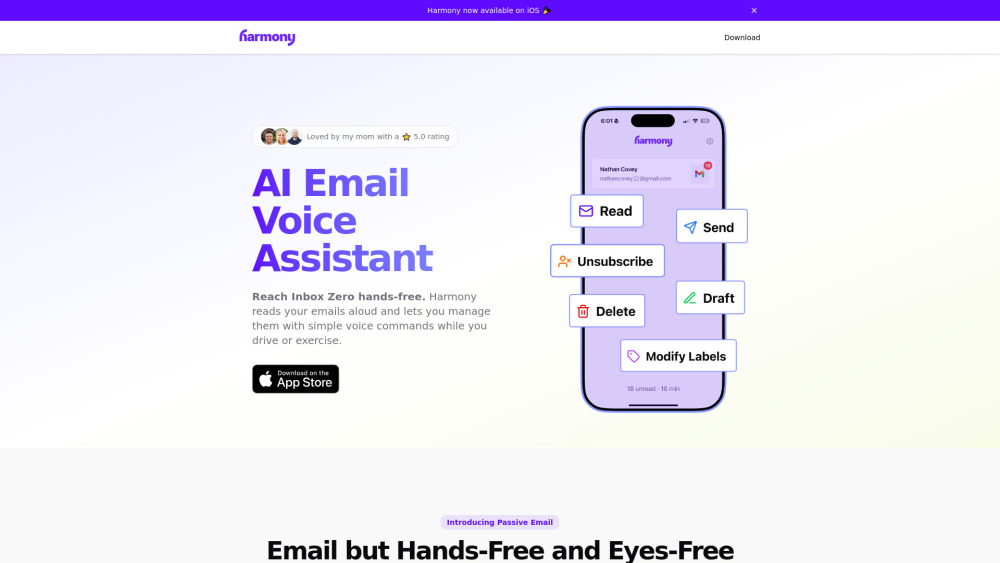
Harmony is an AI email voice assistant designed to provide hands-free and eyes-free email management. It allows users to listen to emails aloud and manage their inbox using simple voice commands, making it possible to be productive with email while engaged in other activities like driving, exercising, doing chores, or walking.
How to use Harmony AI Email Assistant?
Users interact with Harmony by giving voice commands. It reads emails aloud, and users can tell it what to do, such as 'send', 'delete', 'modify labels', or 'unsubscribe', as if talking to a friend. It supports actions like composing new emails, drafting, deleting single or batch emails, and organizing the inbox.
Harmony AI Email Assistant's Core Features
Voice-controlled email management
Reads emails aloud with thread detection and smart summaries
Send new emails via voice
Draft emails via voice
Delete emails via voice (single or batch)
Modify labels (move to folders, mark unread, add labels)
Unsubscribe from newsletters via voice
Privacy-first design (no email storage, encrypted network, no data sales, 3rd-party audited)
Harmony AI Email Assistant's Use Cases
Managing emails while driving
Managing emails during exercise
Managing emails while doing chores
Managing emails on a walk
FAQ from Harmony AI Email Assistant
What email providers does Harmony support?
How does Harmony ensure my privacy and data security?
Can I send new emails using Harmony?
What types of voice commands can I use with Harmony?
Harmony AI Email Assistant Support Email & Customer service contact & Refund contact etc.
More Contact, visit the contact us page(https://harmony.com.ai/contact)
Harmony AI Email Assistant Company
Harmony AI Email Assistant Company name: Harmony Life LLC .
Harmony AI Email Assistant Company address: .
More about Harmony AI Email Assistant, Please visit the about us page(https://harmony.com.ai/company).
Harmony AI Email Assistant Login
Harmony AI Email Assistant Sign up
Harmony AI Email Assistant Linkedin
Harmony AI Email Assistant Linkedin Link: https://www.linkedin.com/company/findharmony/
Harmony AI Email Assistant Twitter
Harmony AI Email Assistant Twitter Link: https://x.com/harmonyAIapp
FAQ from Harmony AI Email Assistant
What is Harmony AI Email Assistant?
Harmony is an AI email voice assistant designed to provide hands-free and eyes-free email management. It allows users to listen to emails aloud and manage their inbox using simple voice commands, making it possible to be productive with email while engaged in other activities like driving, exercising, doing chores, or walking.
How to use Harmony AI Email Assistant?
Users interact with Harmony by giving voice commands. It reads emails aloud, and users can tell it what to do, such as 'send', 'delete', 'modify labels', or 'unsubscribe', as if talking to a friend. It supports actions like composing new emails, drafting, deleting single or batch emails, and organizing the inbox.
What email providers does Harmony support?
Currently, Harmony primarily supports Gmail. Support for Outlook and other email providers is planned for the future.
How does Harmony ensure my privacy and data security?
Harmony is built with privacy at its core. It does not store your emails, all network communications are encrypted, your data is never sold to third parties, and it has successfully passed an intensive CASA security audit conducted by an independent third party.
Can I send new emails using Harmony?
Yes, you can compose and send new emails using voice input. Harmony can also read the email back to you before sending for review.
What types of voice commands can I use with Harmony?
You can use a variety of voice commands to read emails, send new ones, create drafts, delete emails (individually or in batches), modify labels (move to folders, mark as unread, add labels), and even unsubscribe from newsletters.