
KI-Verzeichnis : AI Assistant, AI Chatbot, AI Customer Service, AI Knowledge Base, AI Voice Assistants, No-Code&Low-Code
What is Zookish?
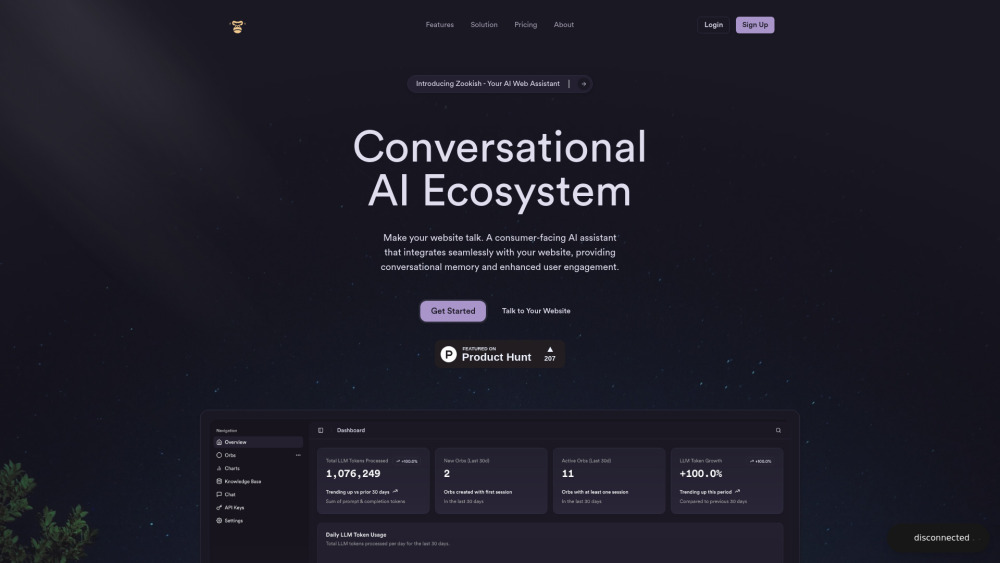
Zookish is an embeddable, user-friendly conversational AI platform designed to make websites talk, engage visitors with human-like interactions, and convert them into leads. It allows users to build, brand, and track their conversational AIs with ease, requiring only a single line of code for installation. Zookish offers features like voice interactions, multilingual support, intelligent conversational memory, and powerful tools for managing and analyzing conversations, including smart filters, playback, and AI-powered insights. It aims to reduce bounce rates and enhance user engagement by providing a seamless, interactive experience.
How to use Zookish?
To use Zookish, simply add a one-line script to your website's HTML by copying and pasting the code snippet from your dashboard. The AI widget, named Zed, will automatically appear on your site. You can customize its appearance (colors, size, position, branding) through dashboard controls. The AI can be trained by uploading documents, connecting to your knowledge base, or using a guided training interface to learn about your business.
Zookish's Core Features
One-line installation / No-code setup
Voice interactions / Voice-enabled AI
Natural Conversations with human-like interactions
Intelligent Conversational Memory
Custom Branding and styling options
Conversation Analytics (Performance metrics, AI-powered insights)
Conversation Playback with interactive transcripts
Smart Conversation Filters and Advanced search tools
Custom knowledge base
Multilingual Support
Unlimited concurrency
Dynamic Orb Placement
Zookish's Use Cases
Make websites talk and engage visitors
Turn website visitors into leads
Reduce website bounce rates
Optimize communication strategy and drive better outcomes
Provide human-like and contextual responses to website visitors
Simplify complex processes for businesses
Enhance user engagement and boost conversions
FAQ from Zookish
How do I embed the AI widget on my website?
Can I customize the appearance of the AI widget?
Does the AI widget support voice commands?
How does the AI learn about my business?
Can I track conversations and analytics?
Will the AI widget work on mobile devices?
Zookish Support Email & Customer service contact & Refund contact etc.
More Contact, visit the contact us page(https://calendly.com/ryan-ho-zookish/30mins)
Zookish Company
Zookish Company name: Zookish .
More about Zookish, Please visit the about us page(https://zookish.com/about).
Zookish Login
Zookish Login Link: https://app.zookish.com
FAQ from Zookish
What is Zookish?
Zookish is an embeddable, user-friendly conversational AI platform designed to make websites talk, engage visitors with human-like interactions, and convert them into leads. It allows users to build, brand, and track their conversational AIs with ease, requiring only a single line of code for installation. Zookish offers features like voice interactions, multilingual support, intelligent conversational memory, and powerful tools for managing and analyzing conversations, including smart filters, playback, and AI-powered insights. It aims to reduce bounce rates and enhance user engagement by providing a seamless, interactive experience.
How to use Zookish?
To use Zookish, simply add a one-line script to your website's HTML by copying and pasting the code snippet from your dashboard. The AI widget, named Zed, will automatically appear on your site. You can customize its appearance (colors, size, position, branding) through dashboard controls. The AI can be trained by uploading documents, connecting to your knowledge base, or using a guided training interface to learn about your business.
How do I embed the AI widget on my website?
Simply add our one-line script to your website's HTML. Copy and paste the code snippet from your dashboard, and the widget will automatically appear on your site.
Can I customize the appearance of the AI widget?
Yes! You can fully customize the colors, size, position, and branding of the widget to match your website's design through our simple dashboard controls.
Does the AI widget support voice commands?
Absolutely. Our widget supports natural voice interactions, allowing your users to speak directly to the AI instead of typing if they prefer.
How does the AI learn about my business?
You can train the AI by uploading documents, connecting to your knowledge base, or through our guided training interface. The more information you provide, the better it will represent your business.
Can I track conversations and analytics?
Yes, our dashboard provides comprehensive analytics on user interactions, popular questions, conversion rates, and AI performance metrics to help you optimize your customer experience.
Will the AI widget work on mobile devices?
Yes, our widget is fully responsive and works seamlessly across all devices including desktops, tablets, and mobile phones.