
KI-Verzeichnis : AI Photo Editor, AI Photography, AI Recruiting, AI Video Editor, Object Remover AI
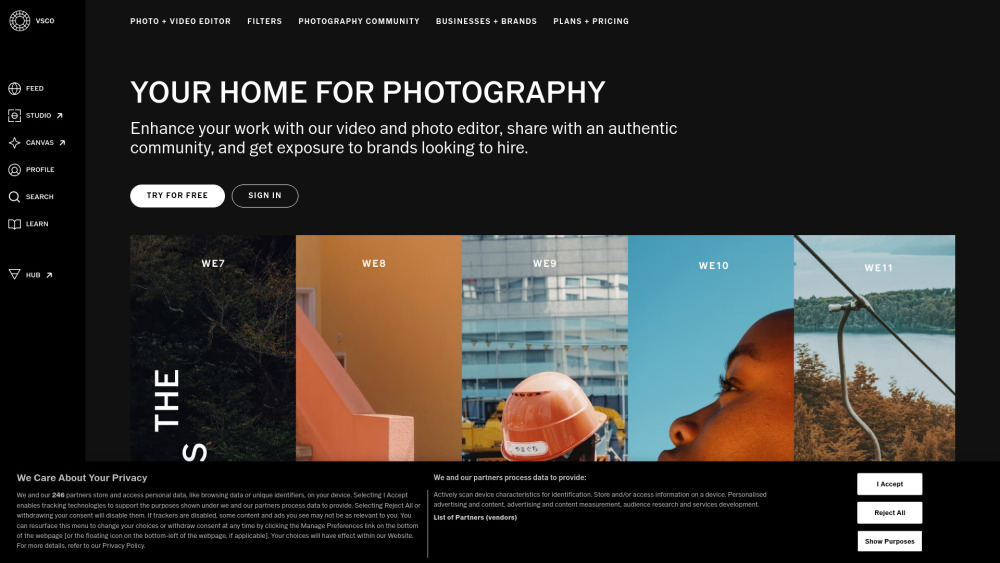
What is VSCO?
VSCO, formerly known as VSCO Cam, is a photography and video mobile app for iOS and Android devices, also available as a desktop app for Mac and Windows PC. It provides users with tools to capture and edit photos and videos using preset filters and advanced editing features. Beyond editing, VSCO offers a global community for photographers to connect, share their work, build portfolios, and tell stories through blogs. It also features a Brand Engagement Platform, including VSCO Hub, which connects photographers with brands for professional collaborations and hiring opportunities.
How to use VSCO?
Users can capture photos and videos directly within the VSCO app or import existing media. They can then apply a wide range of preset filters and utilize advanced editing tools like Film FX, Grain, AI-powered Remove, and HSL. Edited work can be shared on a public profile, curated into Galleries, or published as blogs. Users can also join VSCO Spaces to connect with others, repost inspiration, and explore brand partnership opportunities through VSCO Hub. Desktop tools are available for more extensive editing.
VSCO's Core Features
Mobile and Desktop Photo Editor
Video Editor with effects
Extensive Preset Filters (up to 200+)
Advanced Editing Tools (Film FX, Grain, AI Remove, HSL, Layered Collages)
Photography Community (Spaces, Galleries, Blogs, Reposting)
VSCO Canvas (Moodboards)
VSCO Sites (Portfolio Websites)
Brand Engagement Platform (VSCO Hub for hiring, Brand Challenges, Branded Presets)
Adobe Lightroom Integration (Pro plan)
Cloud Sync Across Devices (Pro plan)
Client Galleries (Pro plan)
Profile Insights (Pro plan)
VSCO's Use Cases
Editing and enhancing photos and videos for personal use or social media.
Building and showcasing a professional photography portfolio.
Connecting with a global network of photographers for inspiration and collaboration.
Getting discovered and hired by brands for photography projects.
Learning and developing photography skills through guides and tips.
Creating moodboards for photoshoots and creative projects.
Sharing creative vision and stories through photography blogs.
FAQ from VSCO
What is VSCO?
What are the different VSCO membership plans?
What features are included in the free Starter plan?
Can I edit videos with VSCO?
Does VSCO help photographers get hired?
Is VSCO available on desktop?
VSCO Support Email & Customer service contact & Refund contact etc.
More Contact, visit the contact us page(https://support.vsco.co/hc/en-us)
VSCO Company
VSCO Company name: Visual Supply Company (VSCO) .
More about VSCO, Please visit the about us page(https://www.vsco.co/about).
VSCO Login
VSCO Login Link: https://vsco.co/user/login
VSCO Sign up
VSCO Sign up Link: https://vsco.co/user/signup
FAQ from VSCO
What is VSCO?
VSCO, formerly known as VSCO Cam, is a photography and video mobile app for iOS and Android devices, also available as a desktop app for Mac and Windows PC. It provides users with tools to capture and edit photos and videos using preset filters and advanced editing features. Beyond editing, VSCO offers a global community for photographers to connect, share their work, build portfolios, and tell stories through blogs. It also features a Brand Engagement Platform, including VSCO Hub, which connects photographers with brands for professional collaborations and hiring opportunities.
How to use VSCO?
Users can capture photos and videos directly within the VSCO app or import existing media. They can then apply a wide range of preset filters and utilize advanced editing tools like Film FX, Grain, AI-powered Remove, and HSL. Edited work can be shared on a public profile, curated into Galleries, or published as blogs. Users can also join VSCO Spaces to connect with others, repost inspiration, and explore brand partnership opportunities through VSCO Hub. Desktop tools are available for more extensive editing.
What are the different VSCO membership plans?
VSCO offers three main plans: Starter (Free), Plus ($2.50/month billed annually), and Pro ($5.00/month billed annually).
What features are included in the free Starter plan?
The Starter plan includes 15 presets, standard mobile editing tools, 1 recipe, a public profile, access to Spaces, and VSCO Canvas with 1 project and 100 lifetime generation credits.
Can I edit videos with VSCO?
Yes, VSCO offers video editing capabilities, including video effects, available with the Plus and Pro memberships.
Does VSCO help photographers get hired?
Yes, VSCO has a Brand Engagement Platform and VSCO Hub, an AI-assisted platform, where members can get discovered for professional collaborations and brands can hire photographers.
Is VSCO available on desktop?
Yes, VSCO offers a desktop app for Mac and Windows PC, with the full suite of tools available to Pro members.