
KI-Verzeichnis : AI Animation Generator, AI Lip Sync Generator, AI Movie Generator, AI Sound Effect Generator, AI Speech Synthesis, AI Video Generator, AI Voice Generator, Image to Video, Text to Video
What is Veo3Video?
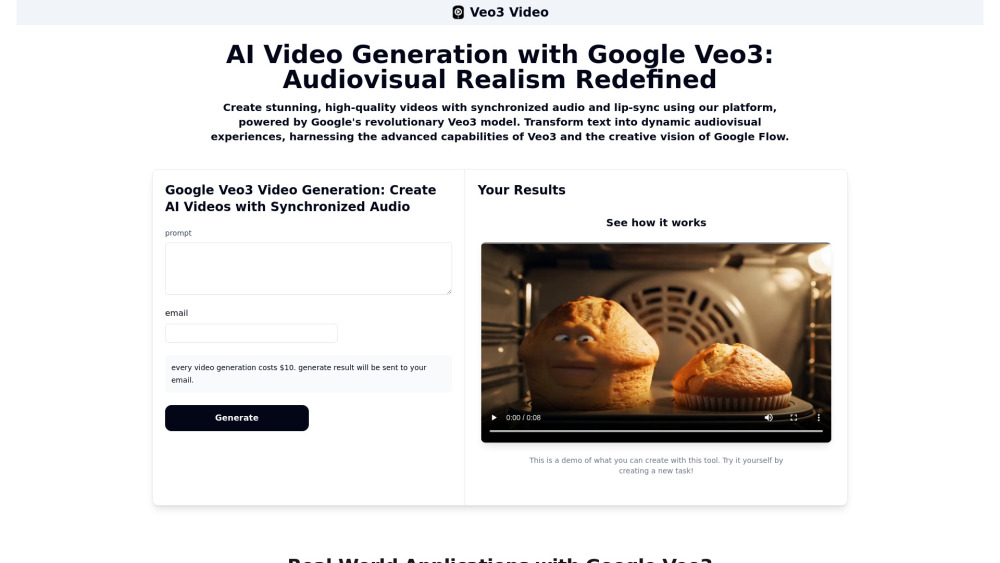
Veo3Video is a platform powered by Google's revolutionary Veo3 model, designed for next-generation video generation. It allows users to create high-quality videos with natively generated, synchronized audio, including sound effects, ambient noise, and character dialogue with accurate lip-syncing. The platform leverages Veo3's advanced capabilities for unparalleled realism, cinematic control, and strong prompt adherence, transforming text into dynamic audiovisual experiences. It also embodies the spirit of Google Flow's filmmaking tools for enhanced creativity and narrative management.
How to use Veo3Video?
To use Veo3Video, users follow two steps: First, input a detailed text prompt describing the desired scene, characters, actions, cinematic style, and audio, along with their email address. Second, pay for the generation, and the platform, utilizing Google Veo3, will rapidly produce the high-fidelity video with perfectly synced audio, which will then be sent to the user's email.
Veo3Video's Core Features
Native synchronized audio generation (sound effects, ambient noise, dialogue)
Accurate lip-sync capability for character dialogue
High-quality video generation from text and image prompts
Unparalleled realism and coherent motion with real-world physics simulation
Cinematic control (camera angles, lighting, artistic styles)
Enhanced prompt adherence and understanding
Integration with Google Flow for narrative continuity and asset management
Reference image-driven video generation
Advanced camera controls (panning, tilting, zooming)
Outpainting and object manipulation within video frames
Veo3Video's Use Cases
Creating short films and film scenes from text or image prompts
Developing pre-visualizations and special effects for filmmaking
Generating dynamic video content for advertising and marketing campaigns
Producing engaging B-roll footage, YouTube intros, and social media animations
Simplifying the creation of educational videos, training materials, and simulation scenarios
Generating game assets, concept art, cutscenes, and NPC animations for game development
Transforming static product catalogs into dynamic video content
FAQ from Veo3Video
How does this platform utilize Google Veo3?
What makes videos generated with Google Veo3 stand out?
What is the role of Google Flow in relation to Veo3 on this platform?
What is the maximum length of videos I can generate?
Are there any ethical considerations with using Veo3?
Veo3Video Support Email & Customer service contact & Refund contact etc.
More Contact, visit the contact us page(https://veo3video.app/contact)
Veo3Video Company
Veo3Video Company name: Google Inc. .
Veo3Video Company address: .
More about Veo3Video, Please visit the about us page(https://veo3video.app/about).
Veo3Video Login
Veo3Video Login Link: https://veo3video.app/login
Veo3Video Sign up
Veo3Video Sign up Link: https://veo3video.app/register
Veo3Video Pricing
Veo3Video Pricing Link: https://veo3video.app/
FAQ from Veo3Video
What is Veo3Video?
Veo3Video is a platform powered by Google's revolutionary Veo3 model, designed for next-generation video generation. It allows users to create high-quality videos with natively generated, synchronized audio, including sound effects, ambient noise, and character dialogue with accurate lip-syncing. The platform leverages Veo3's advanced capabilities for unparalleled realism, cinematic control, and strong prompt adherence, transforming text into dynamic audiovisual experiences. It also embodies the spirit of Google Flow's filmmaking tools for enhanced creativity and narrative management.
How to use Veo3Video?
To use Veo3Video, users follow two steps: First, input a detailed text prompt describing the desired scene, characters, actions, cinematic style, and audio, along with their email address. Second, pay for the generation, and the platform, utilizing Google Veo3, will rapidly produce the high-fidelity video with perfectly synced audio, which will then be sent to the user's email.
How does this platform utilize Google Veo3?
The platform directly integrates Google Veo3 to generate high-quality videos with synchronized audio and lip-sync from text and image prompts. It leverages Veo3's core capabilities for realism, physics simulation, and cinematic control, and is designed to work seamlessly with Google Flow for enhanced creative workflows.
What makes videos generated with Google Veo3 stand out?
Videos generated with Google Veo3 stand out primarily due to its landmark feature of natively integrated and synchronized audio, including sound effects, ambient noise, and accurate character dialogue with lip-sync. Additionally, Veo3 offers exceptional visual quality, realistic physics simulation, coherent motion, and high adherence to complex prompt instructions, allowing for professional cinematic results.
What is the role of Google Flow in relation to Veo3 on this platform?
Google Flow is an AI filmmaking tool specifically designed to work with Veo3 (and Imagen/Gemini). It helps creators weave together film clips, scenes, and stories, offering finer control over characters, scenes, and styles. Flow's features like Scenebuilder, Camera Controls, and Asset Management ('Ingredients') are crucial for maintaining consistency and creating longer, coherent narratives, fully leveraging Veo3's capabilities.
What is the maximum length of videos I can generate?
Videos generated directly via the 'veo-3.0-generate-preview' API are currently limited to 8 seconds. However, the Google Flow tool is designed to help create longer narrative content by seamlessly extending and connecting these shorter segments, with potential for 'minutes-long' videos and higher resolutions.
Are there any ethical considerations with using Veo3?
Yes, ethical considerations include the potential for deepfakes, misinformation, and disinformation due to the high realism of generated media. Google addresses this with its SynthID watermarking technology to identify AI-generated content. Other concerns include copyright and intellectual property issues related to training data, and the potential for bias and misrepresentation in generated content, which Google aims to mitigate with safety filters and content policies.