
KI-Verzeichnis : AI Builder, No-Code&Low-Code
What is Tilda?
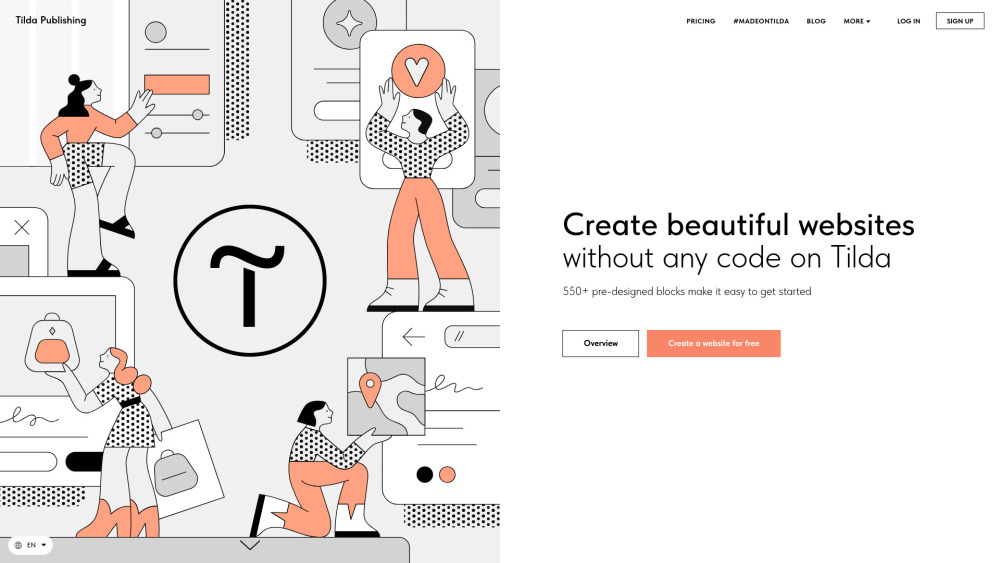
Tilda is an intuitive no-code website builder that enables users to create professional websites, landing pages, online stores, and blogs quickly and easily. It provides a vast library of pre-designed blocks and templates, eliminating the need for coding knowledge. Tilda focuses on beautiful design, responsiveness across all devices, and offers advanced features like AI-powered content generation, SEO tools, CRM, email campaign building, and various integrations for e-commerce and data collection.
How to use Tilda?
To use Tilda, simply select from hundreds of pre-designed templates or build your page from over 550 highly customizable pre-designed blocks. You can drag and drop elements, add content, and publish your site. Tilda also offers an AI-Powered Website Creation feature where you describe your business, and AI generates a ready-to-go page with compelling copy and matching images. For professionals, Zero Block allows for custom designs from scratch.
Tilda's Core Features
No-code website building
550+ pre-designed blocks
AI-Powered Website Creation
Responsive design for all devices
Online Store functionality with payment integrations
Landing Page creation
Built-in CRM
Email Campaign Builder
SEO tools and optimization
Custom domain support
Source code export (Business Plan)
Online Course Builder
Members Area for exclusive content
Quiz Forms for engagement
News Feeds (Blog)
Tilda's Use Cases
Creating personal websites and portfolios
Launching online stores or internet boutiques
Building engaging landing pages for marketing campaigns
Developing company blogs and news feeds
Creating and selling online courses
Building internal knowledge bases or company wikis
Freelance web designers managing client projects
Startups creating professional online presences
Non-profit organizations building informational websites
FAQ from Tilda
What’s the difference between a Personal and Business Plan?
Can I connect my own domain to a website built on Tilda?
What does the "Source code export" mean in the Business Plan?
What happens if I don't renew my subscription?
What’s the difference between a website and a page?
Will a website built on Tilda be well-indexed by search engines?
What is the Platform Label (white label)?
I want to create an online store; which plan is suitable for me?
I'm planning to create an online course on Tilda; which plan should I choose?
How can I pay for a Tilda subscription?
Tilda Support Email & Customer service contact & Refund contact etc.
Here is the Tilda support email for customer service: [email protected] .
Tilda Company
Tilda Company name: Tilda Publishing .
Tilda Login
Tilda Login Link: https://tilda.cc/login/
Tilda Sign up
Tilda Sign up Link: https://tilda.cc/registration/
Tilda Facebook
Tilda Facebook Link: https://www.facebook.com/tildapublishing
Tilda Youtube
Tilda Youtube Link: https://www.youtube.com/channel/UCbuvN3YQrc2dISGcestWLgw
Tilda Twitter
Tilda Twitter Link: https://twitter.com/TildaPublishing
Tilda Instagram
Tilda Instagram Link: https://www.instagram.com/tilda.cc/
FAQ from Tilda
What is Tilda?
Tilda is an intuitive no-code website builder that enables users to create professional websites, landing pages, online stores, and blogs quickly and easily. It provides a vast library of pre-designed blocks and templates, eliminating the need for coding knowledge. Tilda focuses on beautiful design, responsiveness across all devices, and offers advanced features like AI-powered content generation, SEO tools, CRM, email campaign building, and various integrations for e-commerce and data collection.
How to use Tilda?
To use Tilda, simply select from hundreds of pre-designed templates or build your page from over 550 highly customizable pre-designed blocks. You can drag and drop elements, add content, and publish your site. Tilda also offers an AI-Powered Website Creation feature where you describe your business, and AI generates a ready-to-go page with compelling copy and matching images. For professionals, Zero Block allows for custom designs from scratch.
What’s the difference between a Personal and Business Plan?
With a Business Plan, you have everything included in a Personal Plan and also can export source code and create 2+ websites within a single account (a Personal Plan allows you to have 1 website per account).
Can I connect my own domain to a website built on Tilda?
Yes. You can use your own domain and link it to your project created on Tilda.
What does the "Source code export" mean in the Business Plan?
The export feature provides a static HTML version of your website, along with all necessary files (images, CSS, and JavaScript). The website is packaged into a zip archive, and you receive a download link. Simply extract the files and upload them to your server.
What happens if I don't renew my subscription?
Your website will be unpublished. However, your data will remain stored on Tilda for six months. You can renew your subscription at any time to regain access and continue editing your project. If you don’t renew within six months, your data will be permanently deleted.
What’s the difference between a website and a page?
A website may consist of multiple pages (such as a portfolio, company website, blog) or just a single page (like a landing page, event promo page, etc). The key difference is in the settings: Style (fonts, colors) is assigned at the website level, and the domain is connected to the entire website. So, if you’re creating multiple landing pages or articles that share the same style (fonts, colors) and are hosted on the same domain, you only need one website. However, if you want to create separate standalone pages with different styles and domains (e.g., landing pages for different clients), you will need multiple websites.
Will a website built on Tilda be well-indexed by search engines?
Yes, websites created on Tilda are inherently well-indexed by search engines due to the platform's structure, which features a sequential arrangement of blocks on the page. Additionally, you can enhance your website’s search engine rankings through specific settings.
What is the Platform Label (white label)?
When you subscribe to the Personal or Business Plan on an annual basis, an additional option becomes available in your Site Settings to remove the "Made on Tilda" label, which is displayed by default on all pages.
I want to create an online store; which plan is suitable for me?
To build an online store, the following plans are appropriate: Personal: If you have one website. Business: If you have two or more websites. These plans include all the features necessary to create a beautiful and functional online store.
I'm planning to create an online course on Tilda; which plan should I choose?
For creating a course, consider the following plans: Personal: If you have one website. Business: If you have two or more websites. These plans provide all the tools needed to develop an online course.
How can I pay for a Tilda subscription?
You can pay for all plans using a bank card.