
KI-Verzeichnis : AI Agent, AI Assistant, AI Code Assistant, AI Code Generator, AI Copilot, AI Data Mining, AI For Data Analytics, AI Math
What is Runcell - Jupyter AI Agent?
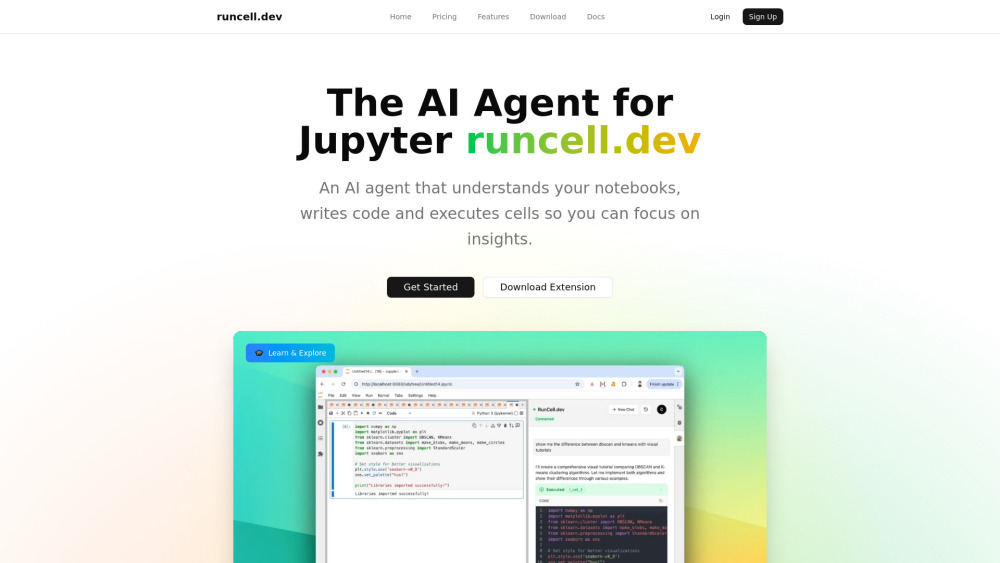
**Runcell - Code Agent for Jupyter Users** The best code agent for Jupyter users, offering a powerful alternative to Cursor in Jupyter notebooks. Runcell brings autonomous AI capabilities that understand data and code in notebooks, planning next moves and coding for you. **Key Features:** • **Understand Code, Data, Charts in Notebooks** Runcell's AI agent comprehends your entire notebook context - analyzing code patterns, data structures, and visualizations to provide intelligent assistance tailored to your specific workflow. • **Agent that Automates Planning and Coding in Notebook** Go beyond simple suggestions with an AI agent that proactively plans your analysis workflow. Runcell identifies next steps, proposes solutions, and generates complete code implementations automatically. • **AI Code Completion, Copilot for Jupyter** Experience intelligent code completion that serves as your Jupyter copilot. Get context-aware suggestions, auto-complete complex functions, and accelerate development with AI-powered assistance. • **Agent that Can Execute Cells, Running Commands, Fix Bugs for You** Runcell actively manages your notebook environment - executing cells autonomously, running terminal commands, and automatically debugging errors. When bugs arise, the agent diagnoses issues and implements fixes directly. Transform your Jupyter experience with Runcell - the code agent that understands, plans, and executes alongside you. Whether you're analyzing data, building models, or exploring datasets, Runcell automates the tedious parts so you can focus on insights.
How to use Runcell - Jupyter AI Agent?
1. Install runcell with pip/conda/uv, for example, pip install runcell --upgrade 2. Restart your jupyter lab with `jupyter lab .` 3. On the right side of jupyter lab, you can find runcell extension, login and you can start to use the AI Agent.
Runcell - Jupyter AI Agent's Core Features
Agent that can execute cells, running commands, fix bug for you.
AI Code completion, copilot for Jupyter
Agent that automate planning and coding in notebook
Understand code, data, charts in notebooks
Runcell - Jupyter AI Agent's Use Cases
Automate data analysis in Jupyter Lab
Use AI to generate interactive tutorial and lession through notebooks to study data science
FAQ from Runcell - Jupyter AI Agent
What is Runcell?
How does Runcell work as a code agent in Jupyter?
Is Runcell a good alternative to Cursor for Jupyter users?
Can Runcell understand my data and charts in notebooks?
Does Runcell offer AI code completion like GitHub Copilot?
Can the Runcell agent execute cells automatically?
How does Runcell help with debugging in Jupyter notebooks?
What makes Runcell different from other Jupyter AI extensions?
Can I use Runcell for machine learning projects?
Runcell - Jupyter AI Agent Support Email & Customer service contact & Refund contact etc.
More Contact, visit the contact us page()
Runcell - Jupyter AI Agent Company
Runcell - Jupyter AI Agent Company name: .
Runcell - Jupyter AI Agent Company address: .
More about Runcell - Jupyter AI Agent, Please visit the about us page().
Runcell - Jupyter AI Agent Login
Runcell - Jupyter AI Agent Sign up
FAQ from Runcell - Jupyter AI Agent
What is Runcell - Jupyter AI Agent?
**Runcell - Code Agent for Jupyter Users**nnThe best code agent for Jupyter users, offering a powerful alternative to Cursor in Jupyter notebooks. Runcell brings autonomous AI capabilities that understand data and code in notebooks, planning next moves and coding for you.nn**Key Features:**nn• **Understand Code, Data, Charts in Notebooks** nRuncell's AI agent comprehends your entire notebook context - analyzing code patterns, data structures, and visualizations to provide intelligent assistance tailored to your specific workflow.nn• **Agent that Automates Planning and Coding in Notebook** nGo beyond simple suggestions with an AI agent that proactively plans your analysis workflow. Runcell identifies next steps, proposes solutions, and generates complete code implementations automatically.nn• **AI Code Completion, Copilot for Jupyter** nExperience intelligent code completion that serves as your Jupyter copilot. Get context-aware suggestions, auto-complete complex functions, and accelerate development with AI-powered assistance.nn• **Agent that Can Execute Cells, Running Commands, Fix Bugs for You** nRuncell actively manages your notebook environment - executing cells autonomously, running terminal commands, and automatically debugging errors. When bugs arise, the agent diagnoses issues and implements fixes directly.nnTransform your Jupyter experience with Runcell - the code agent that understands, plans, and executes alongside you. Whether you're analyzing data, building models, or exploring datasets, Runcell automates the tedious parts so you can focus on insights.
How to use Runcell - Jupyter AI Agent?
1. Install runcell with pip/conda/uv, for example, pip install runcell --upgraden2. Restart your jupyter lab with `jupyter lab .`n3. On the right side of jupyter lab, you can find runcell extension, login and you can start to use the AI Agent.
What is Runcell?
Runcell is an AI-powered code agent extension for Jupyter notebooks. It brings autonomous AI capabilities to Jupyter users, serving as the best alternative to Cursor in Jupyter environments. Runcell understands your code, data, and charts while automating planning and coding tasks.
How does Runcell work as a code agent in Jupyter?
Runcell acts as an intelligent code agent that analyzes your entire notebook context - including code cells, data structures, and visualizations. It then autonomously plans next steps, generates code, executes cells, and fixes bugs without manual intervention.
Is Runcell a good alternative to Cursor for Jupyter users?
Yes, Runcell is specifically designed as the premier Cursor alternative for Jupyter notebooks. While Cursor focuses on traditional IDEs, Runcell is built exclusively for the Jupyter ecosystem, understanding notebook-specific workflows and data science tasks.
Can Runcell understand my data and charts in notebooks?
Absolutely. Runcell's AI agent comprehends not just your code, but also analyzes data structures, pandas dataframes, numpy arrays, and visualization outputs from matplotlib, seaborn, and plotly. This deep understanding enables more relevant code suggestions and automated analysis.
Does Runcell offer AI code completion like GitHub Copilot?
Yes, Runcell provides advanced AI code completion specifically optimized for Jupyter notebooks. It serves as an intelligent copilot for Jupyter, offering context-aware suggestions that understand your data science workflow and notebook environment.
Can the Runcell agent execute cells automatically?
Yes, one of Runcell's key features is autonomous cell execution. The AI agent can run cells, execute terminal commands, and manage your notebook workflow automatically based on your analysis goals.
How does Runcell help with debugging in Jupyter notebooks?
Runcell's code agent automatically detects errors in your notebook, diagnoses the root cause, and implements fixes directly. It can debug common issues like import errors, data type mismatches, and runtime exceptions without manual intervention.
What makes Runcell different from other Jupyter AI extensions?
Unlike passive code assistants, Runcell is a true autonomous agent that actively plans and executes tasks. It doesn't just suggest code - it understands your analysis goals, automates planning, writes code, executes cells, and fixes bugs independently.
Can I use Runcell for machine learning projects?
Absolutely. Runcell is ideal for machine learning workflows in Jupyter, automating tasks like data preprocessing, feature engineering, model training, and evaluation. The code agent understands popular ML libraries and can generate complete pipelines.