
KI-Verzeichnis : AI Developer Tools, Large Language Models (LLMs), Open Source AI Models
What is MCP Defender?
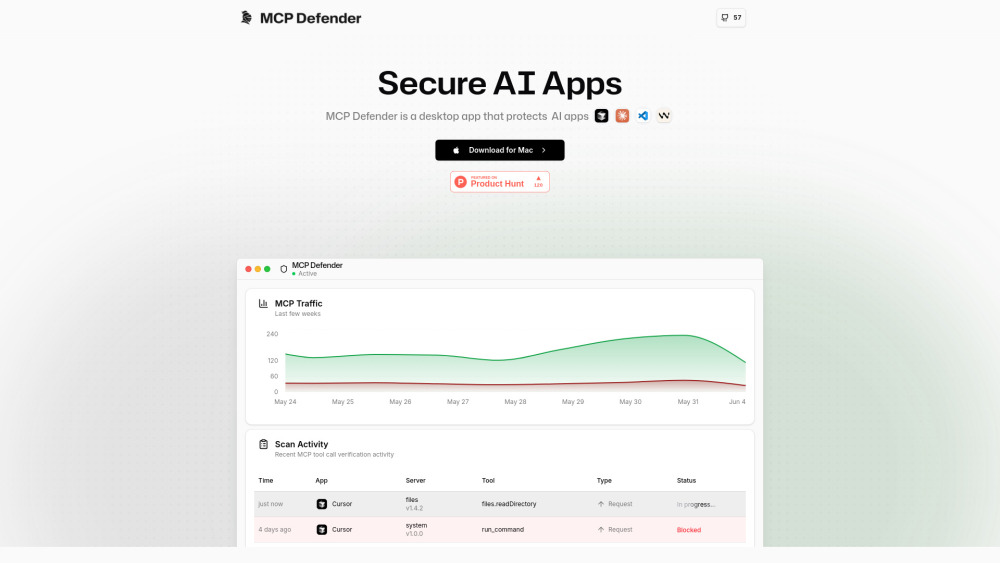
MCP Defender is a desktop application designed to automatically secure AI apps like Cursor, Claude, Visual Studio Code, and Windsurf from various attacks. It functions as an AI Firewall, monitoring and protecting Model Context Protocol (MCP) communications by intercepting tool calls and responses. It verifies these against security signatures and alerts the user if it detects any malicious activity, allowing them to block or allow the action. It provides intelligent LLM-powered threat detection and acts as a secure proxy, analyzing communications in real-time.
How to use MCP Defender?
MCP Defender is a desktop application that users download and install. Once active, it automatically acts as a secure proxy between your AI applications and MCP servers. It analyzes all communications for potential threats in real-time. If malicious activity is detected, it alerts the user, who can then choose to block or allow the action. It supports managing security signatures used during scanning.
MCP Defender's Core Features
AI Firewall for AI apps
Intelligent LLM-powered Threat Detection
Scan Control for managing security signatures
Automatic real-time protection of MCP tool calls
Intercepts and verifies tool calls and responses
Supports multiple AI applications (Cursor, Claude, VS Code, Windsurf)
Open Source
MCP Defender's Use Cases
Protecting AI applications from malicious instructions or actions.
Blocking common AI security threats such as Prompt Injection, Credential Theft, Arbitrary Code Execution, and Remote Command Injection.
Monitoring and verifying Model Context Protocol (MCP) communications for security breaches.
Securing development environments that utilize AI tools like VS Code.
FAQ from MCP Defender
What is MCP Defender?
What types of threats does MCP Defender protect against?
Which AI applications are supported by MCP Defender?
Is MCP Defender open source?
How does MCP Defender protect AI apps?
MCP Defender Support Email & Customer service contact & Refund contact etc.
Here is the MCP Defender support email for customer service: [email protected] . More Contact, visit the contact us page(mailto:[email protected])
MCP Defender Company
MCP Defender Company name: MCP Defender Inc. .
More about MCP Defender, Please visit the about us page(https://mcpdefender.com/about).
MCP Defender Linkedin
MCP Defender Linkedin Link: https://www.linkedin.com/company/mcp-defender
MCP Defender Twitter
MCP Defender Twitter Link: https://twitter.com/mcp_defender
MCP Defender Github
MCP Defender Github Link: https://github.com/MCP-Defender/MCP-Defender
FAQ from MCP Defender
What is MCP Defender?
MCP Defender is a desktop application designed to automatically secure AI apps like Cursor, Claude, Visual Studio Code, and Windsurf from various attacks. It functions as an AI Firewall, monitoring and protecting Model Context Protocol (MCP) communications by intercepting tool calls and responses. It verifies these against security signatures and alerts the user if it detects any malicious activity, allowing them to block or allow the action. It provides intelligent LLM-powered threat detection and acts as a secure proxy, analyzing communications in real-time.
How to use MCP Defender?
MCP Defender is a desktop application that users download and install. Once active, it automatically acts as a secure proxy between your AI applications and MCP servers. It analyzes all communications for potential threats in real-time. If malicious activity is detected, it alerts the user, who can then choose to block or allow the action. It supports managing security signatures used during scanning.
What types of threats does MCP Defender protect against?
It protects against common AI security threats such as Prompt Injection, Credential Theft, Arbitrary Code Execution, and Remote Command Injection.
Which AI applications are supported by MCP Defender?
Currently, Cursor, Claude Desktop, Visual Studio Code, and Windsurf are supported, with more coming soon.
Is MCP Defender open source?
Yes, MCP Defender is open source and available on GitHub.
How does MCP Defender protect AI apps?
It acts as a secure proxy between your AI applications and MCP servers, analyzing all communications for potential threats in real-time and alerting you to malicious activity.