
KI-Verzeichnis : AI Coaching, AI Design Assistant, AI Productivity Tools
What is Maxel AI?
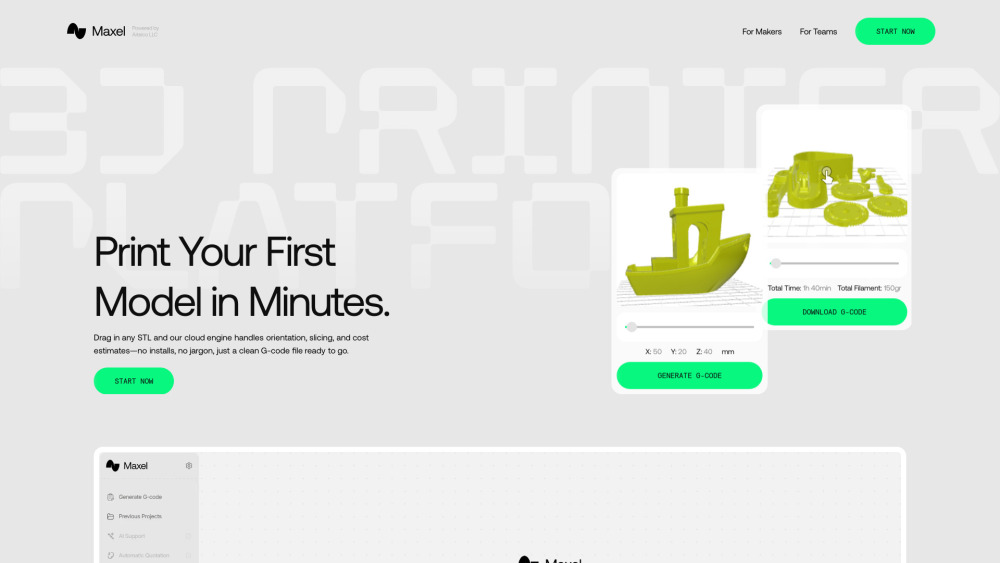
Maxel AI is a cloud-based platform that automates 3D print preparation, including slicing, model orientation, and print setup. It's designed for both makers and professional teams, allowing users to generate G-code in seconds without requiring any prior slicer knowledge or software installations. The platform aims to simplify the 3D printing workflow by providing an easy-to-use, browser-based solution.
How to use Maxel AI?
Using Maxel is a simple, three-step process: 1. Upload Your Model: Drag-and-drop any STL, OBJ, or 3MF file directly into your browser. 2. Auto-Slice in the Cloud: Maxel automatically repairs, orients, and slices your model in seconds, providing real-time time and filament estimates. 3. Generate Optimized GCode: Download the ready-to-go G-code file, which can then be transferred to your 3D printer via SD card or Wi-Fi.
Maxel AI's Core Features
Automated slicing and G-code generation
Cloud-based platform (no software installs)
AI Print Coach for quality improvement
Smart Orientation for optimal strength and speed
Auto Plate Layout for filament and time saving
Upfront Cost & Time estimates
Supports STL, OBJ, and 3MF file formats
Compatibility with various printer brands (Creality, Prusa, Bambu Lab, etc.)
Browser-based model preview
Maxel AI's Use Cases
Quickly prepare 3D models for printing without needing complex slicer software.
Generate optimized G-code for a wide range of 3D printers.
Estimate print time and filament usage before starting a print.
Automate model orientation and plate layout for efficient printing.
Simplify the 3D printing workflow for beginners and professionals alike.
FAQ from Maxel AI
Do I need software?
Maxel AI Support Email & Customer service contact & Refund contact etc.
Here is the Maxel AI support email for customer service: [email protected] . More Contact, visit the contact us page(mailto:[email protected])
Maxel AI Company
Maxel AI Company name: Arteico .
More about Maxel AI, Please visit the about us page(https://maxel.ai/#why).
Maxel AI Login
Maxel AI Login Link: https://app.maxel.ai
Maxel AI Linkedin
Maxel AI Linkedin Link: https://www.linkedin.com/company/maxel-ai/
Maxel AI Twitter
Maxel AI Twitter Link: https://x.com/maxel_ai
Maxel AI Instagram
Maxel AI Instagram Link: https://www.instagram.com/maxel_ai
FAQ from Maxel AI
What is Maxel AI?
Maxel AI is a cloud-based platform that automates 3D print preparation, including slicing, model orientation, and print setup. It's designed for both makers and professional teams, allowing users to generate G-code in seconds without requiring any prior slicer knowledge or software installations. The platform aims to simplify the 3D printing workflow by providing an easy-to-use, browser-based solution.
How to use Maxel AI?
Using Maxel is a simple, three-step process: 1. Upload Your Model: Drag-and-drop any STL, OBJ, or 3MF file directly into your browser. 2. Auto-Slice in the Cloud: Maxel automatically repairs, orients, and slices your model in seconds, providing real-time time and filament estimates. 3. Generate Optimized GCode: Download the ready-to-go G-code file, which can then be transferred to your 3D printer via SD card or Wi-Fi.
Do I need software?
Nope. Maxel is 100% browser-based.