
KI-Verzeichnis : AI Speech-to-Text, AI Writing, AI Writing Assistants
What is Heynds?
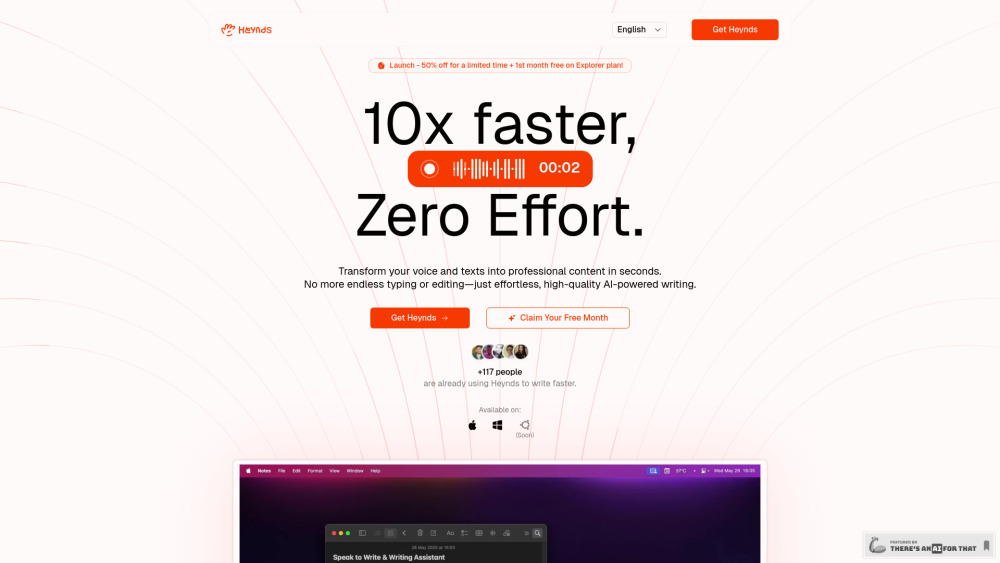
Heynds is a revolutionary AI Writing & Speech Assistant desktop app designed for Mac and Windows (with Linux support coming soon). It's built to dramatically accelerate writing workflows by transforming voice and texts into professional content in seconds. It combines voice dictation and an AI writing assistant to help users overcome writer's block, eliminate typos, reformat text, and communicate effortlessly across multiple languages.
How to use Heynds?
Heynds allows users to speak naturally to transform words into perfectly written text in real-time. Users can also ask Heynds anything, create custom prompts and commands, and instantly reformat existing text. It works across various applications, boosting productivity by providing AI-powered writing and speech assistance instantly.
Heynds's Core Features
Voice-to-Text (Speech-to-Text)
AI Writing Assistant
Text Reformatting
Infinite Customization (Custom Prompts)
Multi-Language Support (100+ languages)
Cross-Platform Compatibility (MacOS, Windows, Linux soon)
Privacy and Security (data not stored on servers)
Works in Every App
Heynds's Use Cases
Founders: Ship more in less time, craft marketing content, manage support requests, capture ideas, brainstorm features.
Product Managers: Generate ideas for next features.
Business Owners: Create marketing materials, draft business proposals, manage social media content.
Sales Managers: Dictate responses on the go, saving hours.
Students: Organize thoughts, express clearly, catch typos for essays.
Content Creators: Overcome writer's block, produce high-quality content faster.
Designers: Document code quickly and accurately.
Developers: Document code quickly and accurately, use voice commands.
FAQ from Heynds
What is Heynds and how does it work?
How accurate is Heynds?
What languages does Heynds support?
Is Heynds compatible with my device?
Is there a free trial available for Heynds?
Can I create my own custom AI prompts in Heynds?
How do I improve the accuracy of Heynds?
Does Heynds offer text formatting options?
Is Heynds secure? Does it collect my data?
Where is my data stored when using Heynds?
Is my data encrypted by Heynds?
How much does Heynds cost?
Why do I need to use my own API keys with the Eternal plan?
Why is there an additional renew payment after the first year on the Eternal Plan?
Can I cancel my subscription to Heynds at any time?
I am experiencing accuracy problems. What can I do?
Where can I report a bug?
FAQ from Heynds
What is Heynds?
Heynds is a revolutionary AI Writing & Speech Assistant desktop app designed for Mac and Windows (with Linux support coming soon). It's built to dramatically accelerate writing workflows by transforming voice and texts into professional content in seconds. It combines voice dictation and an AI writing assistant to help users overcome writer's block, eliminate typos, reformat text, and communicate effortlessly across multiple languages.
How to use Heynds?
Heynds allows users to speak naturally to transform words into perfectly written text in real-time. Users can also ask Heynds anything, create custom prompts and commands, and instantly reformat existing text. It works across various applications, boosting productivity by providing AI-powered writing and speech assistance instantly.
What is Heynds and how does it work?
Heynds is an AI-powered writing assistant that helps you write faster and more efficiently. It works by transcribing your voice to text, and then using AI to reformat it the way you want.
How accurate is Heynds?
Heynds provides high accuracy for most writing and speech-to-text tasks, leveraging the latest, most efficient, and fastest AI models to achieve the best possible results. Accuracy depends on the clarity of the input and the complexity of the task.
What languages does Heynds support?
Heynds currently supports over 100 languages. You can translate any text to any language using the AI writing assistant feature whenever you want.
Is Heynds compatible with my device?
Heynds is designed for cross-platform use and currently supports macOS and Windows. Linux support is anticipated, we are working on it (Dependent of bug fixes and package releases).
Is there a free trial available for Heynds?
You can try Heynds in your browser for free, without registering for an account. You can also opt for the Explorer plan for a month and see it for yourself. If you're still unsure, note that we offer a 30-day money-back guarantee on the Eternal plan.
Can I create my own custom AI prompts in Heynds?
Absolutely! Heynds allows you to create and save custom prompts tailored to your specific writing needs.
How do I improve the accuracy of Heynds?
To improve accuracy: 1. Provide clear and specific inputs 2. Be as precise as possible with the outcome you want 3. Try prompts variations.
Does Heynds offer text formatting options?
Yes, Heynds provides rich text formatting options including bold, italic, underline, headings, lists, and more. Our editor supports Markdown syntax for efficient formatting and exports to multiple formats including DOCX, PDF, and HTML.
Is Heynds secure? Does it collect my data?
As of now, Heynds does not collect any data from you. Internally, we are using the Gemini Flash model for the AI writing assistant and the Groq Whisper Large V3 Turbo model for the speech-to-text feature. If you're concerned about privacy, you can review each model's privacy policy by clicking on their respective links.
Where is my data stored when using Heynds?
Please review our Privacy Policy for detailed information.
Is my data encrypted by Heynds?
We're actively developing a GDPR and CCPA-compliant, secure AI model server, ensuring your data remains within our infrastructure. Our ultimate aim is to eliminate reliance on third-party providers.
How much does Heynds cost?
Heynds offers flexible plans for everyone. You can try it for free in your browser, or opt for the Explorer plan for a month and see it for yourself. If you're still unsure, note that we offer a 30-day money-back guarantee on the Eternal plan. Eternal plan is a one-time payment that grants you lifetime access to Heynds. Enterprise plans are available upon request per seat per month.
Why do I need to use my own API keys with the Eternal plan?
The Eternal plan is a one-time purchase, meaning Heynds can't cover ongoing API costs. This approach gives you complete control and ownership over your usage and expenses, allowing full transparency and autonomy without imposed limits based on API consumption.
Why is there an additional renew payment after the first year on the Eternal Plan?
Your initial purchase provides a perpetual license with all updates and new features for the first year. After the first year, accessing the latest updates and new features is optional and requires a small annual update fee (typically 10-20% of the original purchase price). You can continue using the version you own forever without further payments.
Can I cancel my subscription to Heynds at any time?
Yes, you can cancel your subscription at any time from your account settings. If you cancel, you'll continue to have access to your paid features until the end of your billing period. We don't charge cancellation fees.
I am experiencing accuracy problems. What can I do?
If you're experiencing accuracy issues: 1. Ensure you're using the latest version 2. Try rephrasing your input for clarity 3. Check our knowledge base for best practices 4. Contact our support team through the in-app help center or at [email protected].
Where can I report a bug?
You can report bugs via email at [email protected]. Include as many details as possible to help us resolve the issue quickly.