
AI Directory : AI Dubbing, AI Short Video Generator, AI Subtitle Generator, AI Text Message Generator, AI Tiktok Video Generator, AI Video Editor, AI Video Generator, AI Video Translator, AI Voice Changer, AI Voice Generator, AI Youtube Video Maker, Long Video To Short Video AI, Text to Video
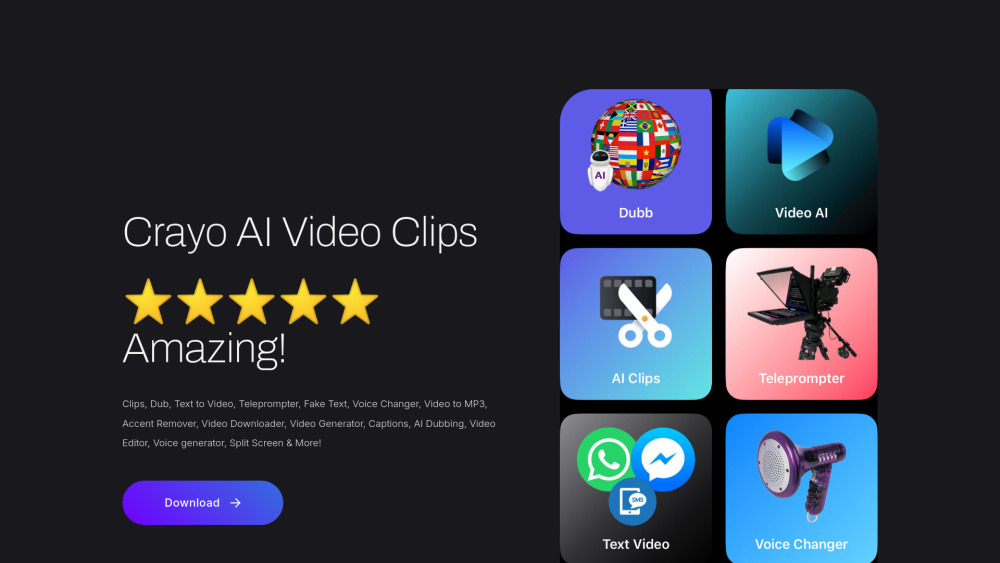
What is Crayo AI Video Clips Generator?
Crayo AI Video Clips Generator is an AI-powered tool designed to help users create viral video clips quickly and efficiently. It offers a comprehensive suite of features including AI-driven video clipping, dubbing, text-to-video conversion, a teleprompter, voice changing, video downloading without watermarks, accent removal, and video editing. Users can generate clips from various popular platforms like YouTube, TikTok, Instagram, Facebook, X, Reddit, Tumblr, and Rumble. Additionally, it provides functionalities for creating fake text/SMS images or videos and translating videos into any language.
How to use Crayo AI Video Clips Generator?
To use Crayo AI Video Clips Generator, simply paste a link from platforms such as YouTube, TikTok, Instagram, Facebook, X, Reddit, Tumblr, or Rumble to instantly create viral clips. For video downloading, paste any video link to get it without a watermark. The AI Teleprompter assists users in speaking fluently, changing their voice, and translating videos. Fake text/SMS content can be generated by inputting desired messages.
Crayo AI Video Clips Generator's Core Features
AI Video Clips Generator
Video Dubbing
Text to Video Conversion
AI Teleprompter
Fake Text/SMS Creator
Voice Changer
Video to MP3 Conversion
Accent Remover
Video Downloader (without watermark)
AI Video Translation
Video Editor
Captions
Split Screen
Crayo AI Video Clips Generator's Use Cases
Creating viral video clips from existing online content (e.g., YouTube, TikTok, Instagram)
Dubbing videos into different languages or with altered voices for global reach
Generating video content directly from text input
Utilizing a teleprompter to ensure fluent and confident video presentations
Producing fake text/SMS conversations for comedic or narrative purposes
Downloading videos from various platforms without watermarks for offline use or repurposing
Translating video content into multiple languages to expand audience reach
Editing videos, adding captions, and applying various effects
FAQ from Crayo AI Video Clips Generator
What platforms can I use to create viral clips with Crayo AI?
Can I download videos without watermarks using Crayo AI?
Does Crayo AI support video translation?
What are the subscription options for Crayo AI Video Clips Generator?
Is there a character limit for voice-over or video generation?
Crayo AI Video Clips Generator Support Email & Customer service contact & Refund contact etc.
Here is the Crayo AI Video Clips Generator support email for customer service: [email protected] .
Crayo AI Video Clips Generator Company
Crayo AI Video Clips Generator Company name: Fermave .
Crayo AI Video Clips Generator Facebook
Crayo AI Video Clips Generator Facebook Link: https://www.facebook.com/share/14ysuiNoj3M/?mibextid=wwXIfr
Crayo AI Video Clips Generator Tiktok
Crayo AI Video Clips Generator Tiktok Link: https://www.tiktok.com/@crayoaiapp?_t=ZP-8wPopFltgYY&_r=1
Crayo AI Video Clips Generator Instagram
Crayo AI Video Clips Generator Instagram Link: https://www.instagram.com/crayo_video?igsh=cG5udWZtNTB3Y3pq&utm_source=qr
FAQ from Crayo AI Video Clips Generator
What is Crayo AI Video Clips Generator?
Crayo AI Video Clips Generator is an AI-powered tool designed to help users create viral video clips quickly and efficiently. It offers a comprehensive suite of features including AI-driven video clipping, dubbing, text-to-video conversion, a teleprompter, voice changing, video downloading without watermarks, accent removal, and video editing. Users can generate clips from various popular platforms like YouTube, TikTok, Instagram, Facebook, X, Reddit, Tumblr, and Rumble. Additionally, it provides functionalities for creating fake text/SMS images or videos and translating videos into any language.
How to use Crayo AI Video Clips Generator?
To use Crayo AI Video Clips Generator, simply paste a link from platforms such as YouTube, TikTok, Instagram, Facebook, X, Reddit, Tumblr, or Rumble to instantly create viral clips. For video downloading, paste any video link to get it without a watermark. The AI Teleprompter assists users in speaking fluently, changing their voice, and translating videos. Fake text/SMS content can be generated by inputting desired messages.
What platforms can I use to create viral clips with Crayo AI?
You can paste links from YouTube, TikTok, Instagram, Facebook, X, Reddit, Tumblr, and Rumble to create viral clips using Crayo AI.
Can I download videos without watermarks using Crayo AI?
Yes, Crayo AI Video Clips Generator allows you to download any video from supported platforms without watermarks.
Does Crayo AI support video translation?
Yes, you can translate your videos into any language using AI with Crayo.
What are the subscription options for Crayo AI Video Clips Generator?
Crayo AI offers weekly ($12.99), monthly ($19.99), and yearly ($190) subscription options for AI video features, along with a 10-credit pack for $7.99.
Is there a character limit for voice-over or video generation?
Previously, there was an 800-character limit, but it has been updated to 1600 characters based on developer response.