
AI Directory : AI Developer Tools, AI Project Management, AI Prompt Generator, AI Roadmap, AI Task Management
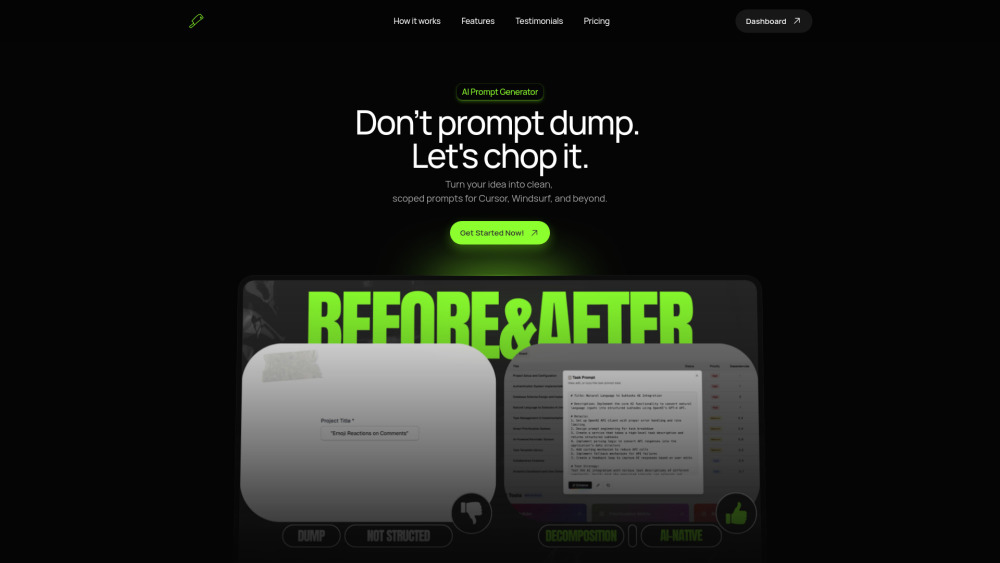
What is ChopTask?
ChopTask is an AI-powered tool that transforms vague ideas into structured subtasks and AI prompts in seconds. It helps users, especially those in coding, designing, or planning, to move fast with clarity. It automatically breaks down projects into developer tasks, providing priority, complexity scores, dependencies, and AI code editor prompts optimized for tools like Cursor and Windsurf.
How to use ChopTask?
Using ChopTask involves three simple steps: 1. Describe Your Project: Start by typing in a high-level idea, feature request, or vague goal. 2. It Breaks Down Automatically: ChopTask instantly converts your input into clear, structured subtasks with priority, complexity, and dependencies. 3. Supercharge Your Prompts: Each subtask is then converted into AI-ready prompts, optimized for AI code editors like Cursor and Windsurf.
ChopTask's Core Features
AI Prompt Generator
Dynamic Task Decomposition
AI-Native Prompt Generation
Seamless AI Editor Integration
Dependency Resolution Intelligence
Execution-Oriented Task Ordering
MVP Builder
Prioritization Matrix
Roadmap Timeline
Complexity Heatmap
Progress Tracker
Network Graph Visualization
ChopTask's Use Cases
Automatically breaking down projects into developer tasks with priority, complexity, and dependencies.
Generating clean, scoped prompts for AI coding editors like Cursor and Windsurf.
Defining and prioritizing core features for a Minimum Viable Product (MVP).
Visualizing project milestones and deadlines on an interactive timeline.
Identifying challenging areas in a project with visual complexity analysis.
Monitoring task completion and overall project advancement.
Exploring task dependencies and relationships in an interactive network view.
Planning optimal build sequences for features, especially for MVPs or solo projects.
FAQ from ChopTask
What makes ChopTask different from regular to-do tools or project managers?
Do I need to use Cursor or Windsurf for this to work?
What happens when I reach the 2-task limit on the Starter plan?
Is my project data secure?
Will ChopTask suggest the best order to implement my features?
ChopTask Support Email & Customer service contact & Refund contact etc.
More Contact, visit the contact us page(https://choptask.com/)
ChopTask Company
ChopTask Company name: ChopTask .
ChopTask Login
ChopTask Login Link: https://app.choptask.com/
ChopTask Twitter
ChopTask Twitter Link: https://x.com/kdroov
FAQ from ChopTask
What is ChopTask?
ChopTask is an AI-powered tool that transforms vague ideas into structured subtasks and AI prompts in seconds. It helps users, especially those in coding, designing, or planning, to move fast with clarity. It automatically breaks down projects into developer tasks, providing priority, complexity scores, dependencies, and AI code editor prompts optimized for tools like Cursor and Windsurf.
How to use ChopTask?
Using ChopTask involves three simple steps: 1. Describe Your Project: Start by typing in a high-level idea, feature request, or vague goal. 2. It Breaks Down Automatically: ChopTask instantly converts your input into clear, structured subtasks with priority, complexity, and dependencies. 3. Supercharge Your Prompts: Each subtask is then converted into AI-ready prompts, optimized for AI code editors like Cursor and Windsurf.
What makes ChopTask different from regular to-do tools or project managers?
Unlike generic task tools, ChopTask turns vague ideas into structured, executable prompts for AI code editors—complete with prioritization, complexity analysis, and dependency mapping.
Do I need to use Cursor or Windsurf for this to work?
No, but it’s highly optimized for those editors. You can still copy the generated prompts into any AI coding tool, or just use ChopTask as your planning engine.
What happens when I reach the 2-task limit on the Starter plan?
You’ll still be able to view and interact with your existing tasks, but to create new ones, you’ll need to upgrade to the Pro plan for unlimited generation.
Is my project data secure?
Absolutely. Your data is stored securely and never used for training purposes or shared externally. You control everything you generate.
Will ChopTask suggest the best order to implement my features?
Yes. It analyzes dependencies, technical weight, and project flow to recommend an optimal build sequence—especially useful when planning MVPs or working solo.