
AI Directory : AI 3D Model Generator, AI Floor Plan Generator, AI Interior Design, AI Kitchen Design, AI Landscape Generator, AI Room Planner
What is Arcadium?
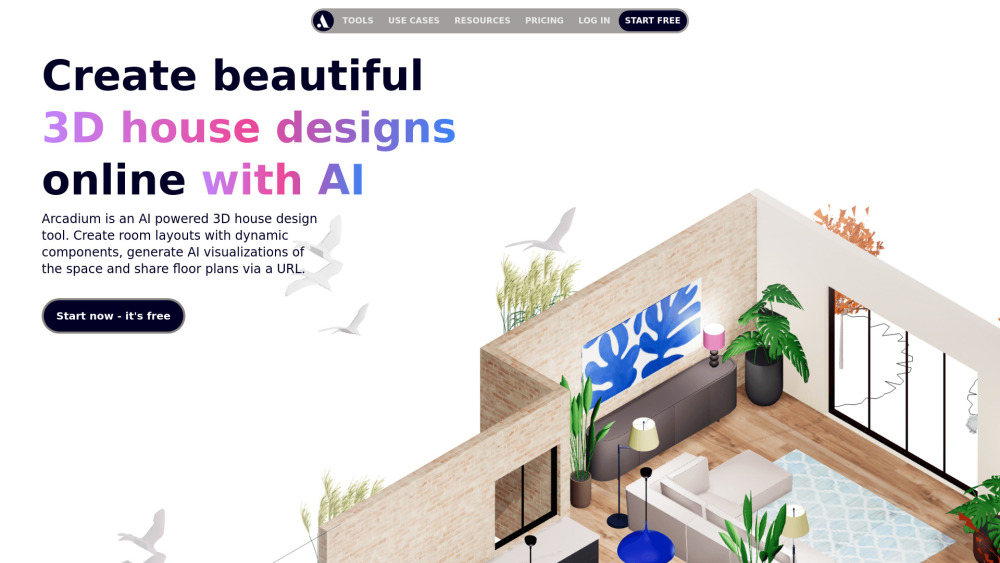
Arcadium is an AI-powered online 3D house design tool that allows users to create floor plans, room layouts, and house designs in minutes. It enables visualization with AI, offers 3D modeling capabilities, and supports interior design and architecture. The platform is free and easy to use, providing dynamic components, AI visualizations, and the ability to share floor plans via URL.
How to use Arcadium?
To use Arcadium, first create a basic floor plan by adding walls, doors, and windows. Then, style the room with colors, textures, and materials, and add pre-built 3D furniture models from the library, adjusting their position, rotation, and scale. Users can switch between multiple views (top-down, elevations, orthographic, first-person) and take virtual walking tours. Lighting can be added and adjusted for brightness and hue. Dynamic parametric objects like stairs and windows can be used for quick adjustments. Models can be labeled with text and dimensions. Finally, designs can be shared instantly online via a URL for collaboration.
Arcadium's Core Features
Easy 3D house design with in-built furniture library
Generate visualizations with AI (photorealistic, different styles, sketches, watercolors)
Share 2D floor plans and elevations via URL
Multiple views (top-down, floor plan, isometric, first-person)
Large 3D model library with scale-accurate furniture
Parametric components (stairs, windows, doors) for dynamic adjustments
Precise creation and alignment tools (auto alignment, position snapping, numerical inputs)
Realistic lighting and rendering controls
Instant cloud-based collaboration and virtual tours
Arcadium's Use Cases
3D house modeling
Floor plan creation
Interior design
Kitchen design
Home design
Room design
Landscape design
Bedroom design
Feng shui design
Office floor plan creation
Client presentations and collaboration
Home renovations and DIY projects
FAQ from Arcadium
What is the best free floor plan creator?
Do I need an architect to draw house plans?
How do I draw my own floor plans?
How do I calculate how many lights I need?
Is Arcadium free to use?
How can I create kitchen layout plans online?
Arcadium Support Email & Customer service contact & Refund contact etc.
More Contact, visit the contact us page(https://osrd6v6dgck.typeform.com/to/uRkeYmYe)
Arcadium Company
Arcadium Company name: Arcadium .
Arcadium Company address: .
More about Arcadium, Please visit the about us page().
Arcadium Login
Arcadium Login Link: https://arcadium3d.com/login
Arcadium Sign up
Arcadium Sign up Link: https://arcadium3d.com/register
Arcadium Pricing
Arcadium Pricing Link: https://arcadium3d.com/pricing
Arcadium Youtube
Arcadium Youtube Link: https://www.youtube.com/@ArcadiumVideos
Arcadium Tiktok
Arcadium Tiktok Link: https://www.tiktok.com/@arcadium3d
Arcadium Linkedin
Arcadium Linkedin Link: https://www.linkedin.com/company/arcadium-3d
FAQ from Arcadium
What is Arcadium?
Arcadium is an AI-powered online 3D house design tool that allows users to create floor plans, room layouts, and house designs in minutes. It enables visualization with AI, offers 3D modeling capabilities, and supports interior design and architecture. The platform is free and easy to use, providing dynamic components, AI visualizations, and the ability to share floor plans via URL.
How to use Arcadium?
To use Arcadium, first create a basic floor plan by adding walls, doors, and windows. Then, style the room with colors, textures, and materials, and add pre-built 3D furniture models from the library, adjusting their position, rotation, and scale. Users can switch between multiple views (top-down, elevations, orthographic, first-person) and take virtual walking tours. Lighting can be added and adjusted for brightness and hue. Dynamic parametric objects like stairs and windows can be used for quick adjustments. Models can be labeled with text and dimensions. Finally, designs can be shared instantly online via a URL for collaboration.
What is the best free floor plan creator?
Arcadium 3D is considered the fastest and easiest free tool for interior designers and DIY enthusiasts, working directly in the browser with an intuitive drag-and-drop interface and a large furniture library. Other options like SketchUp and Autocad are typically more complicated.
Do I need an architect to draw house plans?
You typically don't need an architect to draw house plans (2D or 3D models) if you're looking to get a feel for the space and try different layout options. Free apps like Arcadium 3D allow you to do this yourself. For manually verified plans, a Measured Survey by a surveyor can be done without an architect.
How do I draw my own floor plans?
Drawing floor plans yourself is easy with free software like Arcadium 3D. Once you have your house dimensions, you can add walls, windows, and doors using a drag-and-drop interface. Walls can be adjusted for length and thickness, and doors and windows are automatically cut out from walls.
How do I calculate how many lights I need?
While approximate rules of thumb exist (e.g., 15 lumens per square foot), modern 3D modeling apps like Arcadium 3D allow you to add lights directly into your 3D floor plans. This helps you visualize the lighting, identify dark corners or overly bright zones, and choose from various light types with adjustable brightness.
Is Arcadium free to use?
Yes! You can sign up and use the free account, which allows you to create a project entirely for free and access a wide variety of Arcadium's features.
How can I create kitchen layout plans online?
You can use Arcadium 3D's free layout app to quickly experiment with kitchen designs. It allows you to add walls, doors, and windows, and provides many scale-accurate 3D furniture models and lighting options to help you visualize the kitchen's flow.