
AI Directory : AI Checker, AI Checker Essay, AI Content Detector, AI Detector, AI Image Detector, AI Plagiarism Checker
What is AI Detector for PPT?
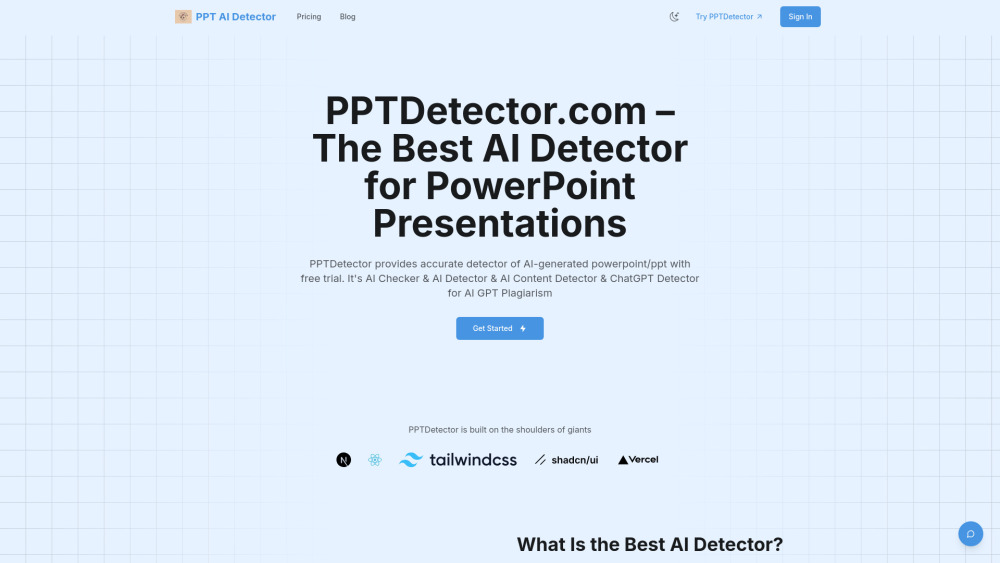
PPTDetector.com is an accurate AI detector and checker designed to identify AI-generated content in PowerPoint (PPT/PPTX) presentations. It provides accurate detection of content created by various AI models such as ChatGPT, GPT, Gemini, Grok, Claude, and Deepseek, aiming to prevent AI GPT plagiarism and maintain integrity in educational and corporate settings.
How to use AI Detector for PPT?
To use PPTDetector.com, simply upload your PowerPoint file to the platform. The system will then quickly and securely analyze the content. After analysis, the tool provides clear, actionable reports that help users interpret the data and improve their presentations.
AI Detector for PPT's Core Features
Accurate detection of AI-generated text, images, and structure in PowerPoint files.
Multi-layered analysis for comprehensive content review.
Fast and accurate reporting, delivering results in seconds.
Seamless integration into existing workflows.
User-friendly interface with an intuitive dashboard.
Continuous algorithm updates to adapt to new AI generation techniques.
Compatibility with multiple PowerPoint formats (PPT/PPTX).
Secure and confidential data processing.
AI Detector for PPT's Use Cases
Maintaining academic integrity by detecting AI-generated content in student presentations.
Ensuring authenticity in corporate settings by verifying presentation content.
Personal content verification for any PowerPoint file.
FAQ from AI Detector for PPT
How Accurate Is the Best AI Detector on PPTDetector.com?
Is My Data Safe with the Best AI Detector?
Can the Best AI Detector Identify All Types of AI-Generated Content?
How Fast Is the Best AI Detector at PPTDetector.com?
Can the Best AI Detector Work with All PowerPoint Formats?
What Makes the Best AI Detector Different from Other Tools?
AI Detector for PPT Reddit
Here is the AI Detector for PPT Reddit: https://reddit.com/pptdetector
AI Detector for PPT Support Email & Customer service contact & Refund contact etc.
More Contact, visit the contact us page()
AI Detector for PPT Company
AI Detector for PPT Company name: PPTDetector .
AI Detector for PPT Company address: .
More about AI Detector for PPT, Please visit the about us page().
AI Detector for PPT Login
AI Detector for PPT Login Link: https://www.pptdetector.com/#pricing
AI Detector for PPT Sign up
AI Detector for PPT Facebook
AI Detector for PPT Facebook Link: https://www.facebook.com/groups/705580195245705/
AI Detector for PPT Twitter
AI Detector for PPT Twitter Link: https://x.com/shawn_sg45849
AI Detector for PPT Reddit
AI Detector for PPT Reddit Link: https://reddit.com/pptdetector
FAQ from AI Detector for PPT
What is AI Detector for PPT?
PPTDetector.com is an accurate AI detector and checker designed to identify AI-generated content in PowerPoint (PPT/PPTX) presentations. It provides accurate detection of content created by various AI models such as ChatGPT, GPT, Gemini, Grok, Claude, and Deepseek, aiming to prevent AI GPT plagiarism and maintain integrity in educational and corporate settings.
How to use AI Detector for PPT?
To use PPTDetector.com, simply upload your PowerPoint file to the platform. The system will then quickly and securely analyze the content. After analysis, the tool provides clear, actionable reports that help users interpret the data and improve their presentations.
How Accurate Is the Best AI Detector on PPTDetector.com?
The best AI detector on PPTDetector.com uses advanced algorithms to maximize accuracy, providing reliable and consistent results trusted by users.
Is My Data Safe with the Best AI Detector?
Data privacy is a top priority for PPTDetector.com, ensuring all files processed by the best AI detector are secure and confidential.
Can the Best AI Detector Identify All Types of AI-Generated Content?
The best AI detector is designed to catch various forms of AI-generated content and is continuously updated to remain ahead in detection capability.
How Fast Is the Best AI Detector at PPTDetector.com?
PPTDetector.com’s best AI detector delivers rapid analysis, providing results within seconds.
Can the Best AI Detector Work with All PowerPoint Formats?
The best AI detector is compatible with multiple PowerPoint formats (PPT/PPTX), ensuring reliability for different file types.
What Makes the Best AI Detector Different from Other Tools?
The best AI detector combines advanced AI, user-friendly design, and high accuracy, making PPTDetector.com a leading solution.